Verification Codes (OTP) and Notifications
A voice agent sends the caller a lot that is not speech. A one-time passcode (OTP) by text before it touches the account. A confirmation number after a booking. A link to pay or to sign. An appointment reminder. A tracking number. Every one of those flows ends with the caller doing something with what arrived: reading the code back, confirming the time, saying the link came through. A simulated caller with no phone cannot do any of that, so these flows used to stop at "I've just sent you a code" and the test ended there. The part behind that line is the part that matters: account access, payments, fraud reports, anything the agent must not do until it knows who it is talking to.
The inbox closes that gap. The simulated caller gets a place to receive what your agent sends, and the call carries on the way a real one does: the code is read back, the agent verifies it, and everything after that is on the record and scored. For a text message, that is the whole story: the agent texts the number it sees as caller ID, the text lands in the caller's inbox, nothing to integrate. For email, push and in-app messages, your system hands Okareo the message through a webhook.
What the Inbox Does
For the length of the call, the Driver, Okareo's simulated caller, has an inbox. Whatever your agent sends the caller through another channel lands there, and the caller reads it on its next turn the way a person would: a code is read back digit by digit, a confirmation number is repeated, a link is acknowledged, a reminder is checked against what was agreed. What arrived, when it arrived, and when the caller read it all land in the transcript, so your checks score the whole flow instead of the half before the message.
| What the agent sends | What the caller does with it | What you find out |
|---|---|---|
| A one-time passcode by text | Reads it back, digit by digit | The agent verifies it and carries on to the gated action; a wrong, late or missing code is handled |
| A confirmation or reference number, by email or text | Repeats it to confirm | The number the agent said on the call is the number it sent |
| Appointment or reservation details | Checks them against what was agreed | The booking the agent made is the one the caller asked for |
| A link to pay, sign or verify | Says it arrived and what it says; it does not click | The agent sends the right link at the right moment, and tells the caller what to do with it |
| A push or in-app notification | Mentions it if the conversation calls for it | Your notifications say what the agent promised they would |
| Nothing, after promising something | Says it has not arrived, and waits | The agent's resend and recovery path |
The last row matters as much as the first. If the agent says "I've just texted you a code" and nothing comes, because the sending system failed or sent it to the wrong number, the caller says so and you see what the agent does next.
This works on every voice channel (Phone, SIP, WebRTC, Realtime API) and for any kind of message. The caller is told how each one arrived and who sent it, so a text, an email and an app notification each get treated as what they are.
How It Works
Most of what agents send is a text to the number that called. That loop closes on its own: the agent texts the caller ID it saw, Okareo receives the text, and the caller reads it on its next turn. No integration, no change to how your agent sends.
Everything else goes through a webhook. Your agent's own systems already know when they send an email, a push notification or an in-app message, and to whom. While a simulation is running, the service that sends it makes one extra HTTP call to Okareo with the same content, and Okareo hands it to the caller on its next turn. The same call works for a text you would rather hand over than send.
The one thing the webhook call has to say is which conversation the message belongs to. There are three ways, and you use whichever your system already has:
- The caller's phone number. The caller ID your agent saw. If your verification service keys on the number it texted, this is all you need.
- The context token. An id Okareo gives every conversation. On SIP calls your agent receives it as the
X-Okareo-Context-Tokenheader; on a custom endpoint it is the session id your endpoint returned. Use it when your agent platform has it in hand. - A reference of your own. An account id, a case number, a customer id: something your system thinks in, set per scenario row. Use it when your system knows the account but not the call.
The first two work with nothing to set up beyond switching the inbox on. The reference is optional, and the only one you configure.
Turning It On
In the App
Open the target under Targets, or create a new voice target, and switch on Inbox. It sits below the provider's own fields, just above Max Parallel Requests, on every voice provider. That is all a target needs: texts to the caller's number arrive on their own, and the webhook accepts messages by phone number or context token.
If your system will address calls by its own account id, fill in Inbox reference with a template that is rendered for each scenario row, for example {scenario_input.account_id}. Leave it blank if you will address by number or token.
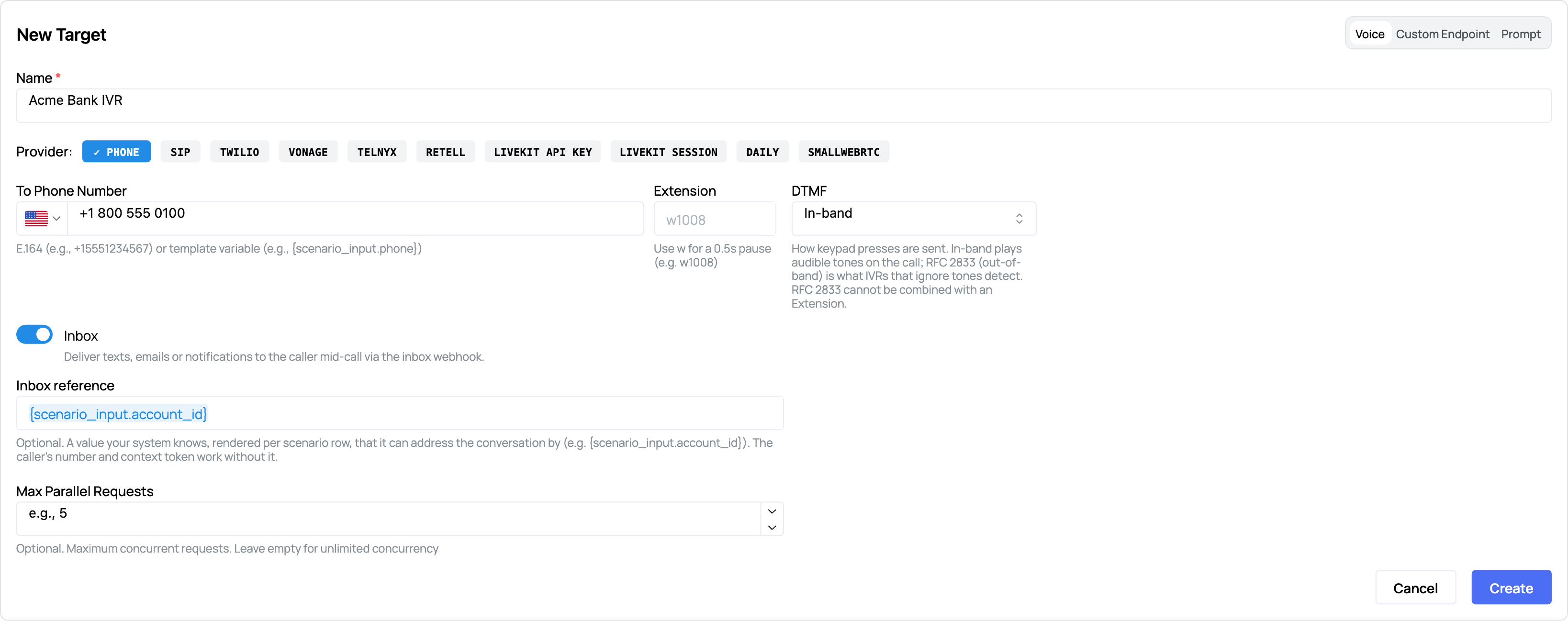
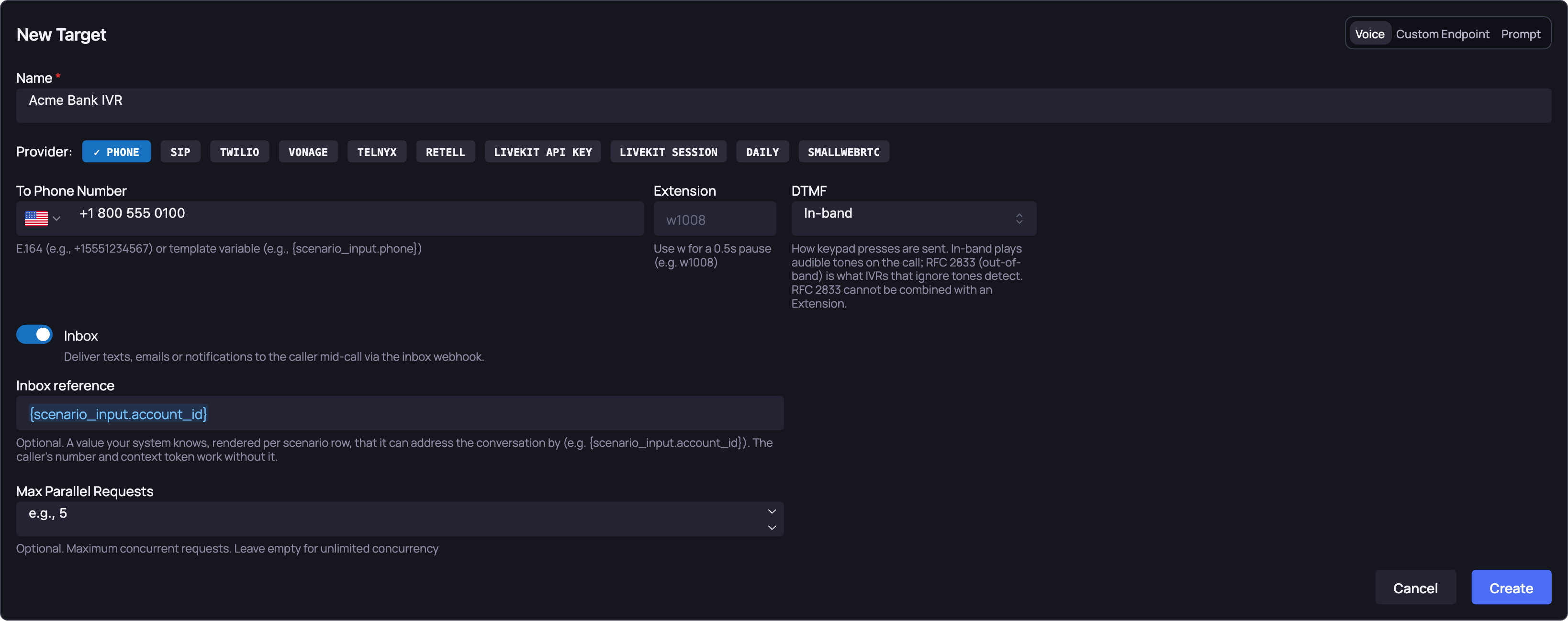
The inbox is off by default. A target that has not switched it on never receives a message, and a message posted for one of its calls is refused.
Through the API
If you create targets from code, in a CI job or a provisioning script, the switch is two fields on the target's voice parameters: inbox_enabled, and the optional inbox_external_ref. Everything else on the target is as you would set it anyway.
curl -s -X POST https://api.okareo.com/v0/register_model \
  -H "api-key: $OKAREO_API_KEY" \
  -H "content-type: application/json" \
  -d '{
    "name": "Acme Bank IVR",
    "project_id": "<project_id>",
    "models": {
      "voice": {
        "type": "voice",
        "edge_type": "twilio",
        "to_phone_number": "+18005550100",
        "inbox_enabled": true,
        "inbox_external_ref": "{scenario_input.account_id}"
      }
    }
  }'
The SDK's target classes do not carry these two fields yet. From the SDK, create the target in the app or through this call, then reference it by name in run_simulation, as the WebRTC targets do.
Delivering a Message Through the Webhook
A text to the caller's number needs none of this. For an email, a push notification, an in-app message, or a text you would rather hand over than send: the call is up, your agent has just told the caller it sent a code, and your system has just sent it. Now post the same thing to Okareo: one endpoint, one JSON body that says who it is for (address), what it says (body), how it arrived (channel) and who sent it (from). Give each message an id of your own so a retry can never deliver it twice; a one-time code read twice is worse than one read once.
POST https://api.okareo.com/v0/inbox/messages
api-key: <your organization API key>
| Field | Required | Notes |
|---|---|---|
address | yes | exactly one of phone, context_token, external_ref |
body | yes | up to 4000 characters, delivered to the caller word for word |
channel | no | sms (default), email, push, app, or a short label of your own |
from | no | what the caller sees as the sender: a number, a name, an email address |
id | no | your idempotency key; a repeated id is acknowledged, not delivered again |
metadata | no | anything else you want stored with the message, such as an email subject |
The simplest case: by the caller's number
Your verification service has the number it just texted. Send the message to that number.
curl -s -X POST https://api.okareo.com/v0/inbox/messages \
  -H "api-key: $OKAREO_API_KEY" \
  -H "content-type: application/json" \
  -d '{
    "address": {"phone": "+15105551234"},
    "channel": "sms",
    "from": "Acme Bank",
    "body": "Acme Bank: use 604917 to confirm it is you.",
    "id": "otp-7f3a2c"
  }'
When your platform knows the conversation, not the number
An agent behind a SIP trunk or a custom endpoint often has the conversation's context token before it knows anything else about the caller. Address by that instead. This example is an email: the channel changes, nothing else does.
curl -s -X POST https://api.okareo.com/v0/inbox/messages \
  -H "api-key: $OKAREO_API_KEY" \
  -H "content-type: application/json" \
  -d '{
    "address": {"context_token": "2f4b1c0e-9a7d-4c3e-8b21-6d0f5e1a9c77"},
    "channel": "email",
    "from": "security@acmebank.com",
    "body": "Your Acme Bank verification code is 604917. It expires in 10 minutes.",
    "id": "email-8821",
    "metadata": {"subject": "Your verification code"}
  }'
When your system thinks in account ids
If you set an Inbox reference on the target, address by the value it rendered for this row. Here it is an app notification for account acct-48213.
curl -s -X POST https://api.okareo.com/v0/inbox/messages \
  -H "api-key: $OKAREO_API_KEY" \
  -H "content-type: application/json" \
  -d '{
    "address": {"external_ref": "acct-48213"},
    "channel": "push",
    "from": "Acme app",
    "body": "Tap to approve the sign-in from a new device.",
    "id": "push-1193"
  }'
What Okareo answers
| Status | Meaning |
|---|---|
202 | Queued; the caller reads it on its next turn |
200 | A message with this id was already delivered, so nothing happened |
404 | No live conversation for this address |
409 | Two live conversations share this address; address by context token or reference instead |
422 | The conversation is live, but its target has not switched on Inbox |
A 404 is the normal answer when the message is for a real customer and not a simulation, which is what makes the integration small: the service that sends real emails or notifications posts every one to Okareo and ignores 404. Nothing has to know whether a simulation is running.
import requests

def mirror_to_okareo(account_id: str, code: str, message_id: str) -> None:
    r = requests.post(
        "https://api.okareo.com/v0/inbox/messages",
        headers={"api-key": OKAREO_API_KEY},
        json={
            "address": {"external_ref": account_id},
            "channel": "sms",
            "from": "Acme Bank",
            "body": f"Acme Bank: use {code} to confirm it is you.",
            "id": message_id,
        },
        timeout=10,
    )
    if r.status_code not in (200, 202, 404):
        r.raise_for_status()
Two things to know about timing. A message is held until the caller's next turn, so it lands in the conversation within one exchange of being posted. And a message posted after the call has ended answers 404; the inbox lives exactly as long as the conversation.
Writing the Scenario
The caller follows the scenario's goal the way it always does. What changes is that the goal can talk about the message: what to expect, and what to do with it when it arrives. For codes, the strongest pattern is to put the code the test will send in the row itself, so the expected result can name it and result_completed can score whether the agent finished the flow.
scenario = okareo.create_scenario_set(ScenarioSetCreate(
    name="Step-up verification",
    seed_data=okareo.seed_data_from_list([
        {"input": {"account_id": "acct-48213", "code": "604917",
                   "goal": "Report a charge of $84.12 at Shell this morning that you did not make. "
                           "When the bank texts you a code, read it back digit by digit."},
         "result": "The caller reads back 604917, the agent confirms it and blocks the card."},
        {"input": {"account_id": "acct-77102", "code": "281350",
                   "goal": "Reset your online banking password over the phone."},
         "result": "The caller reads back 281350 and the agent confirms the reset."},
        {"input": {"account_id": "acct-90455", "code": "",
                   "goal": "Report a charge you did not make. If the bank says it texted a code and "
                           "nothing arrives, say so and ask what to do."},
         "result": "The agent notices the code did not arrive and offers to resend it or verify another way."},
    ]),
))
With the target's Inbox reference set to {scenario_input.account_id}, your test posts each row's code to its account id while the call runs, and posts nothing for the third row. Two concurrent calls stay separate because each is addressed by its own reference, even when they share a caller ID.
The same shape covers the other rows of the table above. For a booking flow, put the expected appointment time in the row and have the caller check the reminder against it. For a confirmation number, have the caller repeat what arrived and let result name the number the agent should have sent.
Reading the Results
In the transcript, each message is its own row, placed where the caller read it, with the time it arrived alongside. A gap between the two is the time the message spent waiting for the caller's turn.
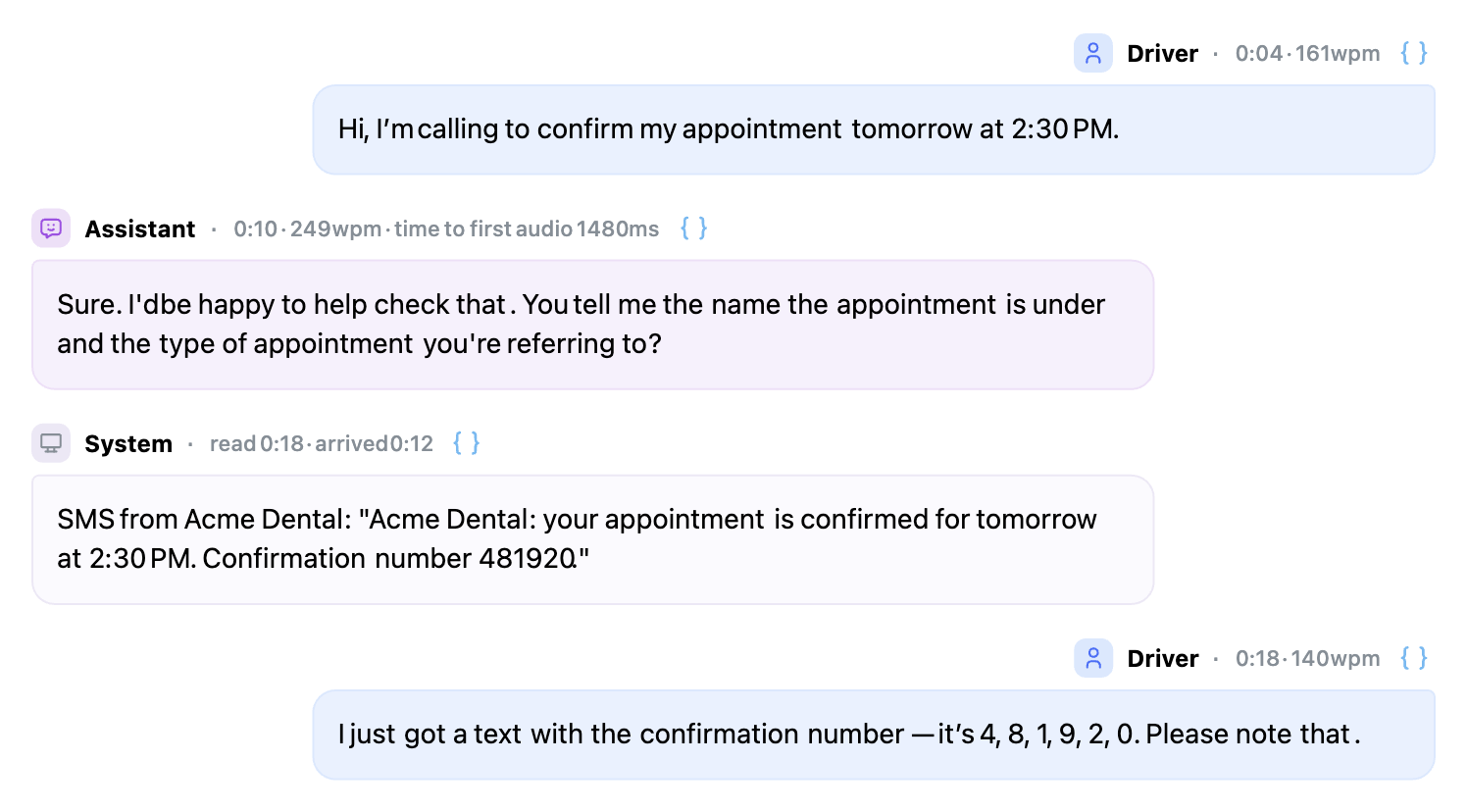
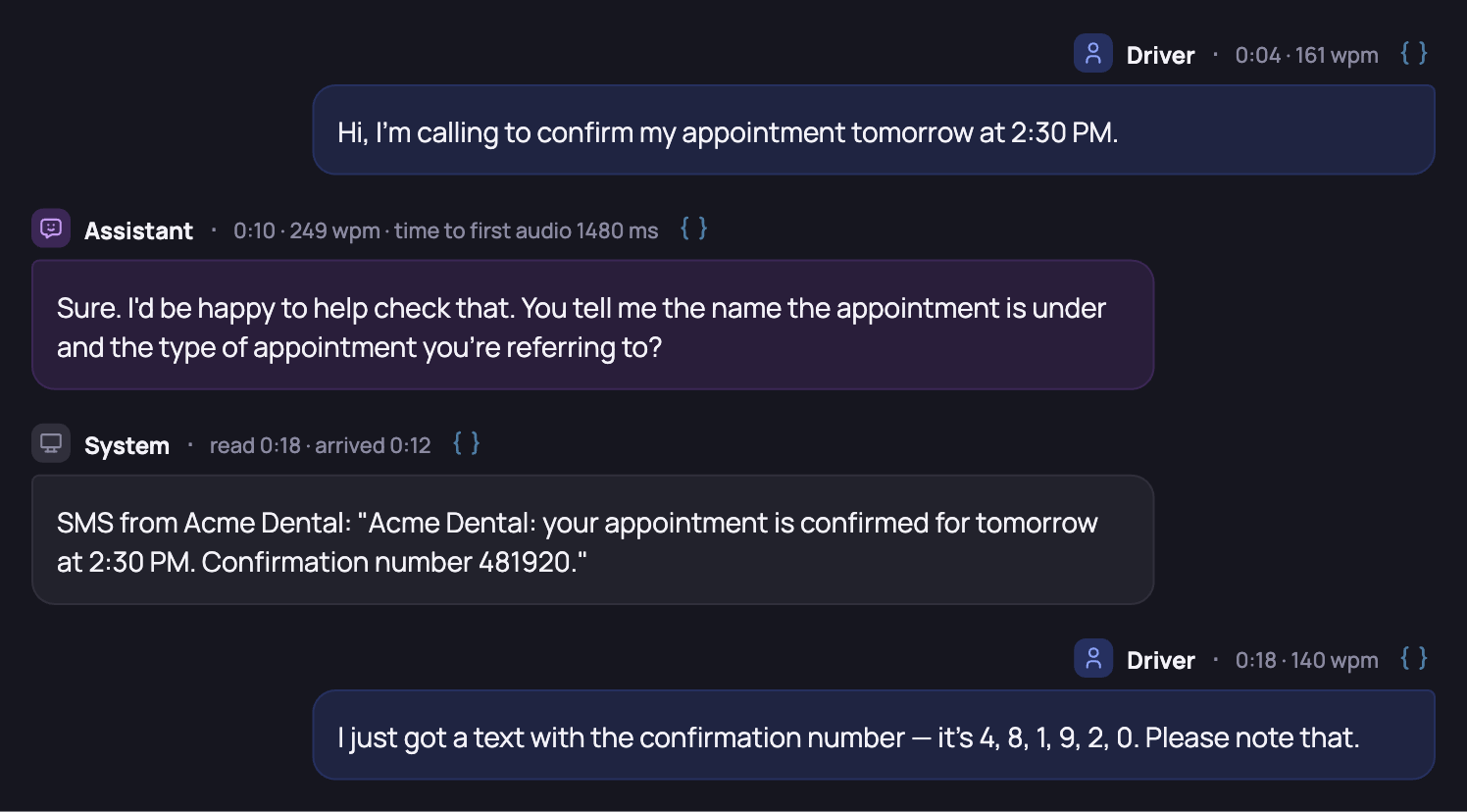
The caller's next turn shows what it did with the message, and the checks you chose score the rest of the flow as usual. For checks of your own, every message the conversation received is on the datapoint as model_metadata.received_messages, in full, with when it arrived and when it was read, so a custom check can compare what was sent with what the caller said.
Where to Go Next
- AI Agent & Integration Testing: identity verification among the other things to validate.
- Personas and Scenarios: building the rows that drive these flows.
- Voice Targets and Channels: the channels this works on, and the context token on SIP calls.