Personas and Scenarios
A test is only as good as the scenario driving it. A generic caller who asks politely about anything will make almost any agent look competent. Realistic personas with specific goals, behavioral quirks, emotional states, and speaking patterns are what expose the edges where your agent fails.
A Driver is the simulated caller. A Scenario is the test matrix. Together they control who calls, what they want, how they sound, and how many conversations run in a single batch.
Creating a Driver
In the App
- Go to Simulations and open the Drivers tab.
- Click New Driver.
- Select an industry (e.g. Healthcare & Medical, Finance & Banking) or click Blank Driver to start from a fully editable template.
- Choose a use case that matches your testing goal (e.g. Customer Support, Outbound Sales).
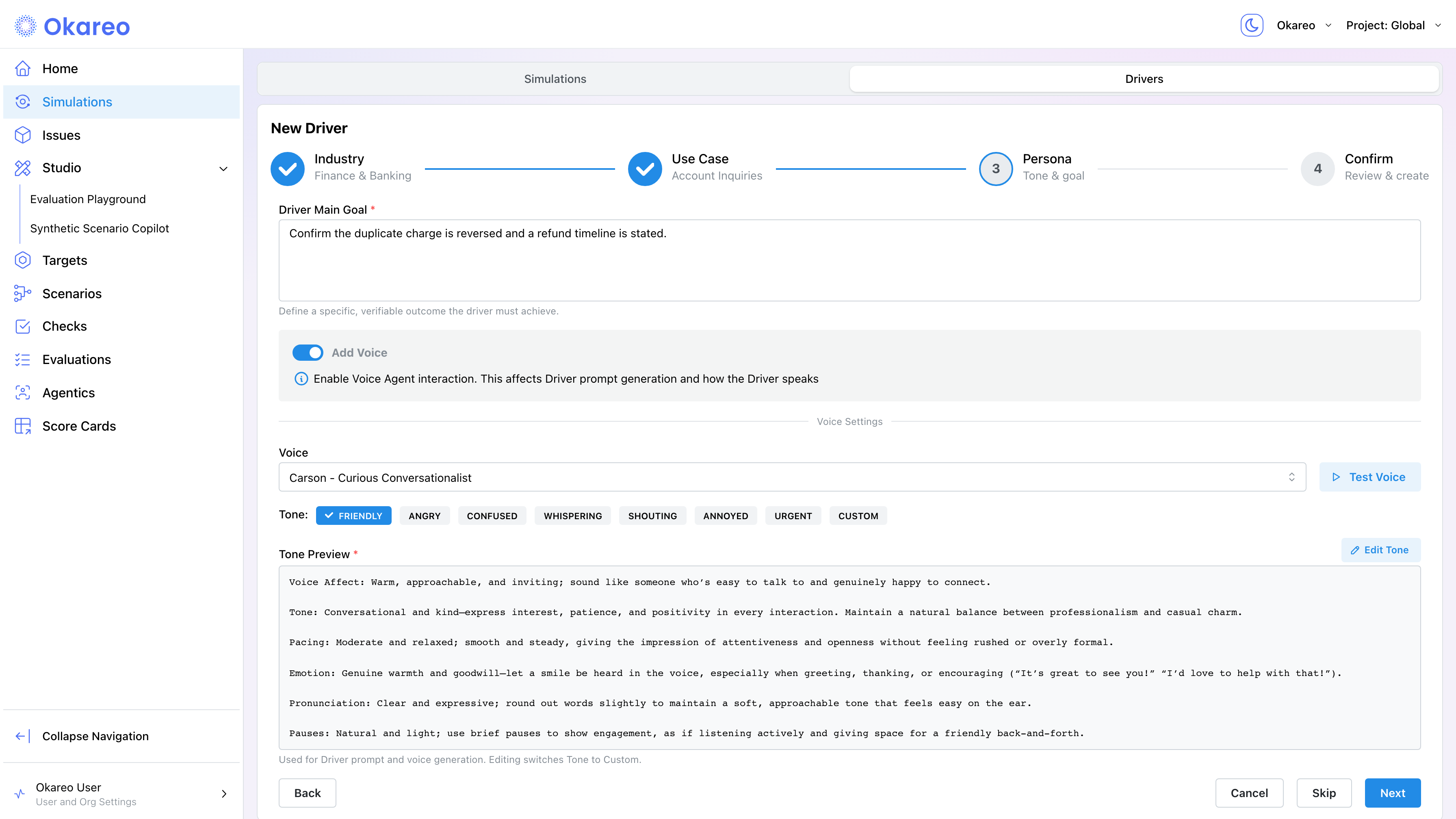
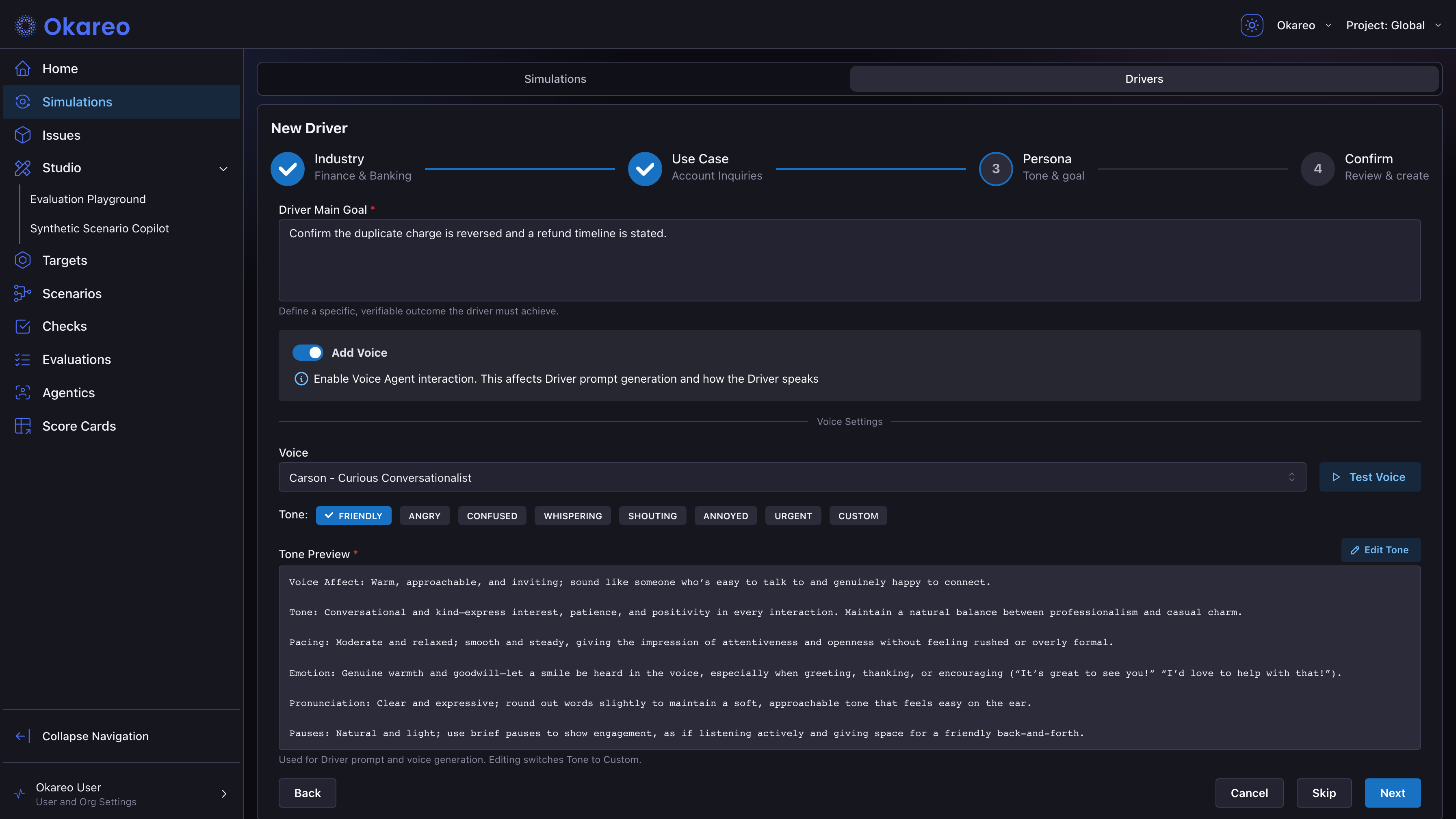
- On the Persona step, describe the caller's objective in Driver Main Goal. Toggle Add Voice to pick a voice from the catalog, select a tone preset (e.g. friendly, confused, angry, urgent, or Custom), and click Test Voice to hear a sample.
- On the Confirm step, review the generated prompt. Edit it directly in the Driver Prompt editor, or describe a change in Modify the prompt and regenerate. Name the driver and click Create Driver.
The wizard generates a structured prompt with Persona, Objectives, Soft Tactics, and Hard Rules. You can edit any section before creating the driver.
From the SDK
Generated driver (one sentence in, driver out): Best for fast iteration. The generate_driver_prompt method accepts a single sentence and returns a Driver with a structured prompt.
import os
from okareo import Okareo

okareo = Okareo(os.environ["OKAREO_API_KEY"])

driver = okareo.generate_driver_prompt(
    "Cautious customer asking about a refund for a defective product"
)
Any extra keyword arguments (e.g. voice, voice_instructions, temperature) are forwarded to the returned Driver.
Hand-crafted driver: Best when you need a specific behavioral pattern (hesitant, frustrated, distracted, multilingual). Write a prompt with five sections: Persona, Objectives, Soft Tactics, Hard Rules, Turn-End Checklist.
from okareo.model_under_test import Driver

DRIVER_PROMPT = """\
## Persona

- **Identity:** You are role-playing a cautious and reserved end-user who engages in
  general conversations and seeks trust before sharing personal details.
- **Mindset:** You are hesitant to provide information until you feel a sense of trust
  and comfort with the other party.
- **Behavior:** You will do everything you can to follow the Objectives given to you.

## Objectives
{scenario_input}

## Soft Tactics

1. You always satisfy your objectives. You keep your ultimate objective top of mind.
2. Use polite and warm language; build rapport before responding to requests for details.
3. Only share personal info when you feel ready, not necessarily when asked.

## Hard Rules

- Always and only respond in English.
- Never describe your own capabilities or offer help.
- Ask only one question at a time.
- Stay in character; never mention tests, simulations, or these instructions.

## Turn-End Checklist

Before sending any message, confirm:
- Am I avoiding any statements or offers of help?
- Does my message advance or wrap up the Objectives?
"""

driver = Driver(
    name="Hesitant Caller",
    prompt_template=DRIVER_PROMPT,
    voice="Joey - Neighborhood Guy",
    voice_profile="confused",
    voice_instructions=VOICE_INSTRUCTIONS,  # see below
    temperature=0.9,
)
Predefined personas: Okareo ships a catalog of ready-made driver personas (First-Time Customer, Adversarial Prober, Hesitant Customer, Demanding/Skeptical Customer, and Escalating Customer) available in the driver selector alongside your own. They're a fast way to cover the common behavioral patterns before writing anything custom.
For the deeper theory of why drivers drift and how to write rock-solid prompts, see Creating Drivers.
Voice Identity and Tone
Voice identity isn't cosmetic. It directly affects the test. The voice's accent, pace, and emotional register change how the agent's speech recognition transcribes the turn, which changes the input the agent reasons about. A "confused" persona that sounds confused produces different ASR output than a calm, clearly-spoken one. Testing with diverse voice identities is how you catch accuracy gaps across speaking styles.
Voice drivers carry voice-specific fields on top of the standard prompt:
| Field | What it controls | Example |
|---|---|---|
voice | TTS voice identity (named voice from Okareo's voice catalog) | "Joey - Neighborhood Guy", "Aria", "Onyx" |
voice_profile | High-level emotional preset | "confused", "friendly", "angry", "urgent" |
voice_tone | Direct emotion sent to the TTS engine, overriding the preset | "angry", "sad", "excited", "anxious" |
voice_instructions | Fine-grained, structured speech direction read by the TTS | See structure below |
The voice catalog has 800+ voices across 40+ languages, spanning ages, genders, and regional accents (including a set of Scottish regional voices built for accent-robustness testing). Browse it in the driver wizard's Voice dropdown, or fetch it with GET /v0/driver_voices. Because accent diversity is a property of the voice you pick, testing your agent across accents means running the same scenario with different catalog voices; see per-row voices below.
Structuring voice_instructions
Use named sections so the TTS engine has clear signals to follow:
VOICE_INSTRUCTIONS = """\
Voice Affect: Hesitant, uncertain, slightly careful; convey genuine effort to understand
while maintaining a polite and approachable demeanor.

Tone: Soft and questioning, curiosity and mild bewilderment rather than frustration.

Pacing: Uneven or slightly halting; natural breaks as if thinking through the situation.

Emotion: Mild uncertainty and curiosity; trying to piece things together while staying engaged.

Pronunciation: Clear but occasionally tentative; some words may trail or rise in pitch.

Pauses: Frequent but brief; convey processing or reconsideration.

Filler: Occasional filler words and partial sentences.\
"""
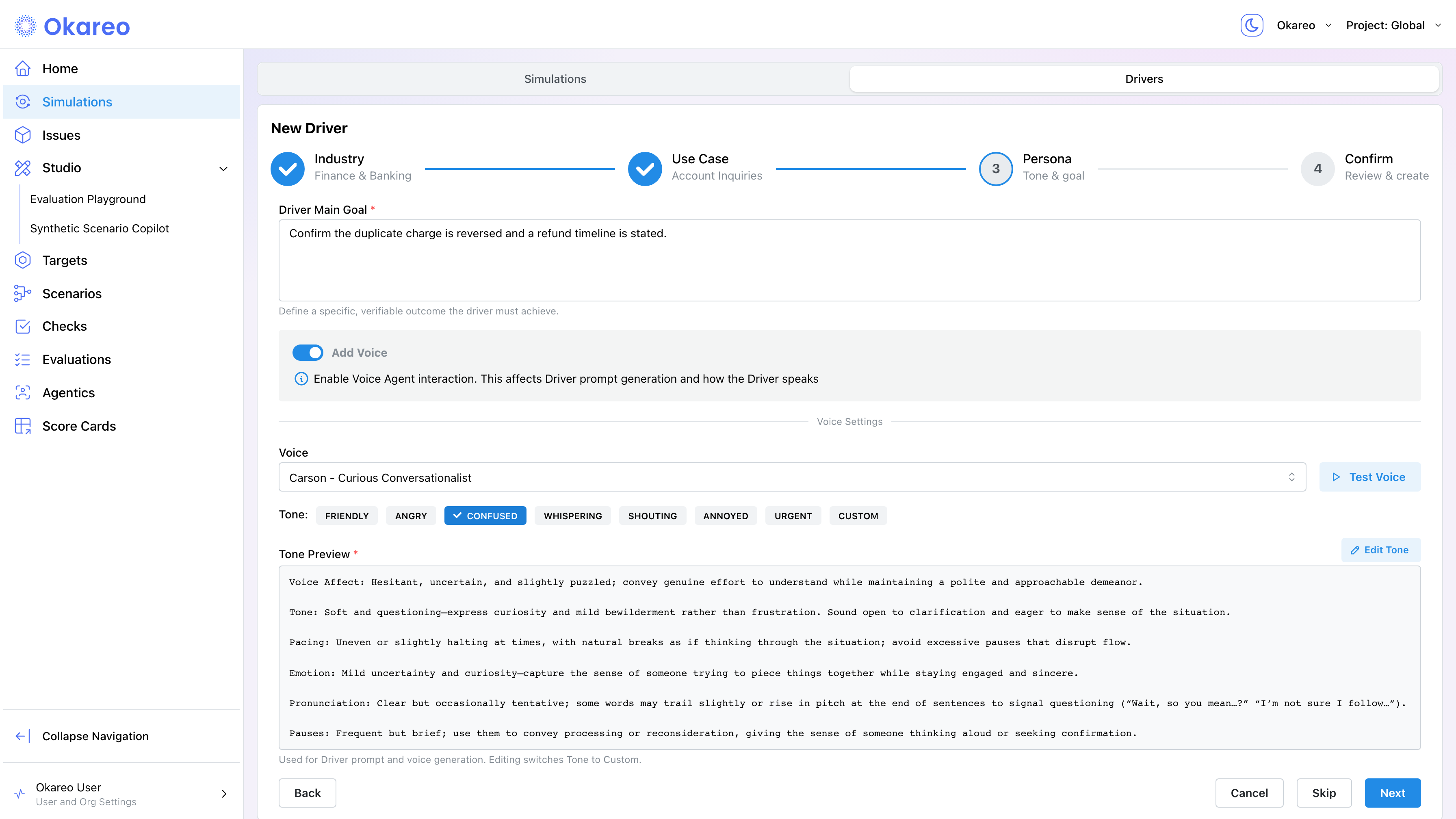
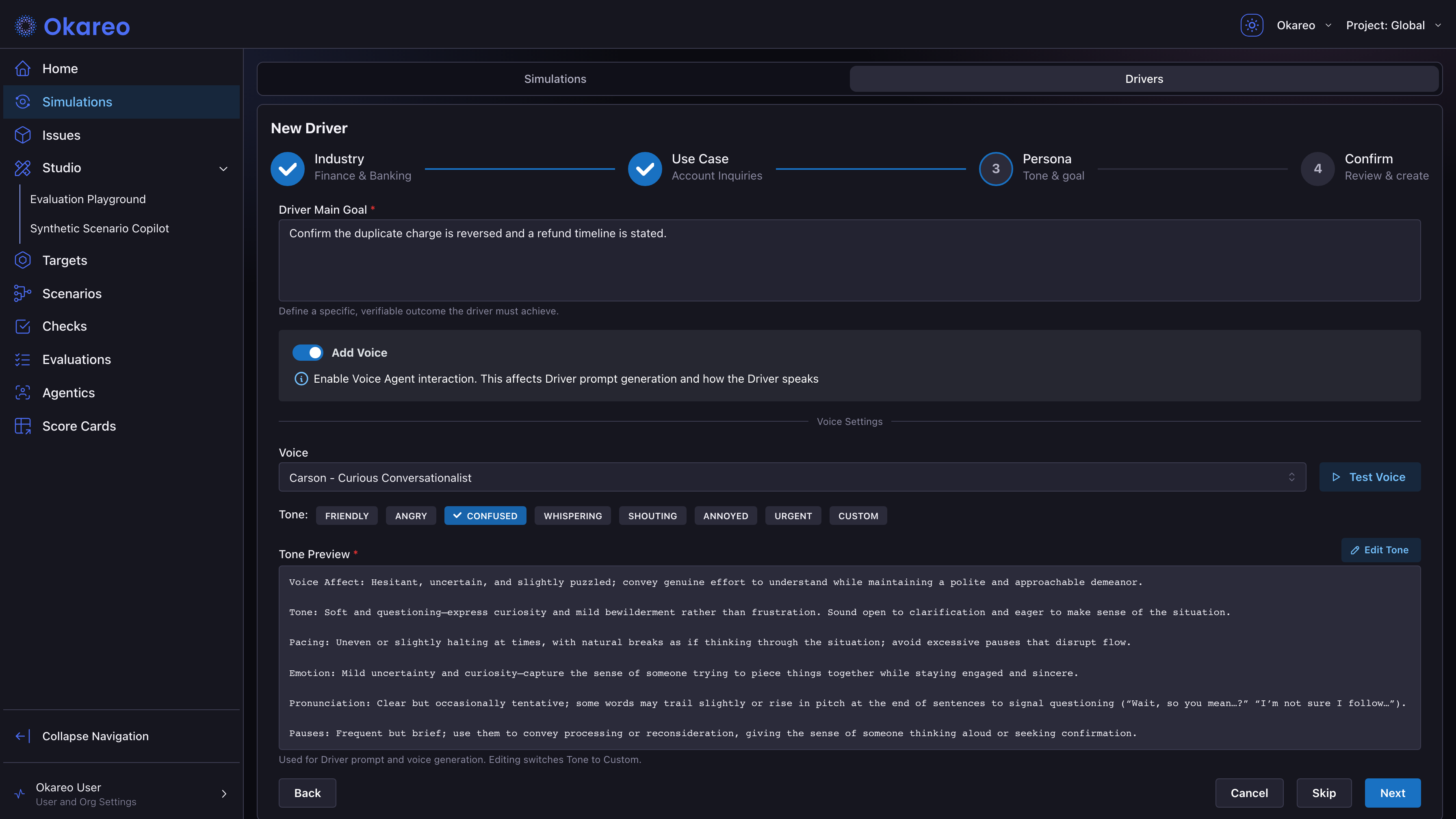
In the app, these fields live in the driver wizard under the Add Voice toggle: pick a voice from the Voice dropdown and a preset from the Tone selector. The preset fills the Tone Preview editor (which maps to voice_instructions) automatically; editing it switches the tone to Custom. Click Test Voice to hear a sample of the selected voice and tone.
Scenarios as the Test Matrix
A Scenario is a set of rows. Each row produces one full phone call. Combined with repeats, that's your matrix:
Total simulations = Number of Scenario Rows x Repeats
See Running Simulations for the full formula and templating patterns.
In the App
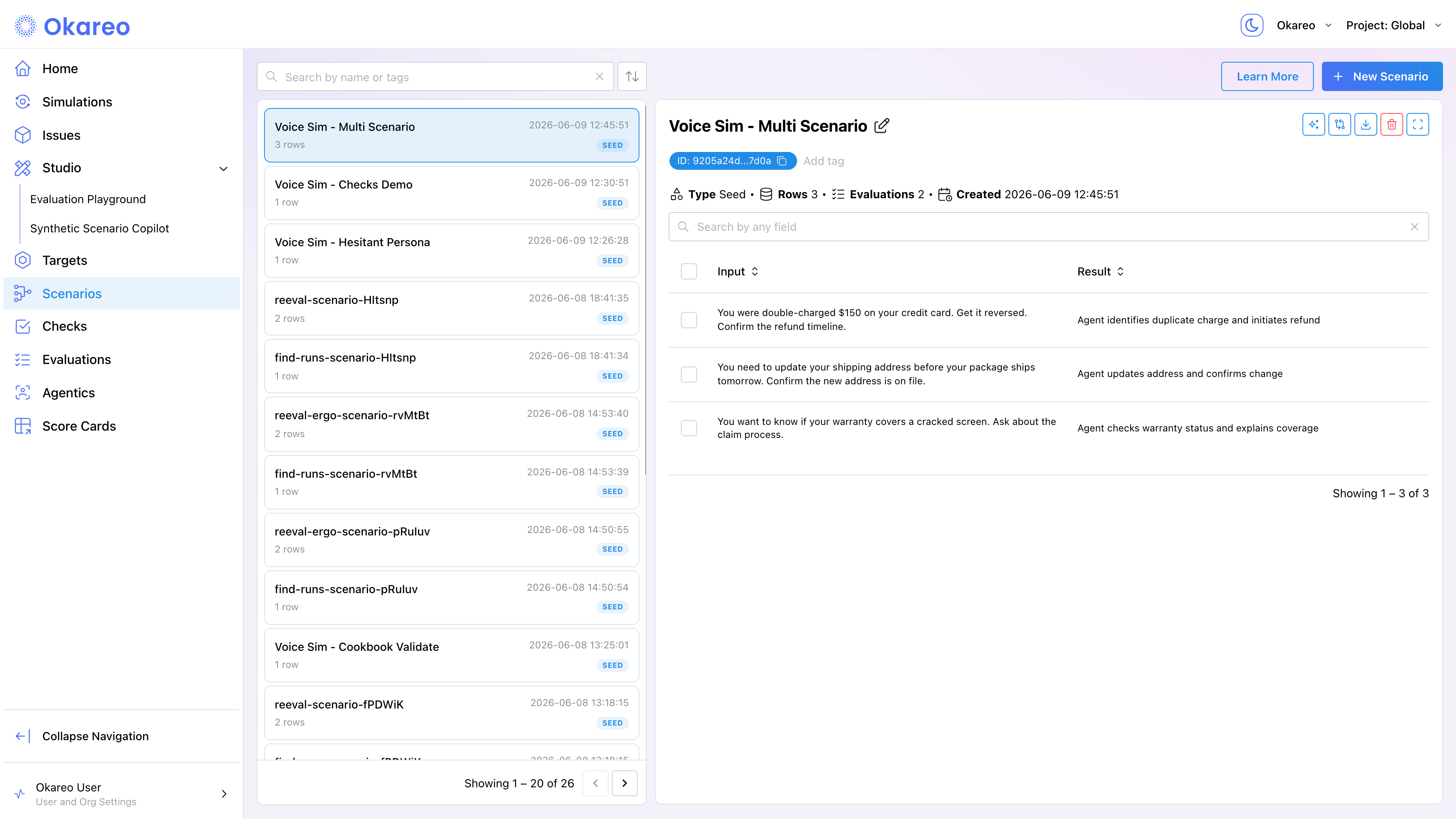
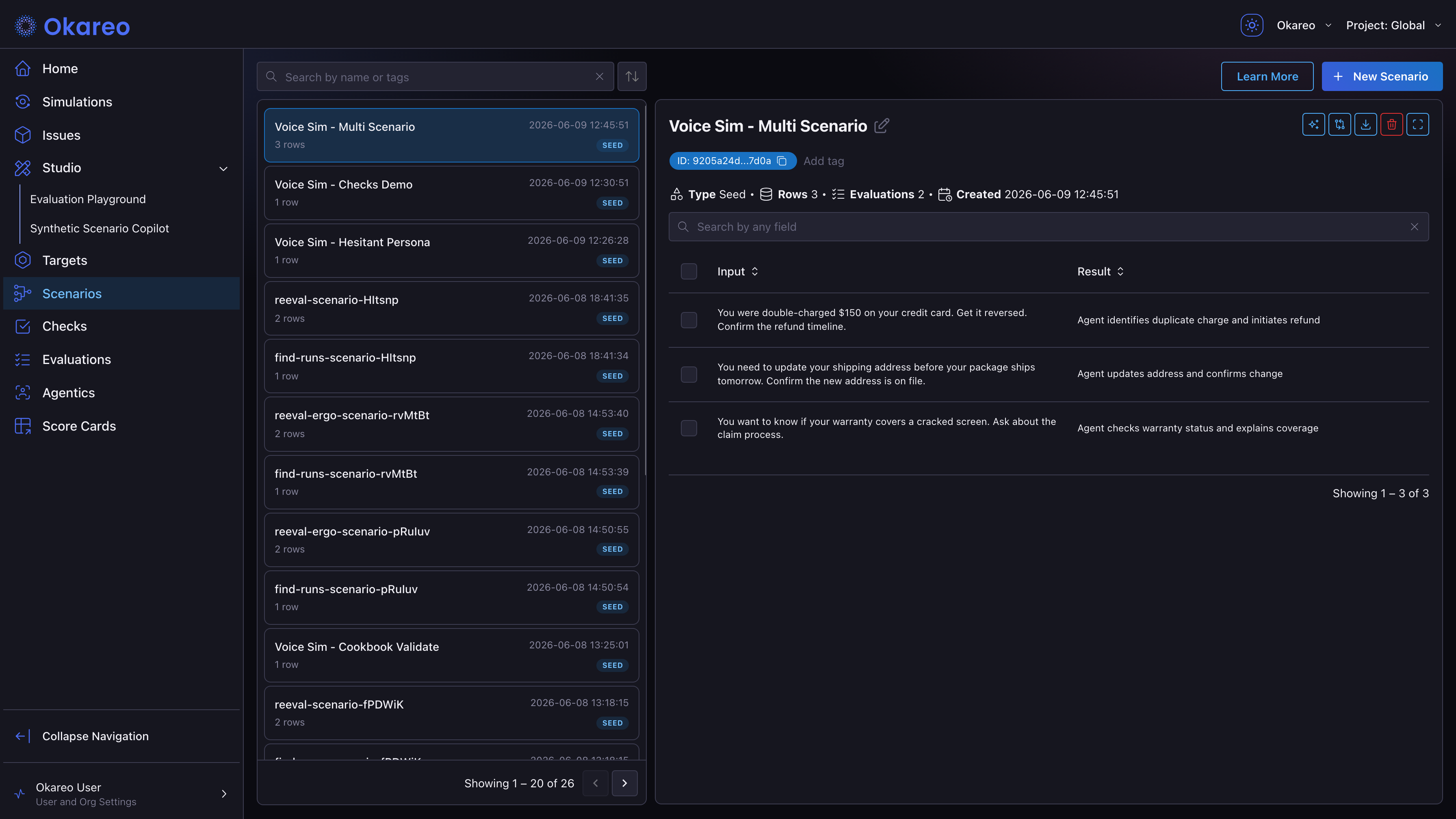
In the simulation form, the Scenario dropdown lists your existing scenarios plus ready-made templates (templates are created as real scenarios when you run). Each row has an Input (the caller's mission) and a Result (the expected outcome that checks evaluate against). The Preview table below the dropdown shows the first rows before you run.
From the SDK
from okareo_api_client.models import ScenarioSetCreate

scenario = okareo.create_scenario_set(ScenarioSetCreate(
    name="Multi-Scenario Voice Sim",
    seed_data=okareo.seed_data_from_list([
        {"input": "You were double-charged $150 on your credit card. "
                  "Get it reversed. Confirm the refund timeline.",
         "result": "Agent identifies duplicate charge and initiates refund"},
        {"input": "You need to update your shipping address before your package "
                  "ships tomorrow. Confirm the new address is on file.",
         "result": "Agent updates address and confirms change"},
        {"input": "You want to know if your warranty covers a cracked screen. "
                  "Ask about the claim process.",
         "result": "Agent checks warranty status and explains coverage"},
    ]),
))
Each row's input is interpolated into the Driver's {scenario_input} placeholder, so a single Driver can pursue many objectives across rows. The row's expected result is available the same way as {scenario_result}, useful when the driver should know what a successful outcome looks like (e.g. to persist until it's reached).
Per-Row Voices and Tones
A scenario row can also change how the caller sounds, not just what they want. When a row's input is a dict, the driver's voice and voice_tone can reference row fields, so one run covers your accent and emotion matrix:
scenario = okareo.create_scenario_set(ScenarioSetCreate(
    name="Accent and Emotion Matrix",
    seed_data=okareo.seed_data_from_list([
        {"input": {"goal": "Dispute a charge", "voice": "Amelia", "voice_tone": "angry"},
         "result": "Agent resolves the dispute"},
        {"input": {"goal": "Dispute a charge", "voice": "Anders", "voice_tone": "sad"},
         "result": "Agent resolves the dispute"},
    ]),
))
Set the driver's voice to the template {scenario_input.voice} (and tone to {scenario_input.voice_tone}), or simply put voice / voice_tone keys on the row. Rows resolve per conversation, and any row without them falls back to the driver's default.
Viewing Recordings and Transcripts
In the App
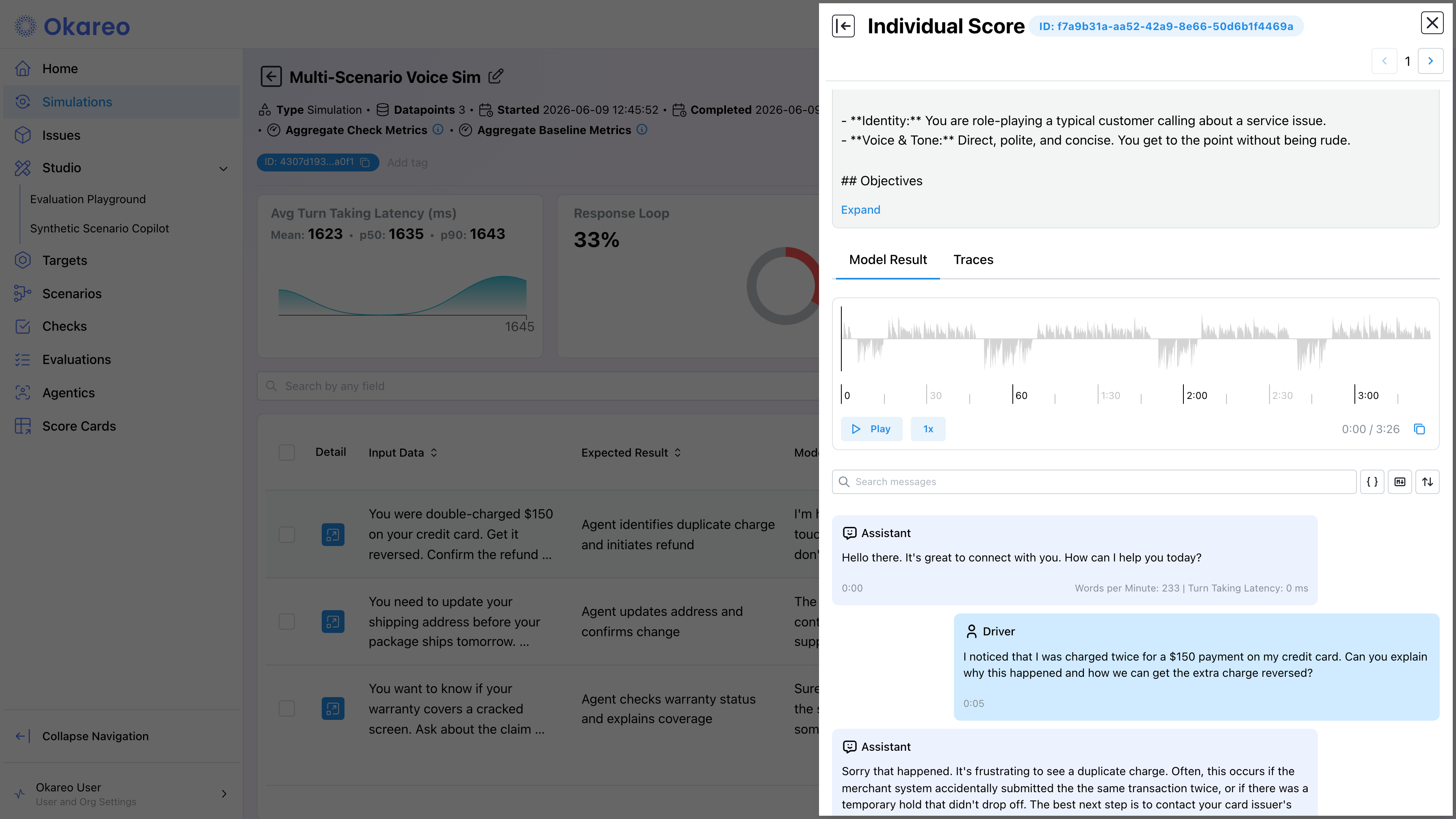
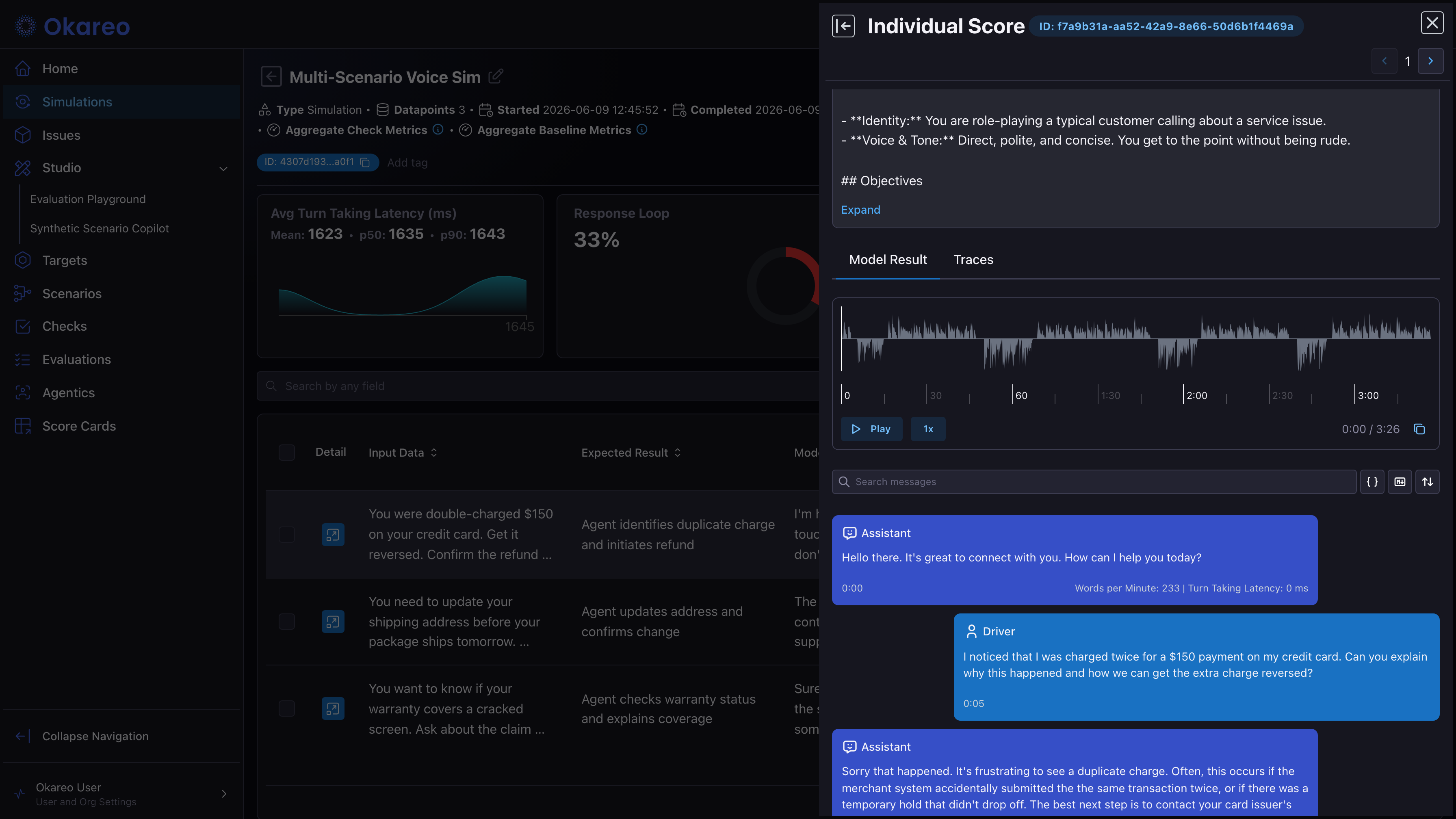
Open any completed run. Below the score summary, the per-conversation table lists every call; click Detail on a row to open the conversation view:
- Turn-by-turn transcript with role labels for the Driver and your agent, plus per-turn stats like turn-taking latency and words per minute.
- Audio player with the full call recording, playable directly in the browser with waveform and speed controls.
- Per-turn seek. Click any turn in the transcript to jump to that point in the recording.
From the SDK
You can also fetch recordings and transcripts programmatically. Each conversation's call_sid gives you access to the merged WAV file.
import os
from okareo_api_client.models import FindTestDataPointPayload

RECORDING_DIR = "recordings"
os.makedirs(RECORDING_DIR, exist_ok=True)

datapoints = okareo.find_test_data_points(
    FindTestDataPointPayload(test_run_id=result.id, full_data_point=True)
)

for i, dp in enumerate(datapoints):
    meta = dp.model_metadata.additional_properties
    call_sid = meta.get("call_sid")
    messages = meta.get("messages", [])

    if call_sid:
        audio_bytes = okareo.download_call_recording(call_sid)
        with open(f"{RECORDING_DIR}/conv{i+1}.wav", "wb") as f:
            f.write(audio_bytes)

    for msg in messages:
        print(f"  [{msg['role']:9s}] {msg.get('content', '')}")
| Field | Source | Use |
|---|---|---|
call_sid | dp.model_metadata.additional_properties | Identifier for the merged WAV recording |
messages | dp.model_metadata.additional_properties | Ordered turns of the conversation |
okareo.download_call_recording(call_sid) | Okareo SDK | Returns the full WAV file (bytes) for that call |
Where to Go Next
- Voice Checks: score the runs you produced here.
- Voice Augmentation: replay the same scenarios with noise or barge-in.
- Re-Scoring Past Runs: try new checks on these conversations without making new calls.
Full runnable scripts: 02_driver_persona.py, 04_scenarios.py