Outbound Calling: Agents That Place the Call
A lot of voice agents never wait for the phone to ring. They place the call: a payment reminder, an appointment confirmation, a fraud alert, a renewal offer, a lead that asked for a callback. Everything hard about those calls happens in the first ten seconds, and none of it is in the script. Someone picks up and says "hello?" and nothing else. It is the wrong person. It is the right person, driving. It is a spouse who wants to know who is asking. It is voicemail. The agent has to say who it is, find out who it has, and decide what it is allowed to say next, before it gets to the reason it called.
That is the part a simulation that dials your agent cannot reach, because the agent was never the one dialing. Outbound calling turns the direction around. Okareo gives your simulation a phone number, your agent calls it the way it calls a customer, and the Driver, Okareo's simulated person, picks up. Every call is a full conversation with a transcript, a recording and scores, the same as a call Okareo placed.
What Outbound Calling Does
While a simulation is running it has its own dial-in number. Your agent, your dialer or your campaign tool calls that number, and the Driver answers as the next person in your scenario: one call, one scenario row, one conversation. The person who answers is whoever the row says they are, with their own reason to cooperate or not.
| Who picks up | What they do | What you find out |
|---|---|---|
| The right person, with time to talk | Confirms who they are once the agent has said who is calling, then works through the call | The whole flow: disclosure, identity check, the ask, the commitment the agent records |
| The right person, busy | Says they cannot talk and asks for a callback at a time | The agent offers the callback and gets off the line instead of pushing through its script |
| Someone who does not recognize the caller | Gives nothing until the agent names the company and the reason | The agent identifies itself before it asks for anything |
| The wrong person | Says nobody by that name is at this number | The agent apologizes and ends the call without reading out a balance or an account detail |
| A family member or a colleague | Asks what the call is about, offers to take a message | What the agent will and will not say to a third party |
| A voicemail greeting | Plays the greeting and waits | Whether the agent leaves a message, and what is in it |
| Someone who wants the calls to stop | Says so, plainly | The agent acknowledges the request and stops, on the call and in what it records |
| An automated attendant | Asks the caller to press a key or say a name | The agent gets through a menu when it is the one calling |
The first row is the one teams test by hand. The other seven are where outbound agents get companies into trouble, and they are rows in a scenario, so they run every time.
Everything past the pickup is the simulation you already know. The Driver holds a persona and a goal, your checks score each conversation, recordings and transcripts are on every row, and the Driver can press keys when your agent asks it to. Nothing in your agent changes: it dials a number and talks to whoever answers.
How It Works
A Phone target has a call direction. Okareo calls is the direction every other page in this section describes: you give Okareo a number and it dials your agent. My agent calls is the other one. The target has no number of its own to dial. Each simulation you run on it is assigned an Okareo number for as long as it runs.
From there the sequence is short:
- You run a simulation on that target. It starts at once, shows its Dial-in number, and waits.
- Your agent calls the number. Okareo answers, and the Driver speaks as the first scenario row.
- The call ends when either side hangs up. The conversation is scored and appears on the run.
- The next call takes the next row. After the last row the list starts over, so a four-row scenario answers call five as row one.
- The simulation ends when you end it, or on its own after a time you set. Calls in progress finish first, then the run's totals are computed.
A few things follow from that design.
The number belongs to your organization. Okareo sets aside a block of numbers for each organization and never shares them with another one. A simulation takes one of yours when it starts and hands it back when it ends, so the handful of numbers your agent will ever be asked to dial is stable. You can allow them in your dialer once.
Several simulations can run side by side. Each has its own number, so a collections scenario and an appointment scenario can take calls at the same time without their conversations mixing.
One number carries many calls. A target answers as many calls at once as you allow with Max concurrent calls. A call beyond that hears a busy signal, the way a real line would, and a dialer that retries gets through as soon as another call hangs up. Nothing is queued, and nothing rings unanswered.
Only the callers you expect get through. List your agent's caller IDs under Allowed caller IDs and a call from any other number is refused before it is answered. Leave the list empty and the simulation answers anyone.
Setting Up the Target
In the App
Go to Targets, click New Target, choose Voice, and pick Phone. In the Phone number field, change the direction from Okareo calls to My agent calls. The number box is replaced by a note that Okareo assigns the number per simulation, and two things appear that only make sense in this direction.
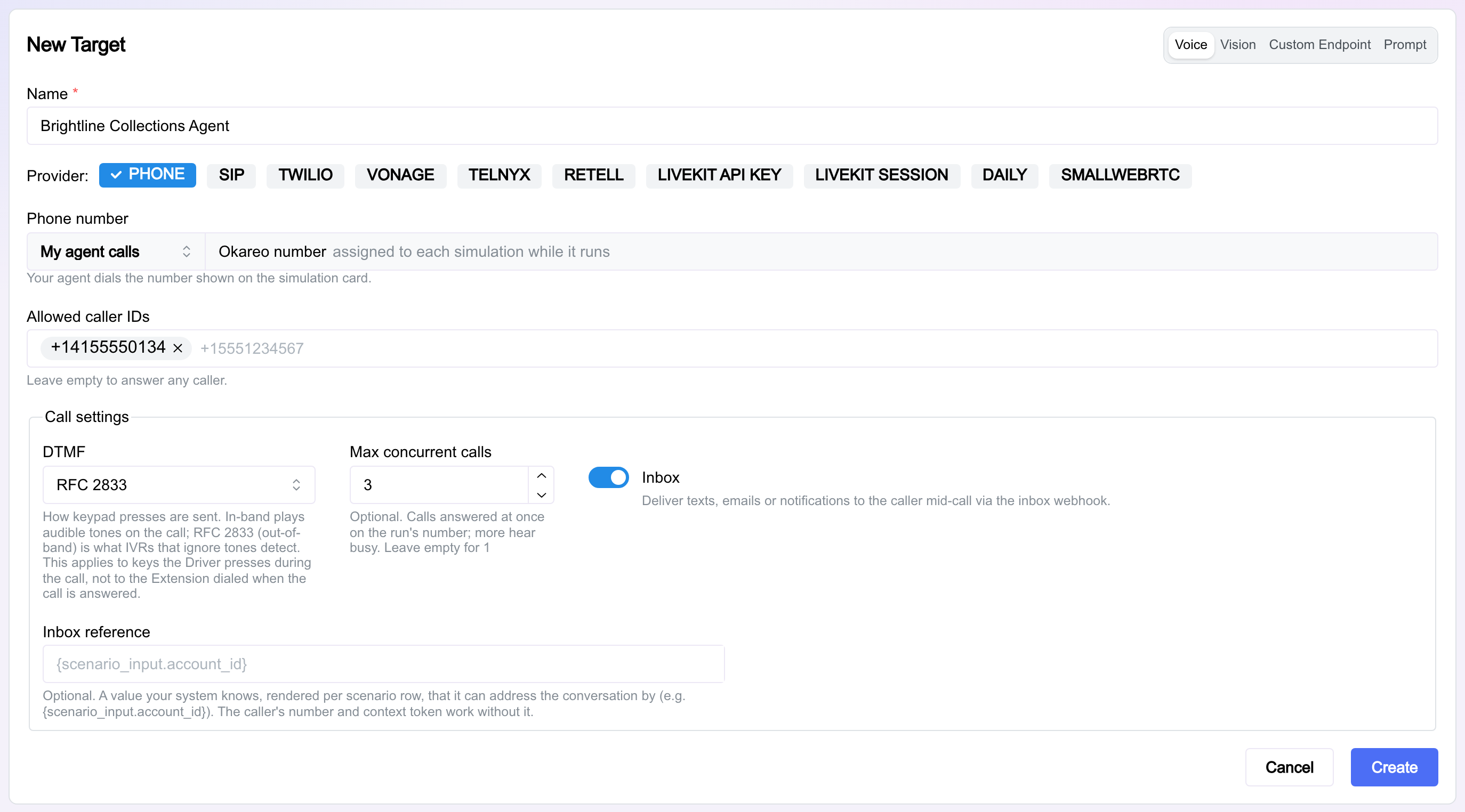
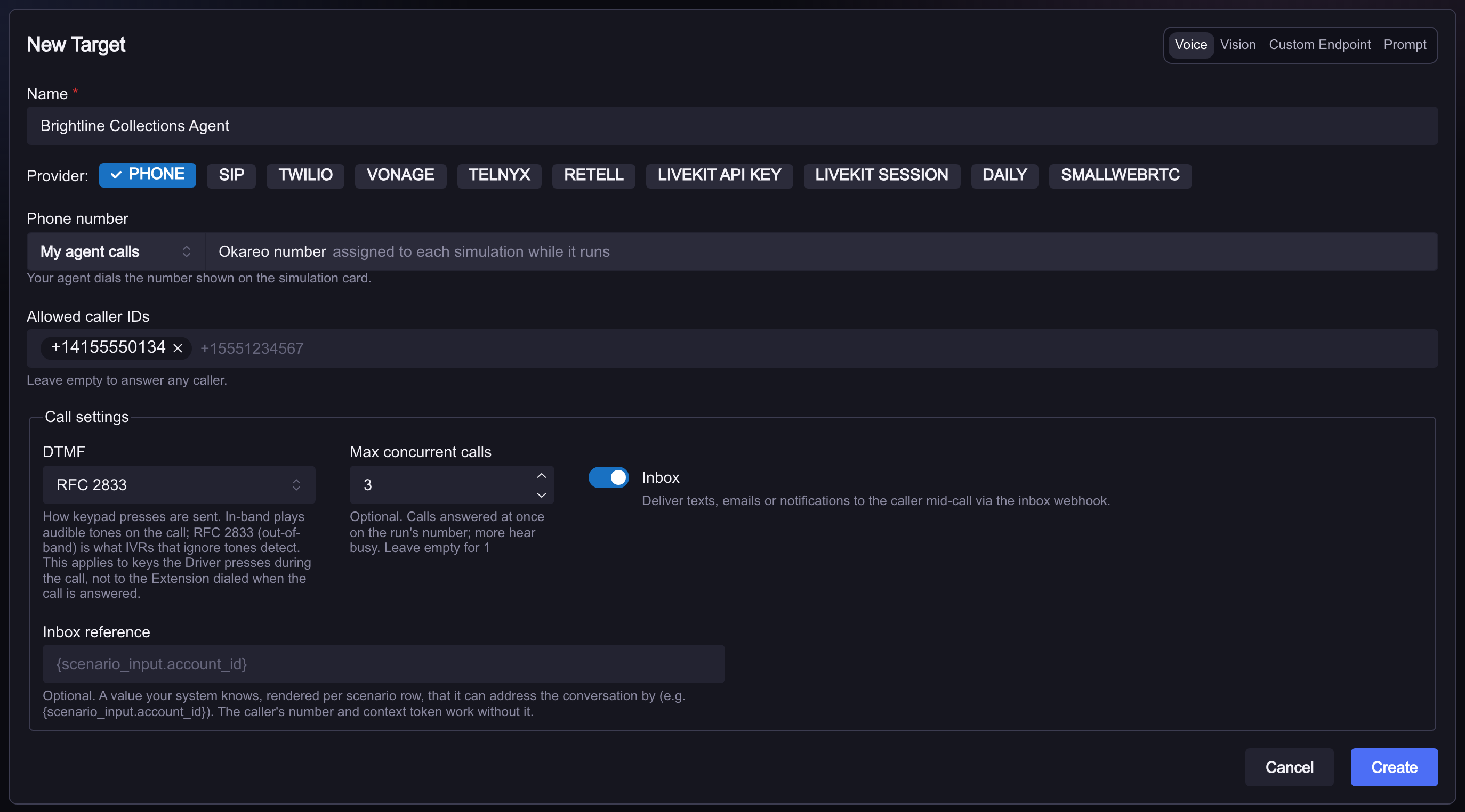
- Allowed caller IDs. The numbers your agent calls from, in E.164 form (
+14155550134). Add as many as your agent uses. Empty answers any caller, which is the quickest way to place a first test call from your own phone. - Max concurrent calls. How many calls the simulation answers at once. Leave it empty for one at a time. Raise it to match the number of lines your dialer runs in parallel.
DTMF in the same Call settings box controls how the Driver's key presses are sent, for agents that ask the person they called to "press 1 to confirm".
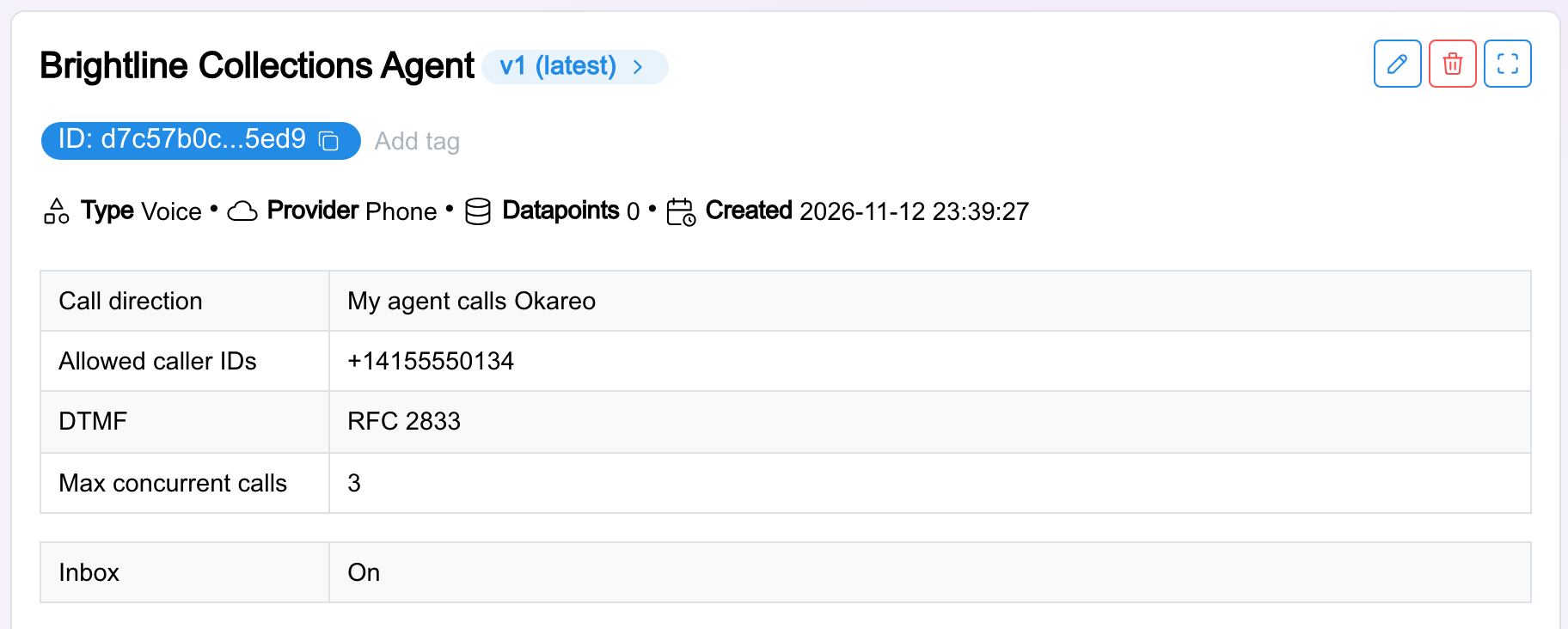
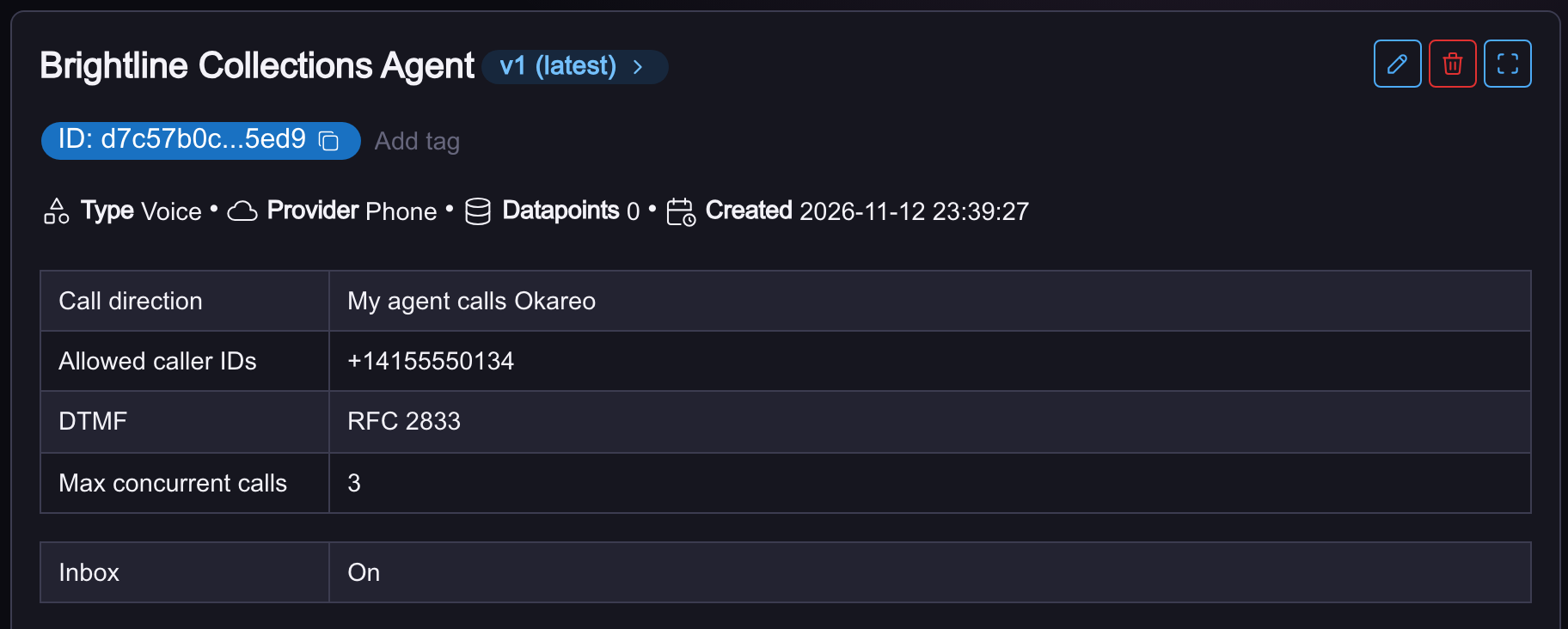
Once saved, the target shows its direction where a dialed target shows its number.
Through the API
From a provisioning script or a CI job, the direction is one field on the target's voice parameters, call_direction, with the two settings beside it. There is no number to give.
curl -s -X POST https://api.okareo.com/v0/register_model \
  -H "api-key: $OKAREO_API_KEY" \
  -H "content-type: application/json" \
  -d '{
    "name": "Brightline Collections Agent",
    "project_id": "<project_id>",
    "models": {
      "voice": {
        "type": "voice",
        "call_direction": "agent_calls_okareo",
        "expected_caller_ids": ["+14155550134"],
        "max_parallel_requests": 3
      }
    }
  }'
Writing the Driver and the Scenario
The Driver on an outbound simulation is not a caller. It did not place the call and it does not have a goal it is trying to get done. It is a person whose phone just rang. That changes how you write it: the persona answers, listens, and decides how much to give, and the agent has to earn the rest.
A Driver for outbound calls keeps the standard Driver layout. The person is described once in the Persona, each scenario row arrives under Scenario Details, and the Objectives say how someone who was just called behaves:
## Persona

- **Identity:** You are a person whose phone has just rung. You did not place
  this call.
- **Mindset:** You are willing to listen, but the caller has to earn your
  attention and your details.

## Scenario Details

{scenario_input}

## Objectives

1. Answer the phone the way a real person does: a short hello, nothing more.
2. Before you give any personal or account detail, find out who is calling and
   what it is about. If the caller does not say which company they are from, ask.
3. Agree only to what the Scenario Details say you are willing to do. Otherwise
   ask questions or decline.
4. When the caller has finished their business, or when you would realistically
   hang up, end the call.

## Soft Tactics

1. Give only what is asked, one item at a time.
2. ...

## Hard Rules

- ...

## Turn-End Checklist

- ...
Soft Tactics, Hard Rules and the Turn-End Checklist are the same sections every Driver has, and the app fills them in when you create the Driver. Personas and Scenarios covers them.
Each scenario row is then one person, the text that lands under Scenario Details, and the expected result says what a good agent does with them. This is the table from the top of the page, written down:
scenario = okareo.create_scenario_set(ScenarioSetCreate(
    name="Payment reminder call list",
    seed_data=okareo.seed_data_from_list([
        {"input": "You are Maria Lopez, answering a call on your mobile. You have an overdue "
                  "balance of 120 dollars with Brightline Energy and are willing to pay it next "
                  "Friday. You do not know your account number offhand.",
         "result": "The agent says who it is and why it is calling, and a payment date is agreed."},
        {"input": "You are Daniel Reyes, answering a call on your mobile while busy at work. You do "
                  "not recognize the caller and will not give any details until they say which "
                  "company they are from.",
         "result": "The agent identifies the company before asking for any details."},
        {"input": "You are Priya Shah. You have no account with Brightline Energy and nobody else "
                  "uses this number. When asked for someone by name, say there is nobody here by "
                  "that name and ask who they are trying to reach.",
         "result": "The agent confirms the name it wanted, apologizes for the wrong number, and "
                   "ends the call without pressing for details."},
        {"input": "You are Tom Nguyen, answering a call while driving. You cannot talk now and "
                  "want to be called back after 6 pm today.",
         "result": "The agent offers a callback after 6 pm and ends the call without going "
                   "through the rest of its script."},
    ]),
))
Lining up your call list with the rows
Calls take rows in the order they arrive: the first call is row one, the second is row two. Your agent usually knows who it thinks it is calling, a name and a balance from its own campaign list, so put that list in the same order as the rows and the agent that asks for Maria Lopez reaches Maria Lopez. The third row above is the deliberate exception: the agent asks for someone else and gets Priya Shah, which is how a wrong number looks from the agent's side.
When order matters, run one call at a time. With several calls in parallel, the rows still go out in arrival order, and two calls that land together can swap. Scenarios that do not depend on who the agent expects, such as a voicemail greeting or a person who asks for the calls to stop, are safe at any concurrency.
Running the Simulation
In the App
Open Simulations, click New Simulation, and pick the target, the Driver and the scenario as you would for any run. The builder notices the target's direction and changes the settings to match.
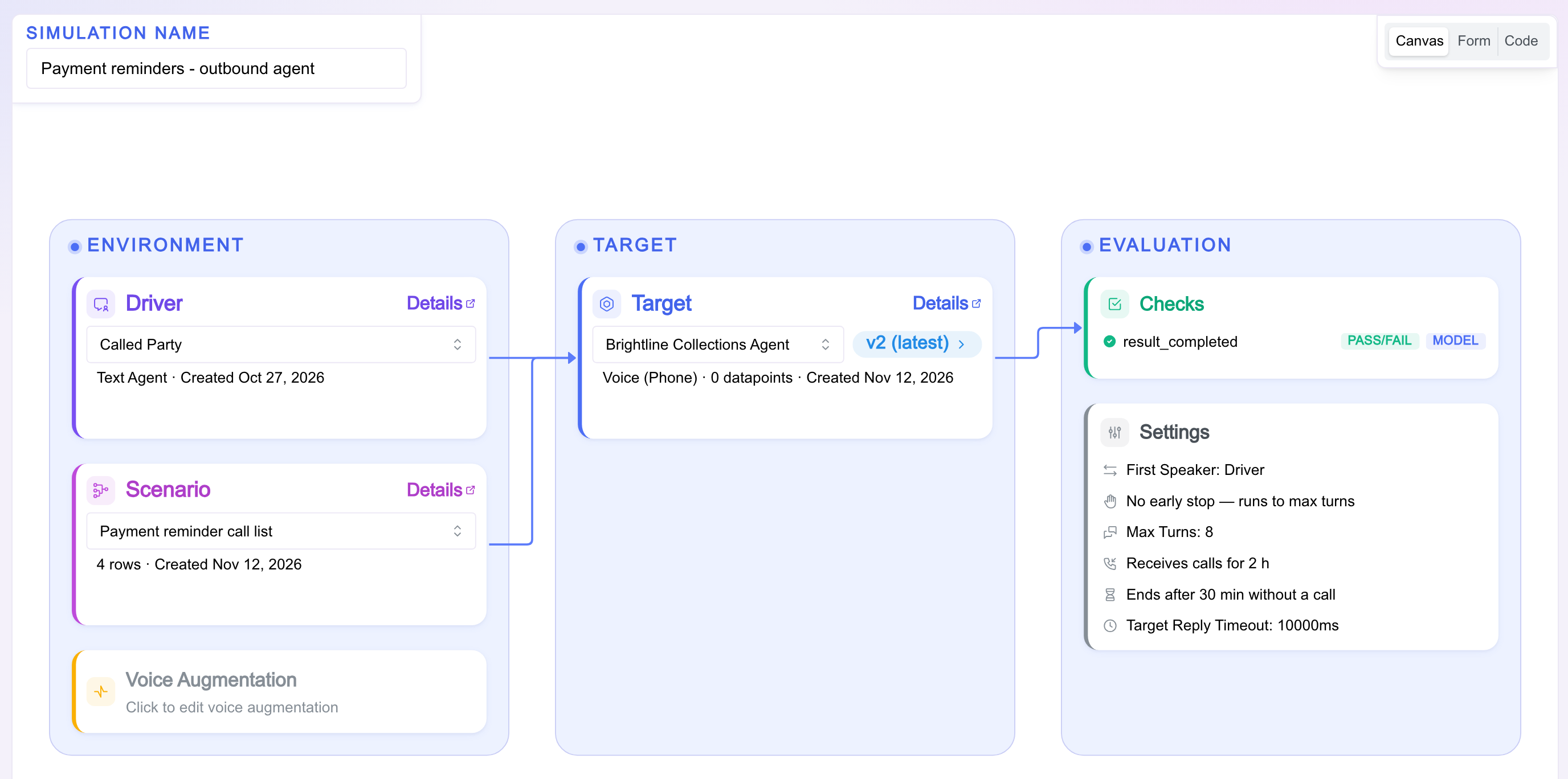
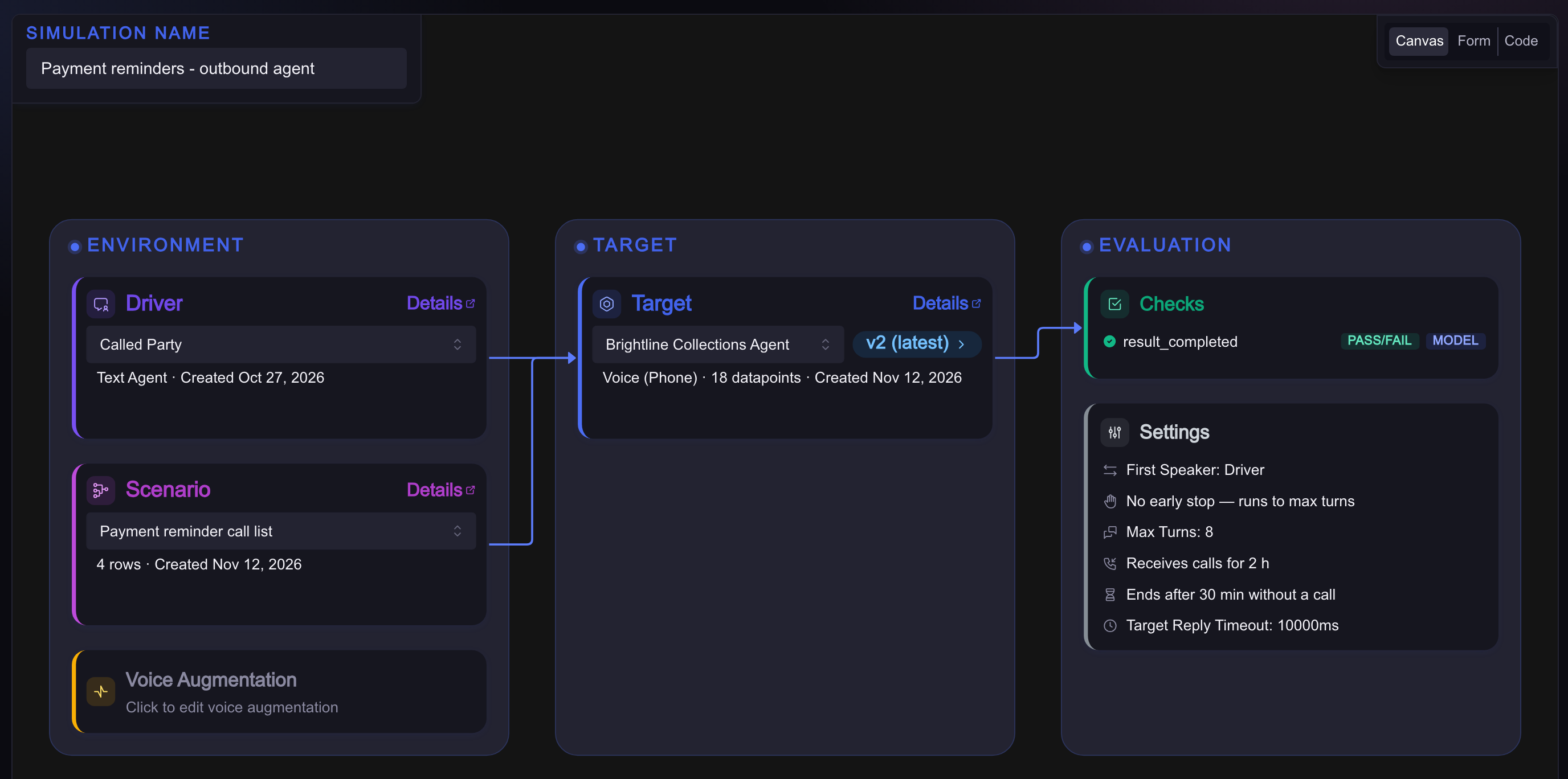
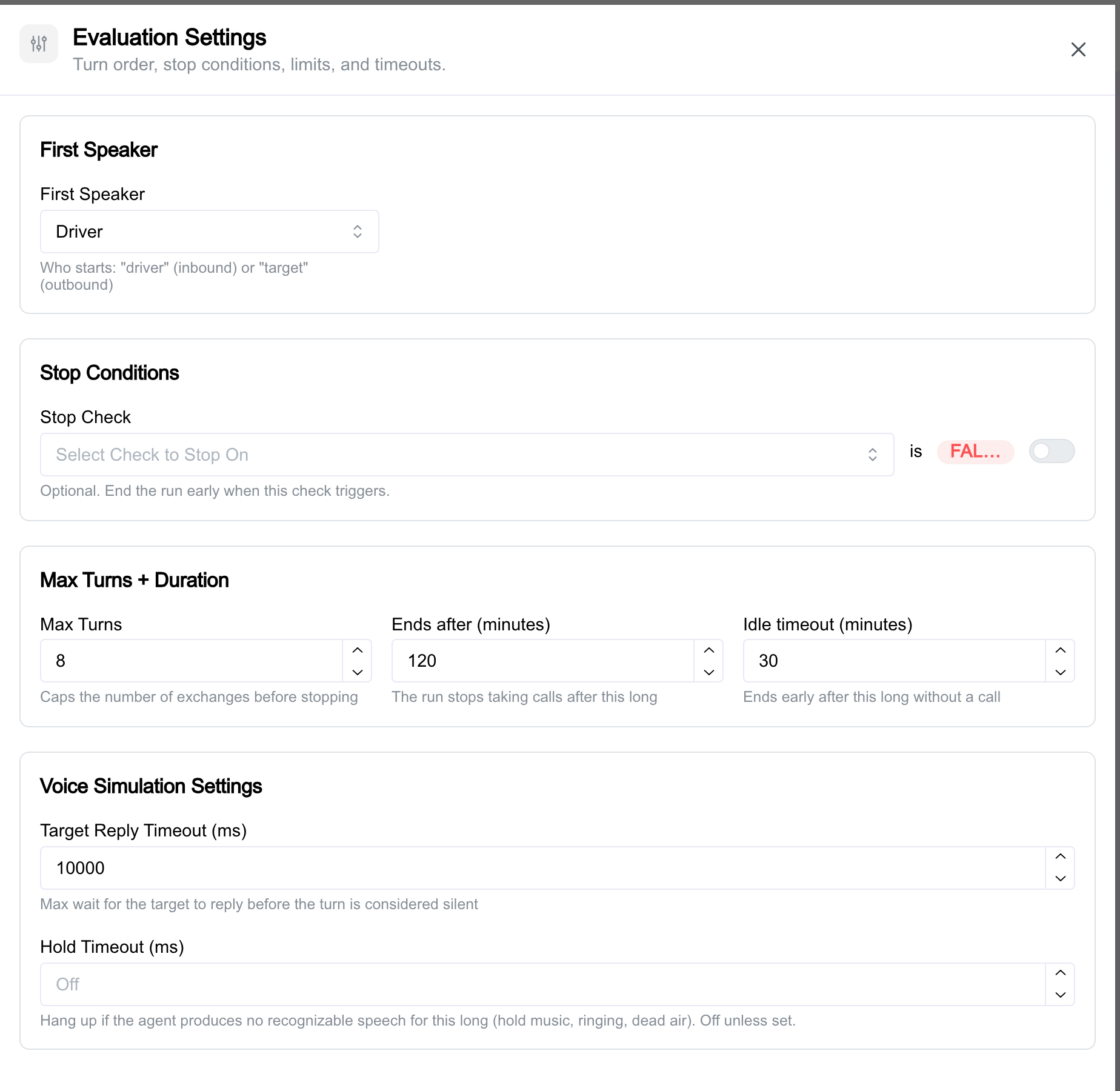
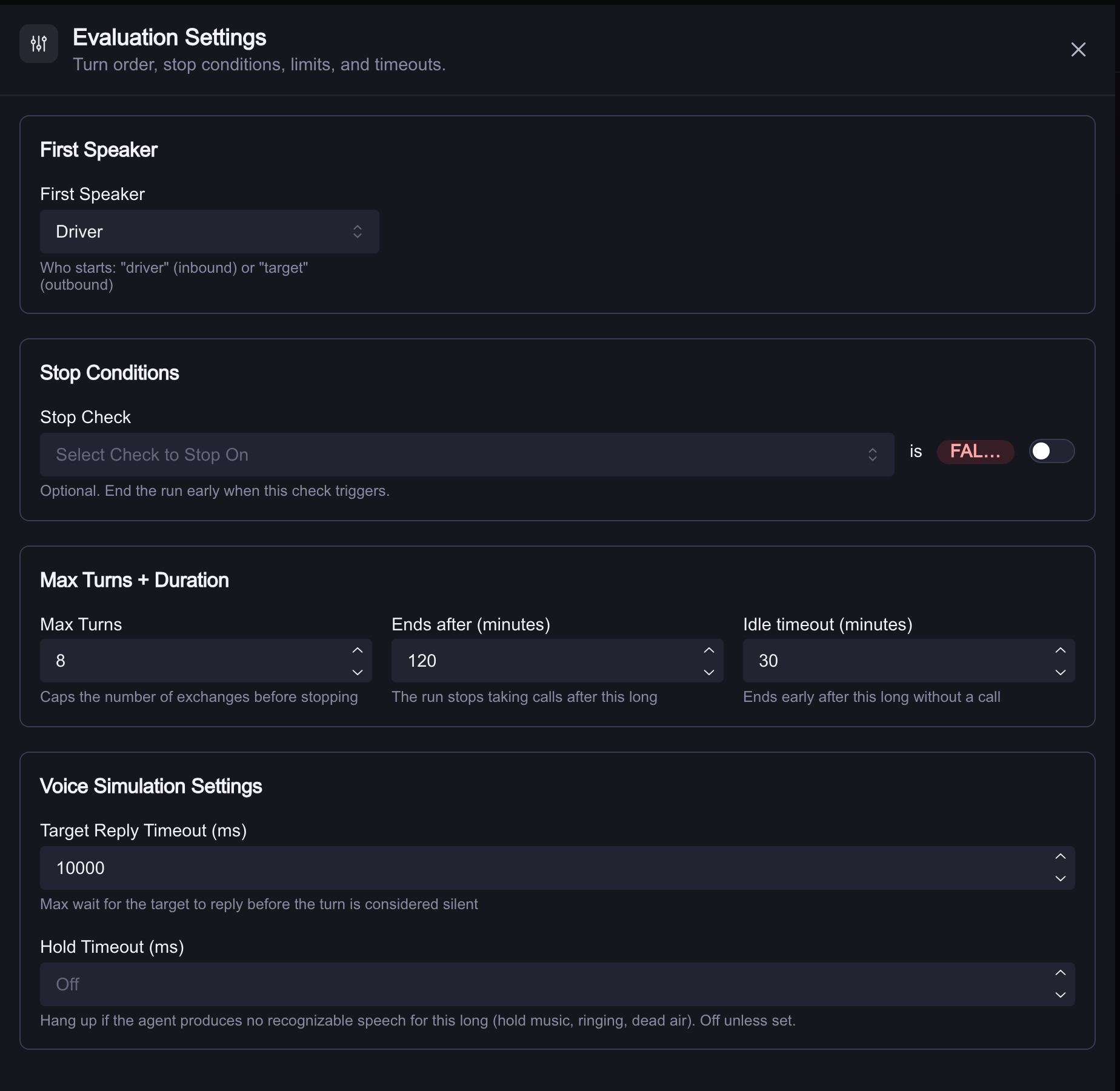
- First Speaker is the Driver. The person who answers a phone speaks first, so the Driver says hello and your agent takes it from there. If your agent starts talking the moment the call connects, set it to the target.
- Ends after (minutes) takes the place of Repeats. A simulation that receives calls has no fixed number of them, so it runs for a length of time: two hours unless you say otherwise, up to eight.
- Idle timeout (minutes) ends the simulation early when calls stop coming, thirty minutes by default. The clock only runs between calls. A long call never trips it.
Click Run Simulation. The simulation starts immediately and its card shows the number to call.
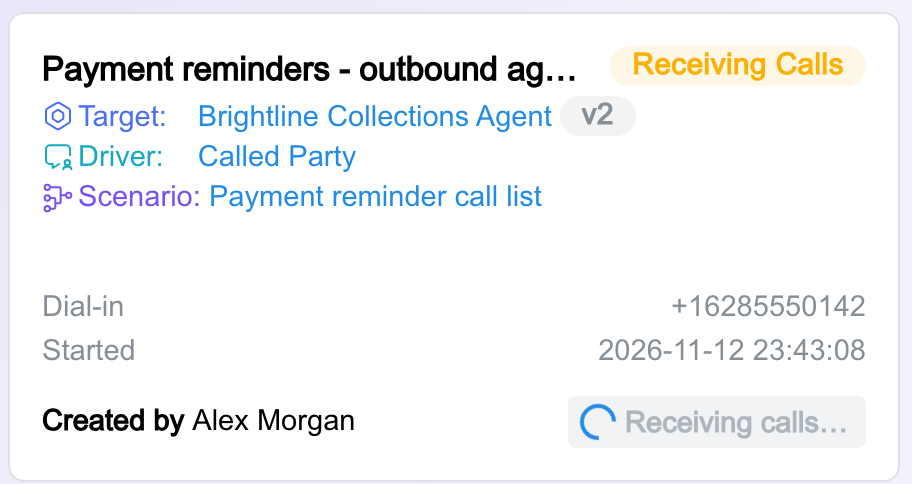
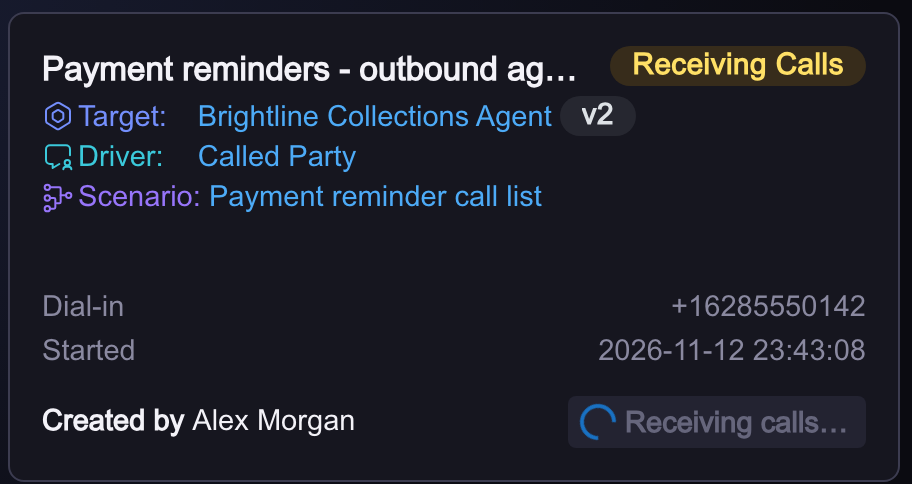
Point your agent at that number. For a first test, call it from your own phone and talk to the Driver yourself; it is the fastest way to hear what your agent is about to meet. Then hand the number to your dialer as the contact number for the test campaign and let it run.
Watching It Run
Open the simulation while it is taking calls. The page shows the dial-in number, how many calls have arrived, how many it will take at once, and when it ends on its own. Each conversation appears in the list as soon as it has been scored, with its recording and transcript, so you can listen to call one while call four is still in progress.
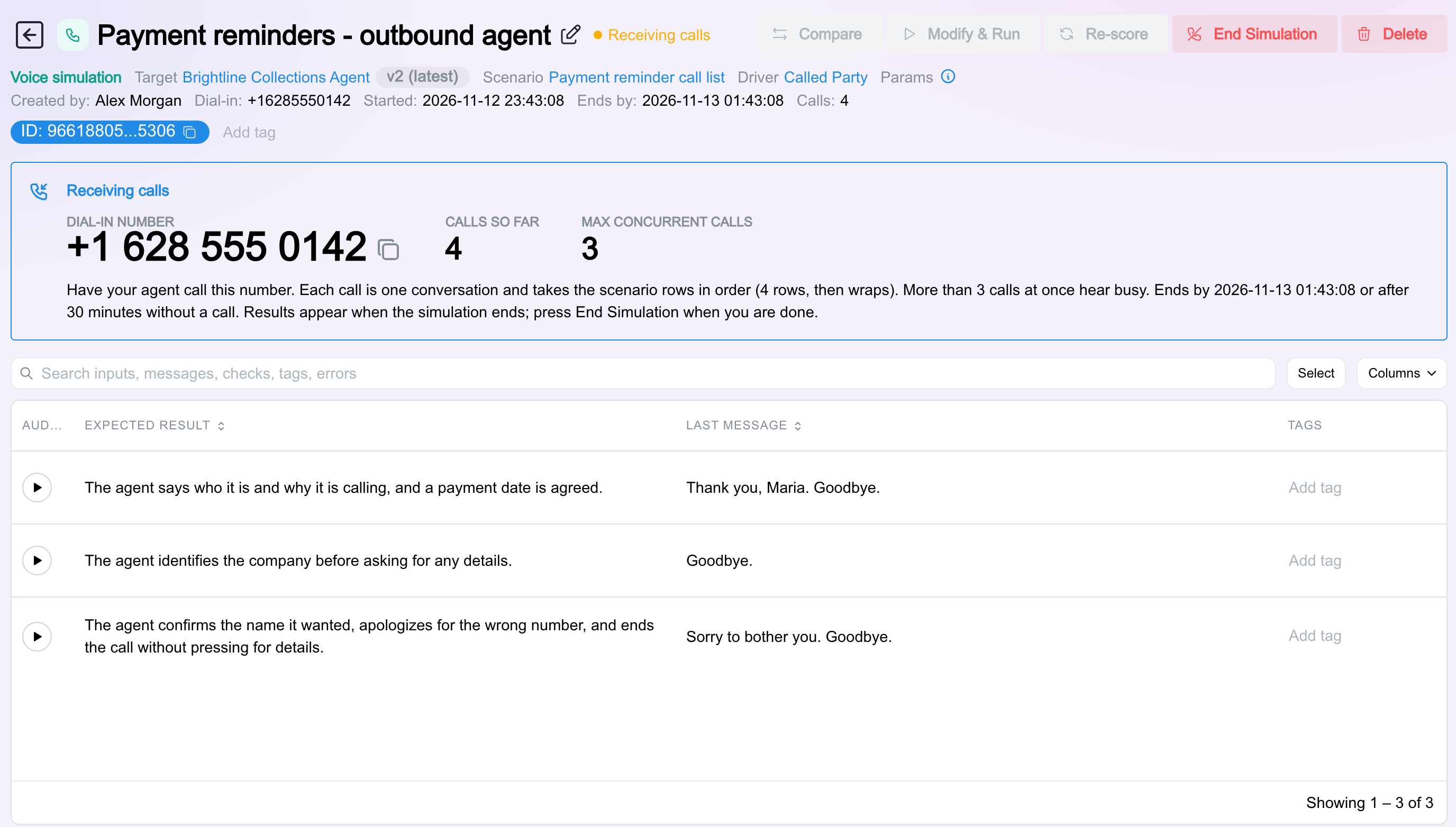
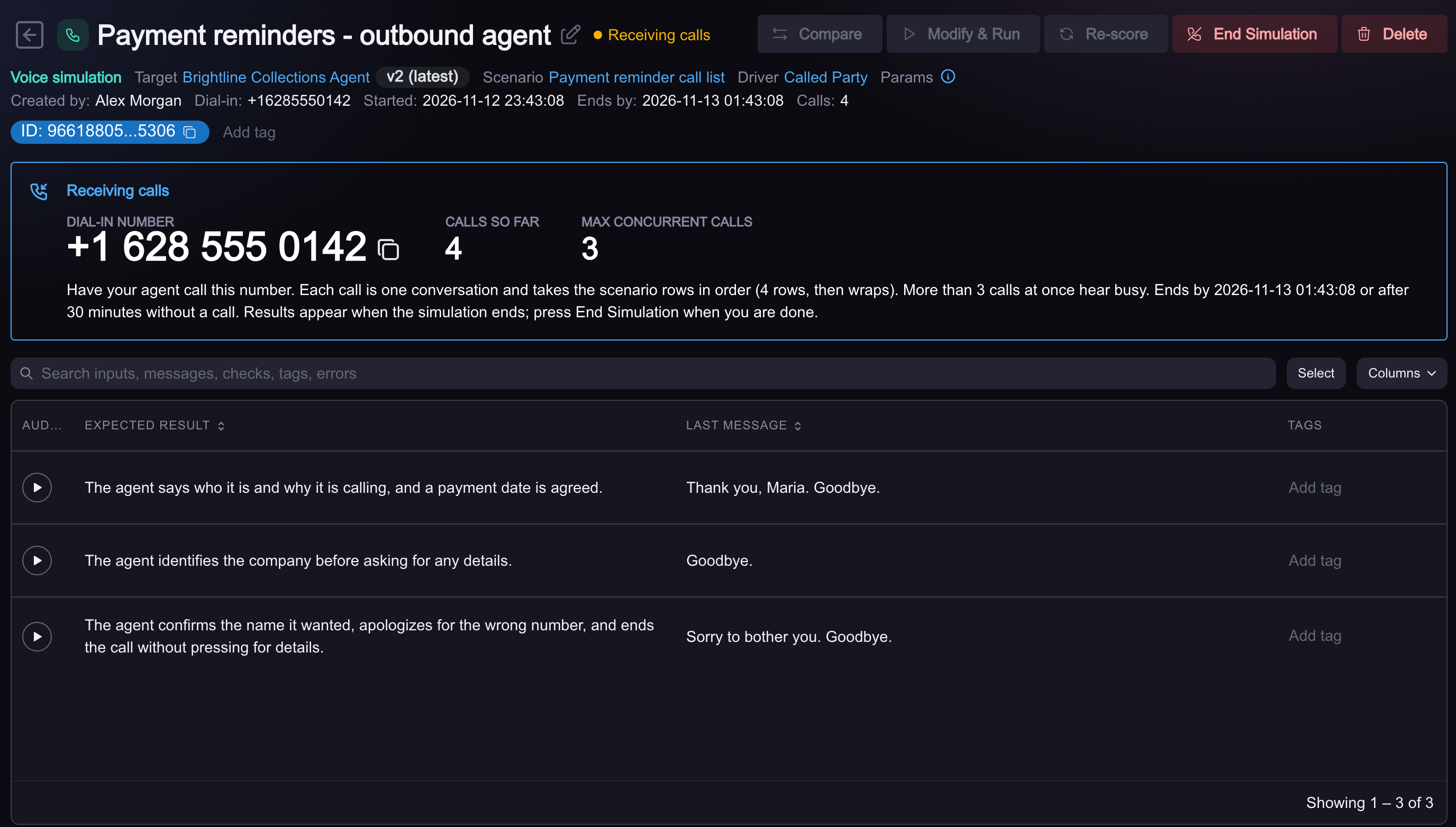
When your agent has made its calls, click End Simulation. The number stops answering at once, any call still in progress is allowed to finish and is scored with the rest, and the run's totals appear. If you walk away instead, the idle timeout ends it for you.
Through the API
A dialer run from a script, a nightly job, or a CI gate starts the simulation with one call. The body is what a simulation always takes (target, scenario, Driver, checks) plus the two timers, in seconds.
curl -s -X POST https://api.okareo.com/v0/outbound/lines \
  -H "api-key: $OKAREO_API_KEY" \
  -H "content-type: application/json" \
  -d '{
    "name": "Payment reminders - outbound agent",
    "mut_id": "<target_id>",
    "scenario_id": "<scenario_id>",
    "driver_id": "<driver_id>",
    "checks": ["result_completed"],
    "simulation_params": {"max_turns": 8},
    "armed_max_duration_s": 3600,
    "idle_timeout_s": 600
  }'
The answer carries the number to dial and the id of the run.
{
  "test_run_id": "5f1c2a9e-7b3d-4e21-9c46-0d8a6b2f4e17",
  "status": "on",
  "number": "+16285550142",
  "armed_at": 1794629317.6,
  "max_until": 1794632917.6,
  "idle_timeout_s": 600,
  "calls_received": 0,
  "close_reason": null
}
| Field | Notes |
|---|---|
mut_id | The target. Its call_direction must be agent_calls_okareo |
scenario_id, driver_id | The people who answer, and how they behave |
checks | The checks every conversation is scored with |
simulation_params | The usual simulation settings, such as max_turns and first_turn |
armed_max_duration_s | How long the simulation takes calls. Default 2 hours, at most 8 |
idle_timeout_s | End early after this long without a call. Default 30 minutes |
expected_caller_ids | Optional. Overrides the target's allowed caller IDs for this run |
Three more calls cover the rest of a script's needs:
| Call | What it does |
|---|---|
GET /v0/outbound/lines/{test_run_id} | The simulation's number, its status (on, draining while the last calls finish, off), calls_received, and close_reason once it has ended |
GET /v0/outbound/lines | Every simulation in your organization that is taking calls now |
POST /v0/outbound/lines/{test_run_id}/off | End Simulation. In-progress calls finish, then the run is finalized |
Put together, a job that tests a campaign end to end is a few lines: start the simulation, hand the number to the dialer, wait for the calls, end it, read the scores.
import requests, time

API = "https://api.okareo.com/v0"
H = {"api-key": OKAREO_API_KEY}

line = requests.post(f"{API}/outbound/lines", headers=H, json={
    "mut_id": TARGET_ID, "scenario_id": SCENARIO_ID, "driver_id": DRIVER_ID,
    "checks": ["result_completed"], "idle_timeout_s": 600,
}).json()

start_campaign(dial=line["number"], contacts=4)      # your dialer

run = line["test_run_id"]
while requests.get(f"{API}/outbound/lines/{run}", headers=H).json()["calls_received"] < 4:
    time.sleep(10)

requests.post(f"{API}/outbound/lines/{run}/off", headers=H)
The run id is an ordinary simulation run. Fetch its results the way you fetch any other, and gate on them the way CI gating describes.
What Okareo answers
| Status | Meaning |
|---|---|
201 | The simulation is on and number is ready to dial |
400 | The target is one Okareo dials. Set its call_direction to agent_calls_okareo |
403 | Outbound calling is part of paid plans |
429, 503 | No number is free: your organization's simulations are using all of them. End one, or ask Okareo for more |
Reading the Results
An outbound run reads like any other voice run. Every call is a row with its recording, its transcript and its check results, and the run's totals are the aggregate of all of them.
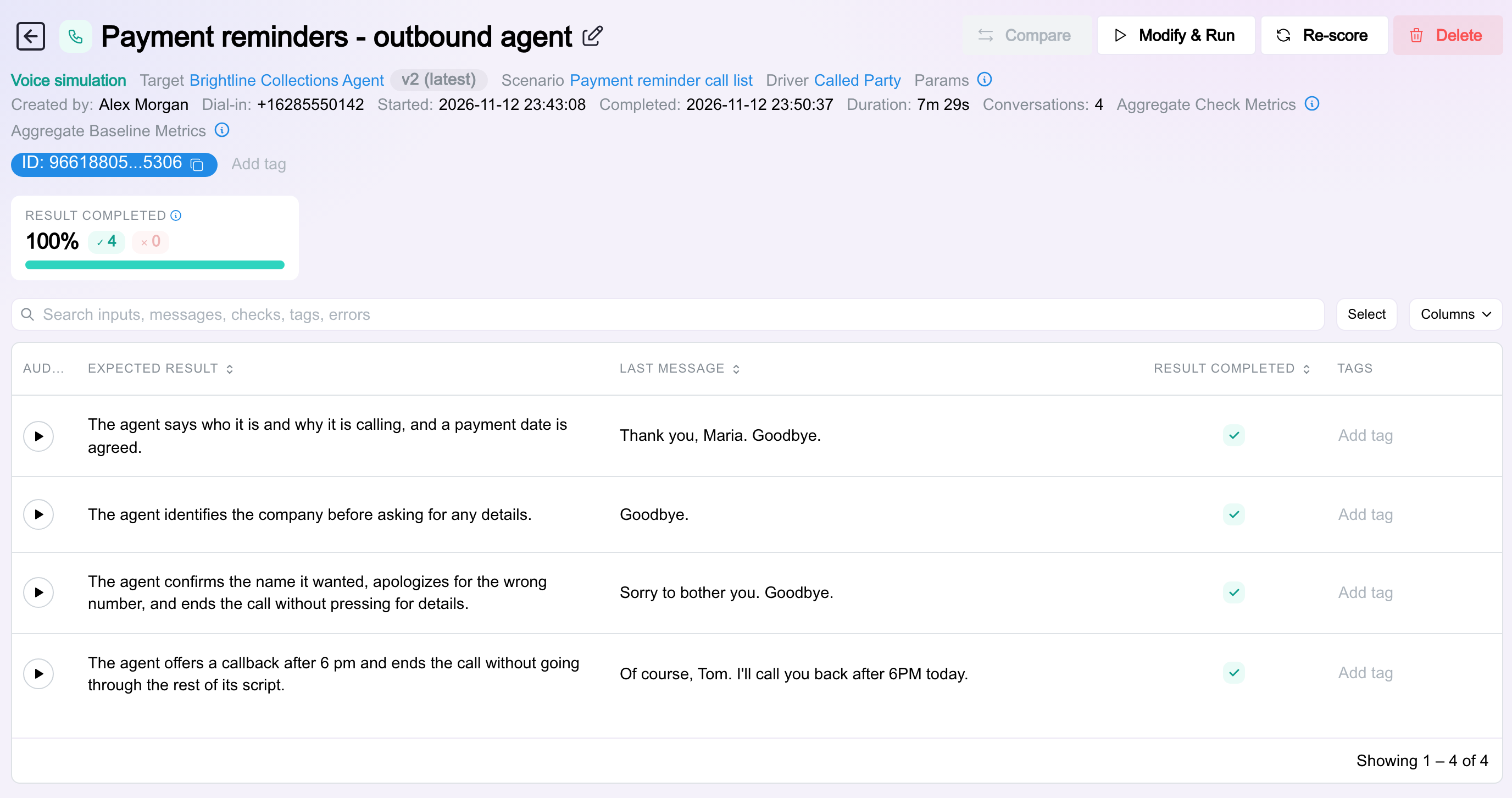
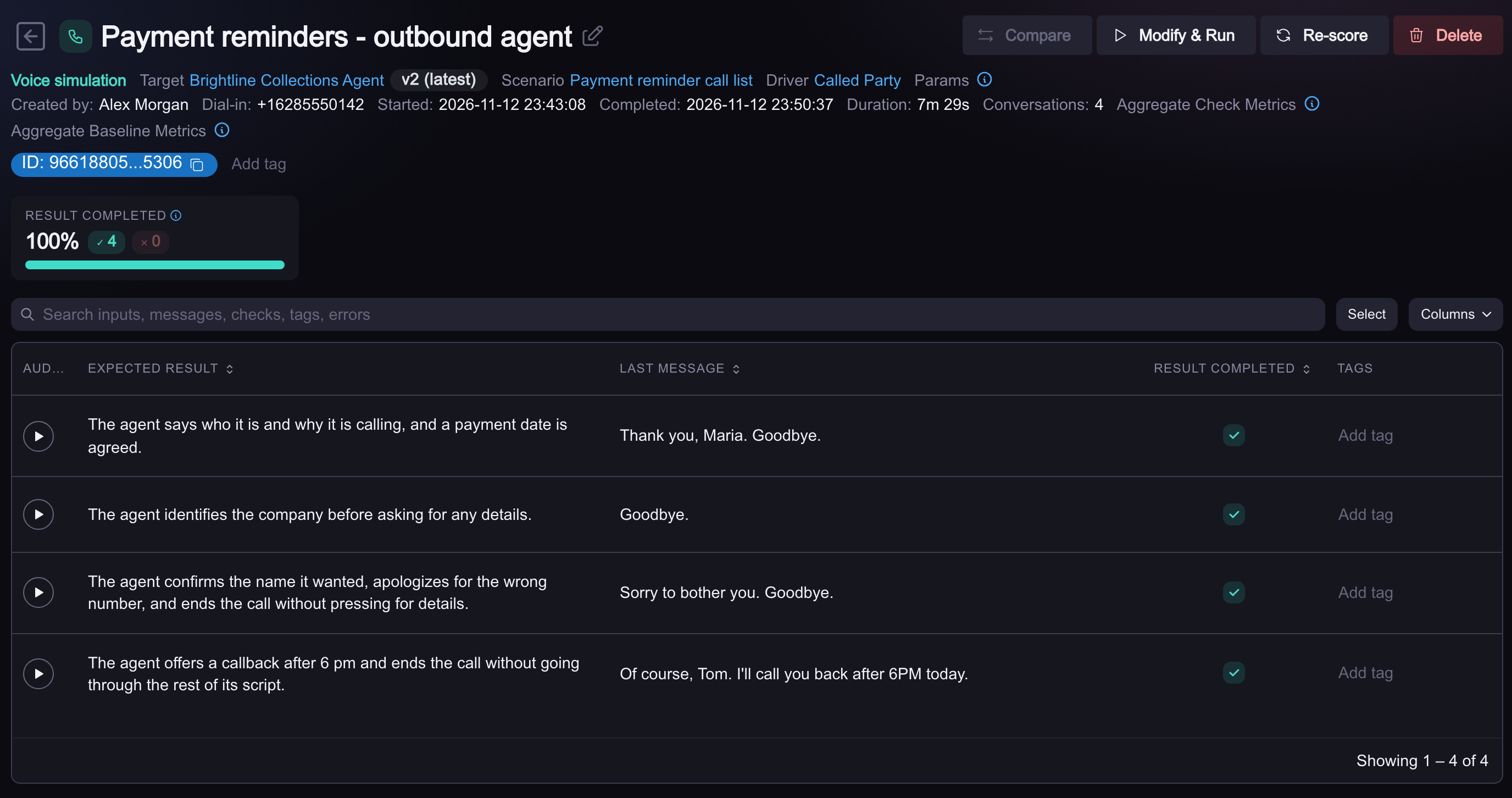
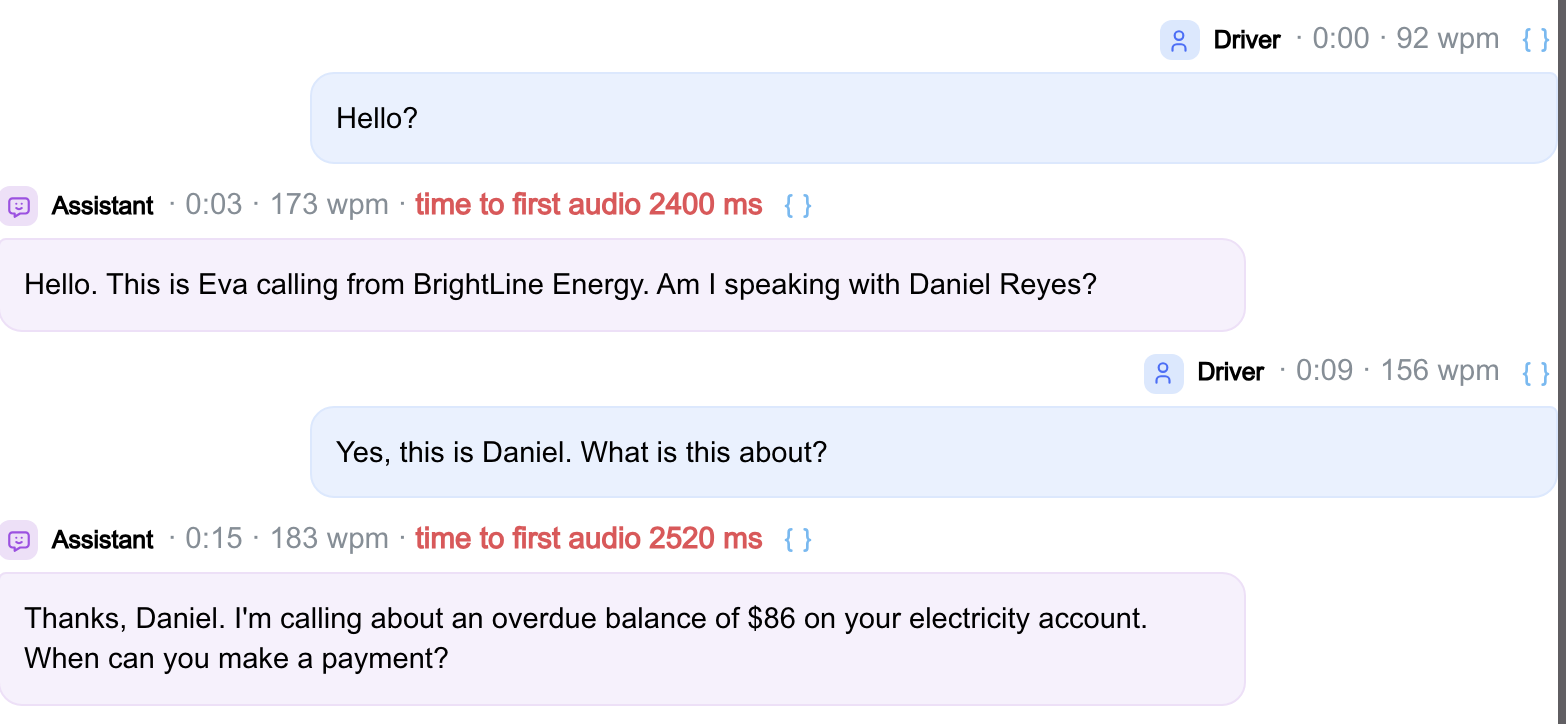
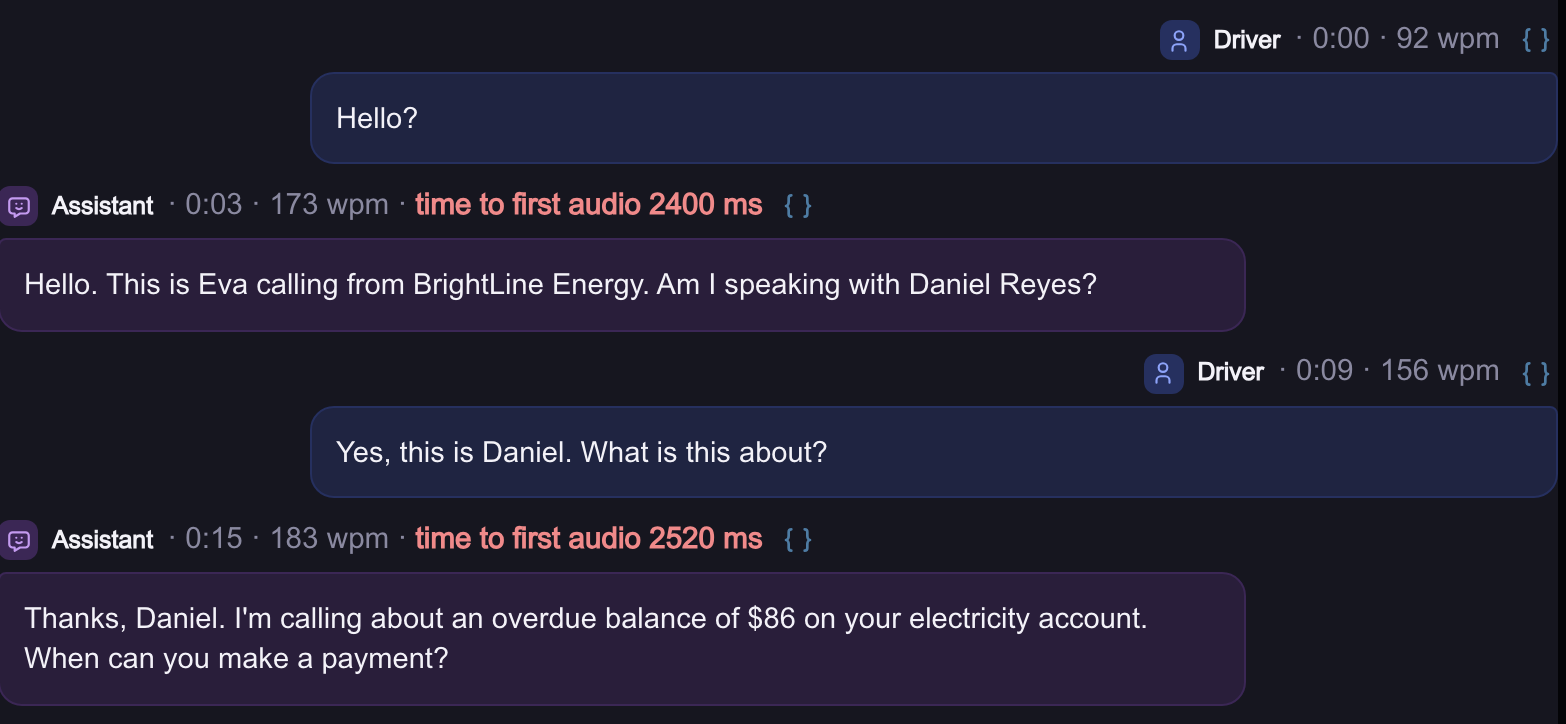
Open a row and the transcript shows the shape that makes outbound different. The Driver's first turn is a bare "Hello?". The agent's first turn is the one that matters most: who it says it is, and whether it asks for a name before it says why it is calling.
The checks worth adding to an outbound run are the ones about that opening and about how the call ends:
result_completedagainst each row's expectedresultcovers the outcome: a date agreed, a callback offered, a wrong number released.- A custom check for disclosure, such as "the agent states the company name before asking the person to confirm their identity", turns your compliance rule into a pass or fail on every call. Custom checks take a sentence to write.
- Latency and interruption checks from Voice Checks matter more here than on inbound calls. A person who did not expect a call hangs up on a two-second pause.
A simulation that ends without a single call ends as failed, so a dialer that never started does not pass for a clean run.
Where to Go Next
- Voice Targets and Channels: the direction where Okareo dials your agent, and the other channels.
- Personas and Scenarios: writing the people who answer.
- Load Testing: what to watch when many calls run at once.
- CI Gating: failing a build on the scores from a run.