Load Testing
Load testing isn't just about the AI model. It stress-tests the entire stack: network, routing engine, AI agent, CRM integrations, and agent desktop. Latency that looks acceptable at 1 concurrent call often becomes a trust-eroding 3+ second gap at 20.
Drive concurrent calls at your voice agent and measure how latency, success rate, and infrastructure behave under volume. Voice load tests catch failure modes that single-call regression tests cannot: queue saturation, provider rate limits, agent backend timeouts, and degradation patterns that only emerge above N concurrent sessions.
What Load Testing Catches
| Failure mode | Symptom in results |
|---|---|
| Agent backend saturation | time_to_first_audio p90 climbs sharply above baseline |
| One-off stalls that averages hide | max_time_to_first_audio spikes while the average stays flat |
| Agent stops answering entirely | target_silence_rate rises; caller turns get "Are you still there?" silence instead of a reply |
| Telephony / TTS rate limits | Conversations fail to start; result_completed rate drops |
| Memory or queue leaks under sustained load | Latency degrades over the course of the run, not at start |
| Cascading timeouts | response_loop flips for some conversations as agent retries fragment |
| Routing engine bottlenecks | Tail latency (p95, p99) diverges from p50 |
Running More Than One Call
Three numbers control every load test:
| Setting | Where it lives | What it controls |
|---|---|---|
| Max Parallel Requests | The voice Target (Targets → edit your target) | How many calls run at the same time |
| Scenario rows | The Scenario | Diversity. Each row is one caller objective, and one call |
| Repeats | The simulation form, under Advanced Settings | Volume multiplier. Each row is called this many times |
Two formulas tie them together:
- Total calls in a run = scenario rows × repeats
- Calls at the same time = Max Parallel Requests on the Target
For example: 5 scenario rows × 2 repeats = 10 total calls. With Max Parallel Requests set to 10, all of them run at once; set to 5, the run works through them in two waves of five.
In the App
- Set concurrency on the target. Go to Targets, create or edit your voice target, and set Max Parallel Requests to the desired concurrency. Leave it empty for unlimited concurrency.
- Build the scenario. Create a scenario with representative test cases. More rows means more diversity across concurrent calls.
- Configure repeats. In the simulation form under Advanced Settings, set Repeats to multiply the total call volume. For example, 5 scenario rows with 2 repeats produces 10 total calls.
- Run and inspect. After the run completes, open the results to see mean / p50 / p90 latency with distribution charts, and pass rates for each check.
From the SDK
The same setup is available programmatically:
import os
from okareo import Okareo
from okareo.model_under_test import PhoneTarget, Target
from okareo_api_client.models import ScenarioSetCreate

okareo = Okareo(os.environ["OKAREO_API_KEY"])

driver = okareo.generate_driver_prompt("Customer calling support with a routine account question")

scenario = okareo.create_scenario_set(ScenarioSetCreate(
    name="Voice Load Test",
    seed_data=okareo.seed_data_from_list([
        {"input": "What's your account balance?",            "result": "Agent provides balance"},
        {"input": "When does your subscription renew?",      "result": "Agent provides renewal date"},
        {"input": "Get a copy of your last invoice.",        "result": "Agent sends invoice"},
        {"input": "Is there a fee to upgrade your plan?",    "result": "Agent explains upgrade costs"},
        {"input": "How do I add a second user?",             "result": "Agent explains multi-user setup"},
    ]),
))

result = okareo.run_simulation(
    name="Load Test - Voice Quality",
    target=Target(
        name="My Voice Agent",
        target=PhoneTarget(phone_number="+1XXXXXXXXXX", max_parallel_requests=10),
    ),
    scenario=scenario,
    driver=driver,
    max_turns=3,
    repeats=2,  # 5 scenario rows x 2 repeats = 10 total calls
    checks=[
        "result_completed",
        "total_turn_count",
        "time_to_first_audio",
        "max_time_to_first_audio",
        "target_silence_rate",
        "avg_words_per_minute",
    ],
)
Default plans cap concurrency at a low level for safety. Okareo scales to thousands of concurrent calls; reach out to configure higher concurrency for your plan.
Checks to Put on Every Load Test
Six checks form the standard load-test panel. Together they answer the three questions a load test exists to answer: is the agent still succeeding, is it still fast, and is it still speaking well?
| Check | What it tells you under load |
|---|---|
result_completed | Did the agent reach the caller's expected outcome? The pass/fail workhorse: a drop at high concurrency means calls are failing, not just slowing. |
total_turn_count | Turns to get there. Climbing counts mean the agent is getting less efficient before it starts failing outright. |
time_to_first_audio | Average ms before the agent starts speaking each turn. The primary responsiveness metric. |
max_time_to_first_audio | The worst single gap in each call. This degrades first under load: one 8-second stall ruins a call whose average still looks healthy. |
target_silence_rate | Fraction of caller turns that got no spoken reply at all (the "Hello? Are you still there?" pattern). An early indicator that the agent is dropping turns. |
avg_words_per_minute | Speaking rate. A control metric: stable WPM under load means audio delivery is intact; swings catch rushed or garbled speech at concurrency. |
Add all six in the Checks section of the simulation form (or the checks list in the SDK). See Voice Checks for the full catalog.
Reading Percentile Scores
Latency-style checks (time_to_first_audio, max_time_to_first_audio, avg_words_per_minute) get server-computed percentile scores in addition to means.
In the App
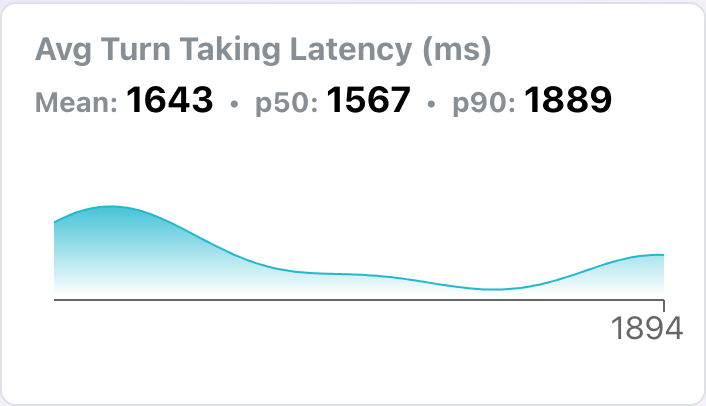
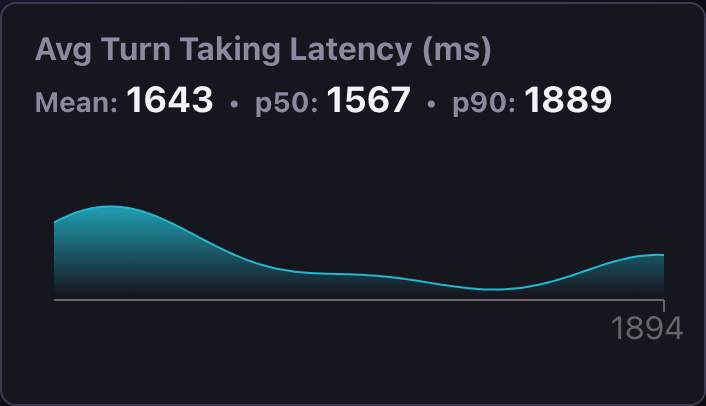
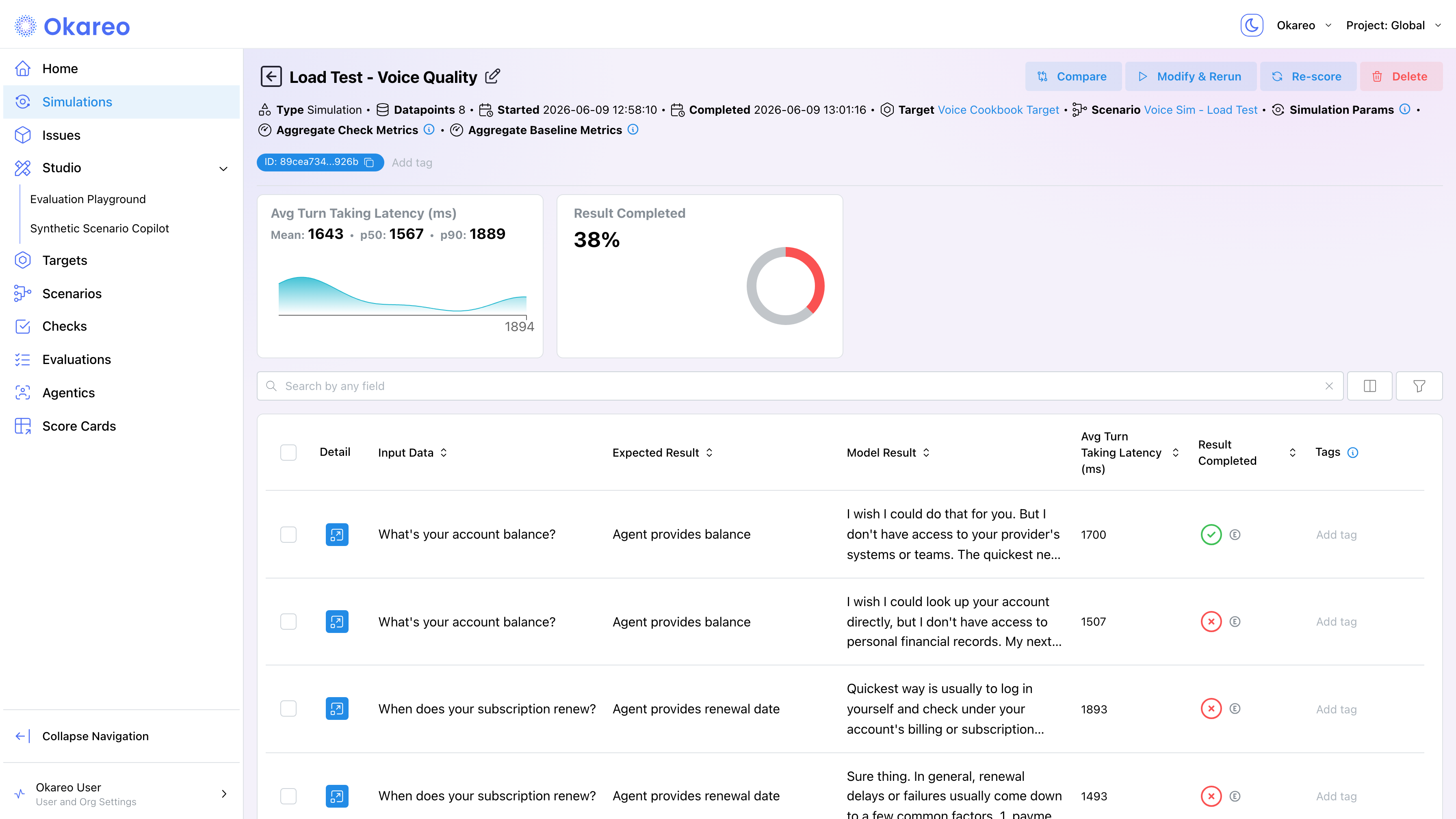
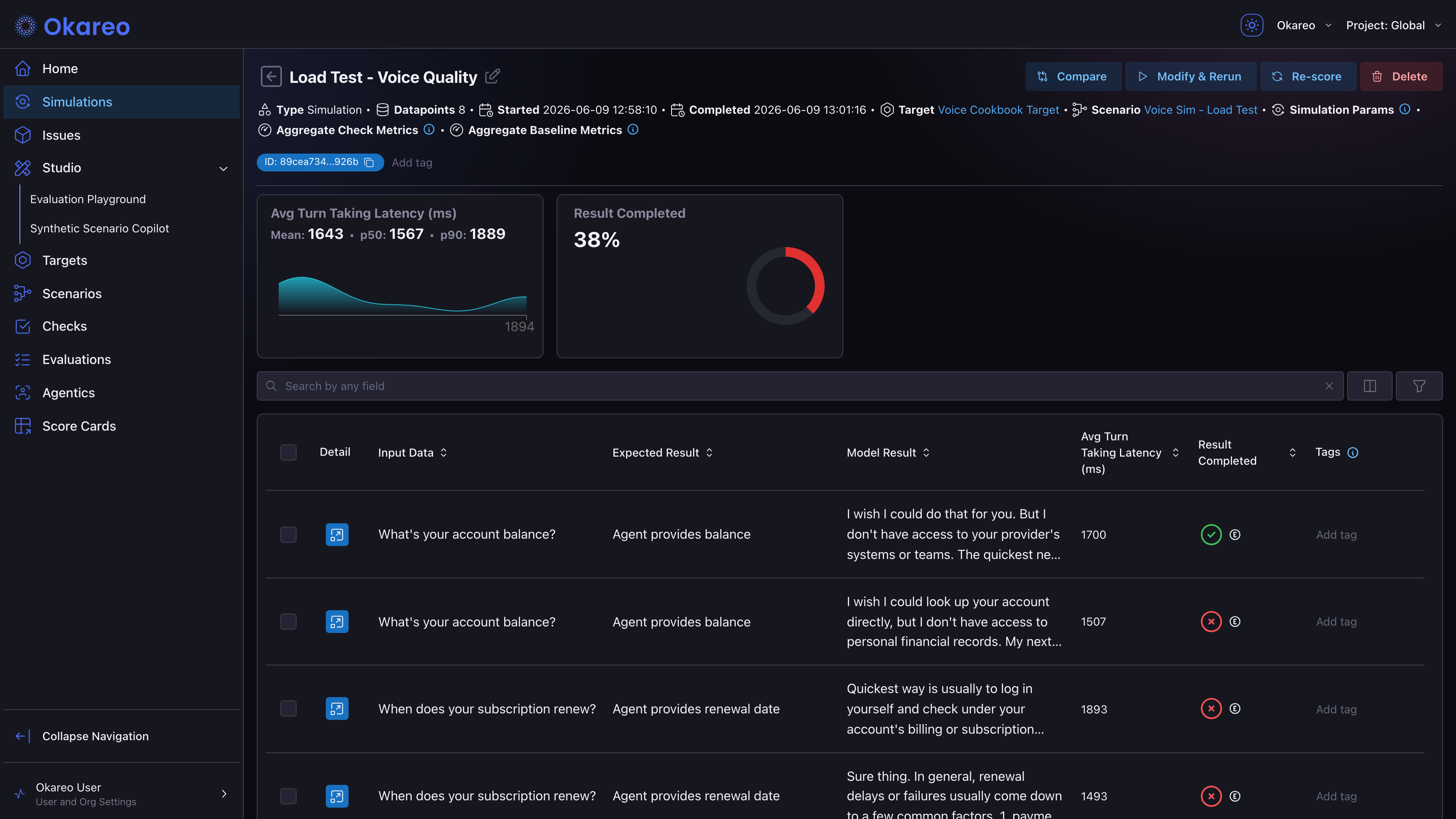
The run detail page shows mean, p50, and p90 values on latency score cards, with a distribution chart of per-conversation values. The per-conversation table below lists each call's latency; sort by the check column to identify which conversations had the worst latency, and click Detail to inspect them.
From the SDK
metrics = result.model_metrics.to_dict()
scores = metrics["mean_scores"]
percentiles = metrics.get("percentile_scores", {})

latency_pct = percentiles.get("time_to_first_audio", {})

print(f"  Mean latency: {scores.get('time_to_first_audio')} ms")
print(f"  p50:          {latency_pct.get('p50')} ms")
print(f"  p90:          {latency_pct.get('p90')} ms")
| Aggregation level | What it represents |
|---|---|
| Per-turn raw sample | Each turn's latency between caller-stops and agent-replies |
Per-conversation time_to_first_audio | Average across the call's turns (in scores_by_row) |
| Run-level p50 / p90 | Percentile across the run's per-conversation averages |
This is why p50/p90 from a load run is meaningful: it tells you what fraction of conversations (not turns) had degraded latency, which is the user-visible failure unit.
For the full set of checks that get percentile aggregation, see Voice Checks.
Interpreting Results
Run a baseline at low concurrency first. Then run progressively higher loads and watch:
| Pattern | Meaning |
|---|---|
| Mean and p50 stable, p90 climbs | Tail-latency issue. A subset of calls is hitting a slow path. |
max_time_to_first_audio spikes, average flat | One-off stalls. A few turns hit a slow path the averages hide. |
| Mean climbs proportionally to concurrency | Backend saturation. Compute or queue depth is the bottleneck. |
result_completed drops at high concurrency | Conversations are failing partway through, not just slowing. |
Pattern cleaner at low max_parallel_requests | Your agent has a per-second limit lower than you thought. |
Tracking a Load Campaign with Dashboards
A load campaign is rarely one run. The usual shape is a series of runs at escalating concurrency, climbing into the thousands of concurrent calls, and the question is how each metric moves across those tiers.
Dashboards give you the flexibility to plot exactly that: pick a metric (a check's average, p50/p90, max, an error count, or a datapoint count), pick a dimension to plot it against (test run, check name), and choose the presentation: a stat tile for the headline number at your top tier, or a line chart tracking the metric across runs. Some combinations that work well for load campaigns:
- Stat tiles for the numbers your team reports up: dropped calls, task completion rate, and p90 first-audio at the highest concurrency tier.
- p90
time_to_first_audioper run: the single most telling line. Flat means headroom; an elbow means you found the saturation point. result_completedvstarget_silence_rateper run: completion falling while silence rises is the signature of an agent dropping turns under load.- Datapoint count per run: calls scored vs calls launched, a capacity sanity check per tier.
avg_words_per_minuteper run: a flat control line that confirms audio delivery stayed intact while everything else moved.
Build one from Dashboards → Add Chart; every chart is configurable after the fact, so start rough and refine as the campaign progresses.
Sustained Load: the Load Testing API
A scenario × repeats run is batch-and-drain: it fires the total volume and concurrency falls as calls complete. That answers "what happens when N calls arrive at once" but not "what happens when N callers are on the line continuously, for minutes."
For that there is the Load Testing API: run_load_test holds a target number of concurrent conversations for a set duration, dialing a fresh call whenever one ends so the live count stays at the plateau. Use it to surface degradation that only appears under sustained concurrency: queue buildup, backend timeouts, and drift that grows over the course of the run.
See the Load Testing API reference for parameters and a runnable example.
Where to Go Next
- Experimentation and A/B Testing: compare load runs against each other (e.g. before vs after an infra change).
- Voice Augmentation: combine concurrency with realistic noise and barge-in for worst-case conditions.
- Scheduling Simulations: run nightly load tests on cron.
Full runnable script: 08_load_test.py