Voice Checks
Checks score what happened in the conversation. For voice runs, three categories work together: code checks (deterministic Python), model checks (LLM judge on the text transcript), and audio checks (multimodal LLM judge on the actual audio files).
This page covers the predefined voice checks, when to combine them, how results are structured, and where to write your own.
The Three Check Categories
| Category | What it does | Voice-relevant examples | When to use |
|---|---|---|---|
| Code | Deterministic Python running against transcript metadata | time_to_first_audio, avg_words_per_minute, total_turn_count, mu_utterance_error_rate | Timing metrics, counting, structural assertions |
| Model | Prompt evaluated by a judge LLM against the text transcript | result_completed, response_consistency, response_loop, automated_resolution, behavior_adherence | Task completion, coherence, policy compliance, escalation decisions |
| Audio | Multimodal LLM judge evaluating the actual audio recording | empathy_score, numeric_verbalization, transcript_fidelity | Tone of voice, spoken accuracy, transcription quality |
Audio checks only run on the final turn of a voice simulation because they require extracted audio files and are too expensive for every-turn evaluation. Model and code checks run after every turn.
Selecting Checks for a Run
In the App
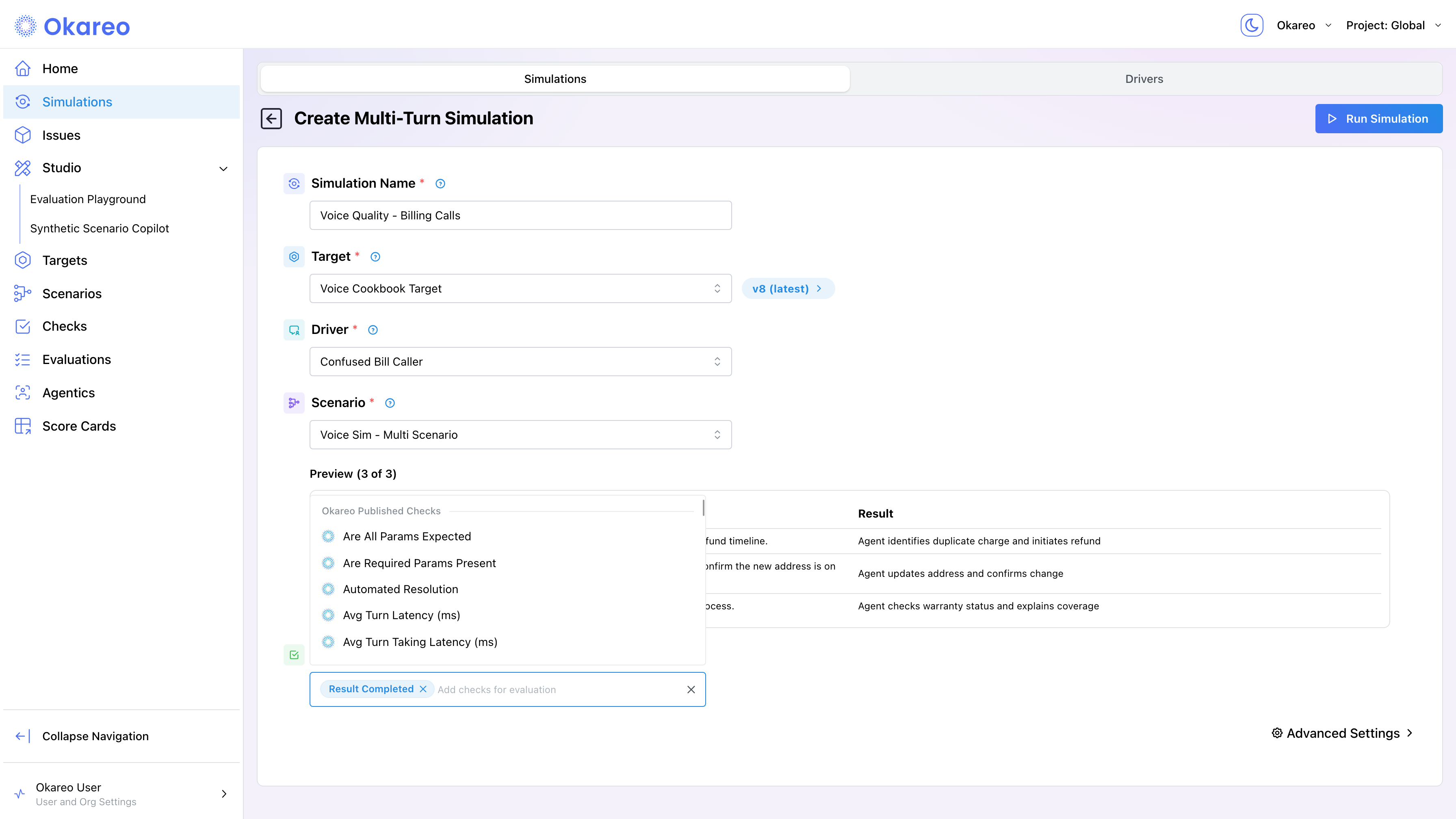
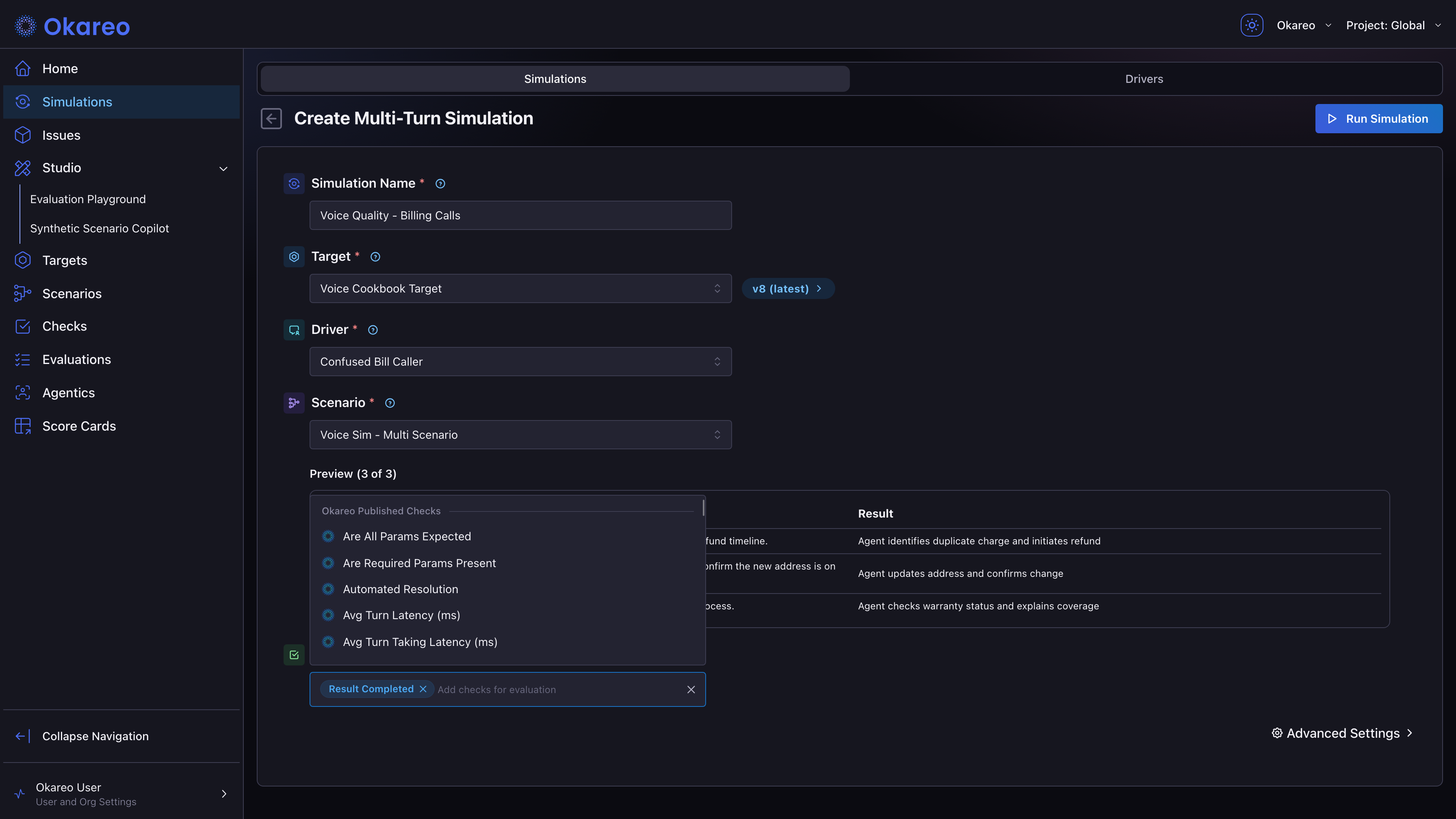
In the simulation form, the Checks section has a searchable selector covering Okareo's published checks and your custom checks. You can combine code, model, and audio checks in a single run. The same checks are available whether you run from the app or the SDK.
From the SDK
Pass check names in the checks parameter. A single run can apply code, model, and audio checks together:
CHECKS = [
    "time_to_first_audio",       # code (timing from metadata)
    "result_completed",          # model (LLM judge on transcript)
    "response_consistency",      # model
    "total_turn_count",          # code
    "response_loop",             # model
    "empathy_score",             # audio (multimodal judge on recording)
]

result = okareo.run_simulation(
    name="Voice Checks Demo",
    target=target,
    scenario=scenario,
    driver=driver,
    max_turns=5,
    checks=CHECKS,
    calculate_metrics=True,
)
Common Starting Checks for Voice Runs
Okareo includes 60+ predefined checks across code, model, and audio categories. The full catalog is at Checks. The checks below are the most common starting point for voice simulations:
Code checks (deterministic, from metadata):
time_to_first_audio: Time (ms) between the caller finishing and the agent starting to speak, averaged across the whole conversation. The primary responsiveness metric for voice. (Previously namedavg_turn_taking_latency; the old name still works as an alias.)max_time_to_first_audio: The worst single gap in the conversation, in ms. A call can have a healthy average and still contain one long stall; this catches it.target_silence_rate: Fraction of caller turns that got no spoken reply at all (the "Hello? Are you still there?" pattern). 0 means every turn was answered. An early indicator of degradation under load.avg_words_per_minute: Average speaking rate of the voice target. Useful for detecting rushed or sluggish delivery.total_turn_count: How many user→assistant turn pairs the conversation took.
Model checks (LLM judge on transcript):
result_completed: Did the agent fulfill the caller's objective? Compares the full conversation against the scenario's expected result. The workhorse pass/fail signal.response_consistency: Were the agent's responses coherent and non-contradictory across turns? Strict on entities, IDs, numbers, and dates.response_loop: Did the agent get stuck repeating itself without progressing?automated_resolution: Did the agent resolve without escalating to a third party? Key for handoff testing.
Audio checks (multimodal judge on audio files, final-turn only):
empathy_score: Does the agent's voice tone express empathy? Scored 1 to 5.numeric_verbalization: Were phone numbers, prices, dates, and alphanumeric sequences spoken correctly?transcript_fidelity: How accurately does the platform transcript match the actual audio recording? Scored 1 to 5.emotion_analysis: Emotional valence of the caller's audio, scored 1 to 5. Early access; contact Okareo to enable it for your organization.
For domain-specific assertions, build custom checks. Python code checks for deterministic rules, or LLM model checks for subjective evaluation.
Reading Results
In the App
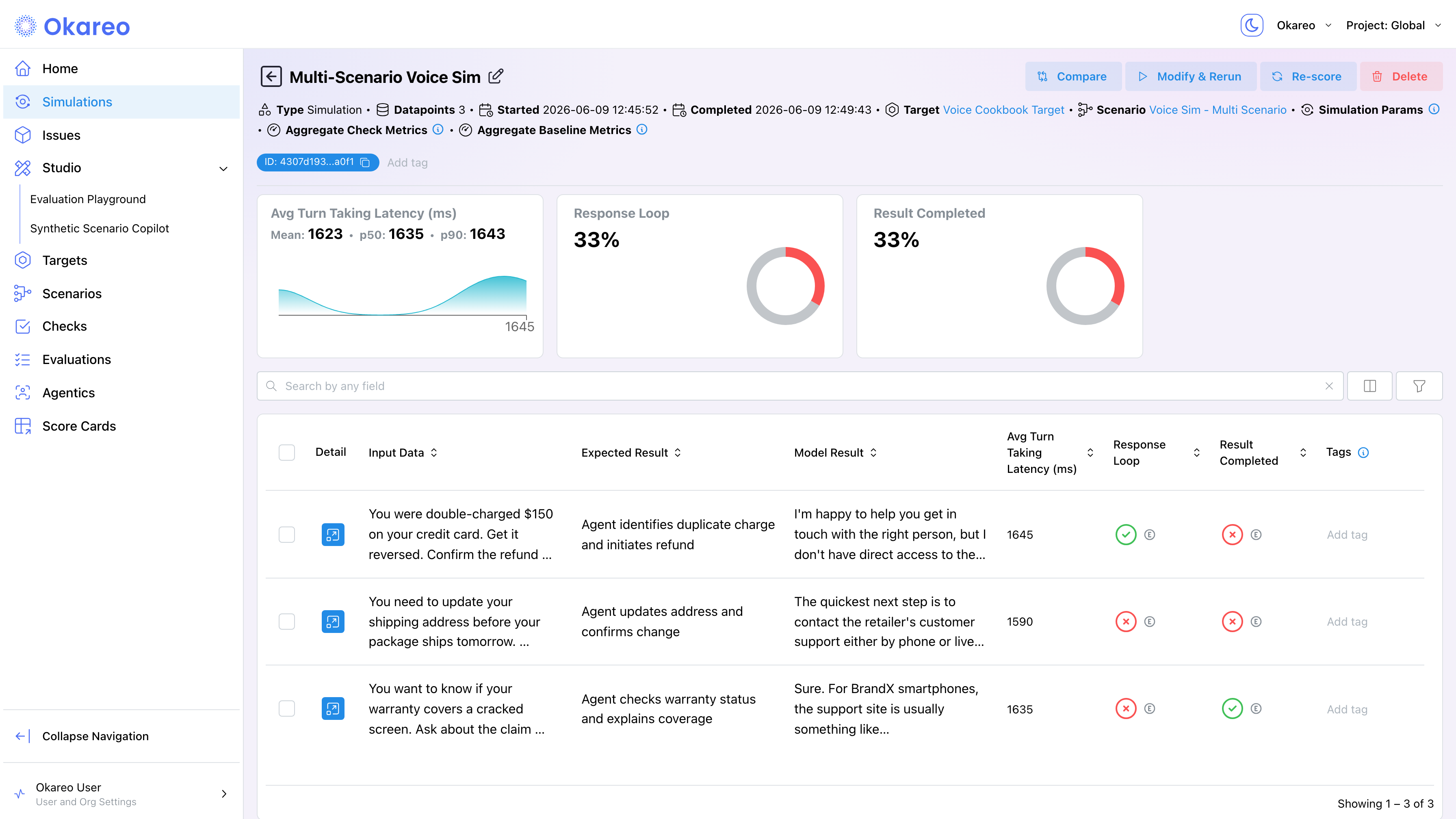
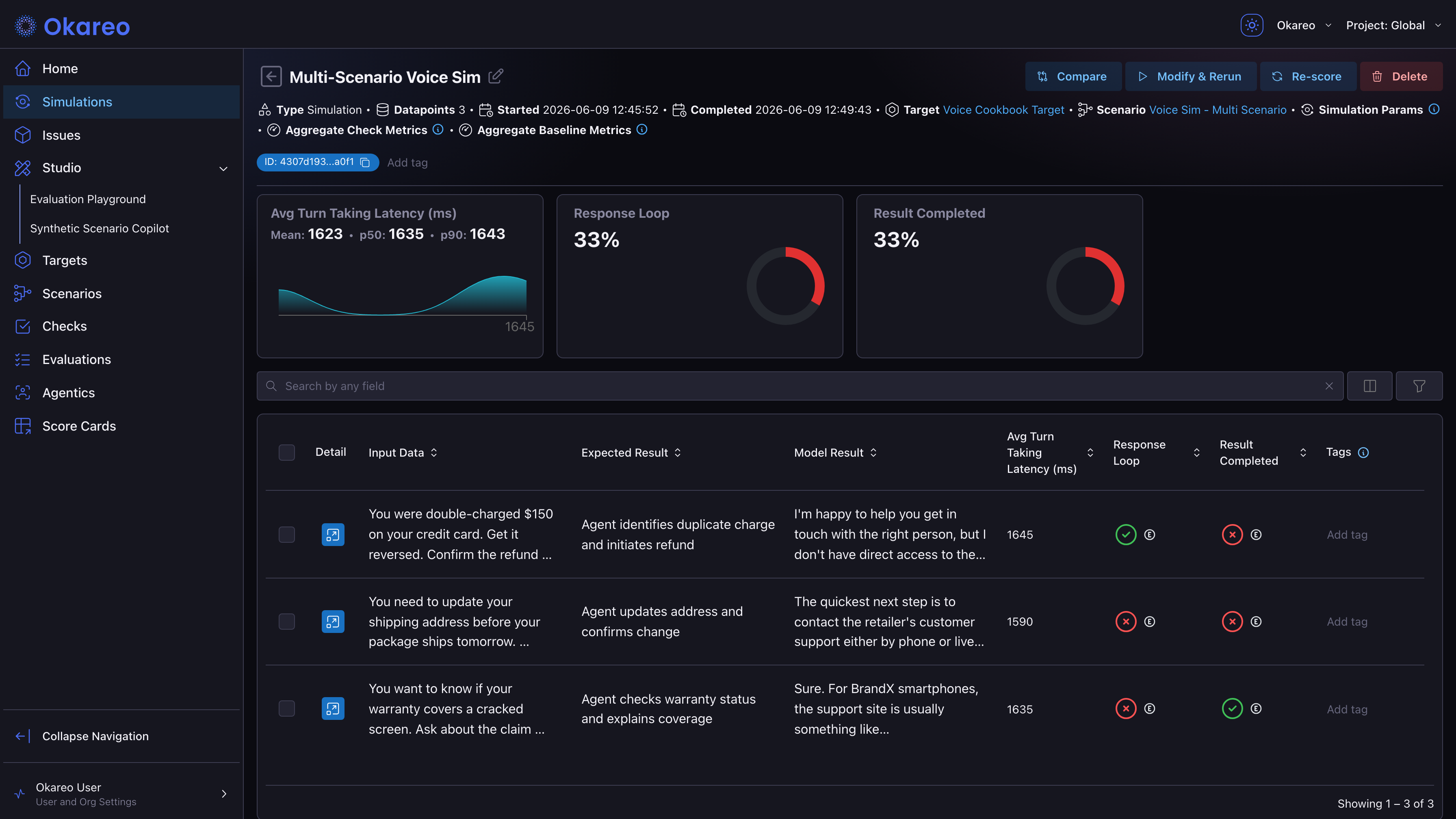
The run detail page shows a score summary card for each check you selected. Pass/fail checks display the pass rate with a progress ring. Latency-style checks show mean, p50, and p90 values with a distribution chart. Below the cards, the per-conversation table lists each check's score per call; click Detail on a row to see individual scores alongside the transcript and audio for that conversation.
From the SDK
result.model_metrics.to_dict() returns three useful keys:
| Key | What it contains |
|---|---|
mean_scores | Mean of each check across all conversations in the run |
scores_by_row | Per-conversation score for each check |
percentile_scores | p50 / p90 / p95 / p99 for latency-style checks |
metrics = result.model_metrics.to_dict()
mean = metrics["mean_scores"]
percentiles = metrics.get("percentile_scores", {})

latency_pct = percentiles.get("time_to_first_audio", {})
print(f"p50: {latency_pct.get('p50')} ms, p90: {latency_pct.get('p90')} ms")
Percentile Aggregation
Percentile scores (p50, p90, p95, p99) are computed for the checks in PERCENTILE_CHECK_NAMES: latency, avg_turn_latency, time_to_first_audio, max_time_to_first_audio, and avg_words_per_minute. Other numeric checks report mean scores but do not get percentile breakdowns.
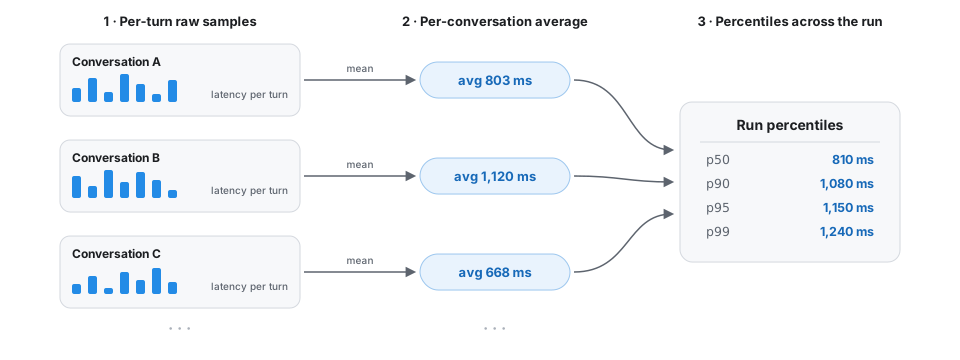
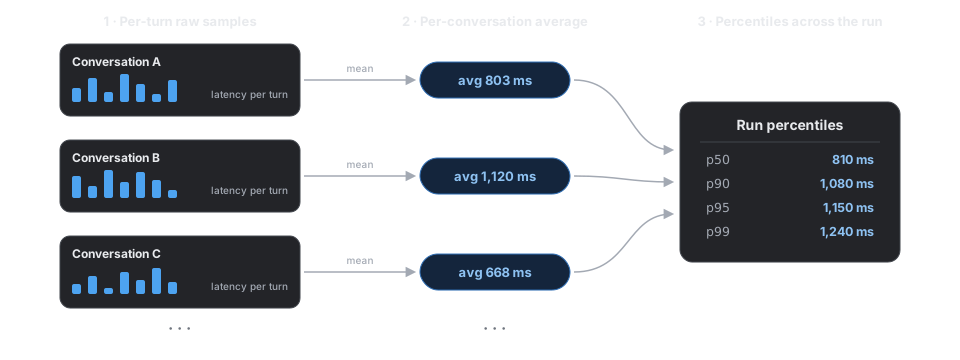
- Each turn produces a raw sample (e.g. the latency between the caller's last syllable and the agent's first).
- Per conversation, those samples are averaged into one number (the value you see in
scores_by_row). - Across all conversations in the run, percentiles are computed from those per-conversation averages.
This conversation-level distribution is the right metric for load testing because it is not skewed by chatty or quiet individual calls.
Custom Checks
The predefined list covers most voice testing patterns. When you need something specific (domain-bound assertions, regex matches, branded content checks), build a custom check.
- Code Checks: Python with an
evaluate(metadata)method. Deterministic, fast, runs on each row. - Model Checks: Prompt template evaluated by a judge LLM. Use for subjective scoring.
- Custom Checks: How to register, version, and reuse your own checks across runs.
- Checks Introduction: Full predefined check catalog and category framing.
Checks are versioned: every time you modify a check, Okareo persists a new version, and runs reference the version that was active when they ran. Re-evaluating an old run with a newer version of a check is the Re-Scoring flow.
Where to Go Next
- Re-Scoring Past Runs: try different checks on yesterday's calls without paying for new ones.
- Experimentation and A/B Testing: compare check scores across two runs.
- Load Testing: interpret percentile scores under volume.
Full runnable script: 03_checks.py