Scripted Drivers
Some tests need the customer to say exact lines, in an exact order, every time: the same six digits read to an IVR, the same answers typed into a chat intake, the same goodbye. A prompt Driver is the wrong tool for that. It improvises by design, and improvisation is what you are trying to remove.
A scripted Driver plays a list of steps instead. Each step is one turn: words said word for word, keys pressed on the keypad, a turn of silence, or the closing words that end the conversation. No model writes the Driver's lines, so the transcript's Driver rows are the script in order, and a difference between two runs is a difference in the Target.
What a Scripted Driver Does
| Test | What the script does | What you find out |
|---|---|---|
| An IVR that asks for an account number, then a code | Listens through the prompt, presses the digits, listens again, presses the code | The IVR takes the digits it asked for and lands on the right menu |
| A regression suite that must be stable across releases | Says the same lines on every run | Only the Target changed between runs |
| A chat intake agent that asks a fixed set of questions | Answers each question from the Scenario row, one message per turn | The agent asks every question and records every answer |
| A message the agent must handle exactly as written: a policy question, an ambiguous request, a line in another language | Sends that message, word for word, on every run | How the agent answers that message, with nothing else varying |
| An agent that should end the conversation cleanly | Says the goodbye line and ends | The agent closes without a double goodbye or a dangling turn |
Steps work on text and voice Targets. A vision Target needs a prompt Driver; a run that pairs it with a scripted Driver is refused at submit.
The Steps
A script is an ordered list. Each step is one kind:
| Step | What the Driver does | Where it plays |
|---|---|---|
| Message | Says these words, word for word | Text and voice |
| DTMF | Presses these keys and says nothing | Voice, on an edge that can press keys: Phone, SIP, Telnyx, Vonage |
| Silence | Says nothing and listens for the Target's next segment | Voice, on Phone, SIP, Telnyx, Vonage and WebRTC edges |
| End conversation | Says these words and ends the conversation | Text and voice |
The rules a script has to follow:
- End conversation is the last step, and the only one. The Driver's goodbye has one source, the script, so the conversation can never end with a line you did not write.
- At least one Message or DTMF step comes before it.
- DTMF keys are
0-9,A-D,*,#, andwfor a half-second pause, up to 32 keys per step. - Max Turns is at least the number of steps. On voice, leave headroom: a turn the Target talks over costs a turn and plays again (see What Happens in the Conversation).
- Silence and DTMF need an edge that can play them. A text run with either is refused at submit, and so is a voice run on an edge that cannot press keys or hold a silent turn. The error names the edge.
Messages are up to 2000 characters. A script holds up to 200 steps.
A text script is Message steps and an End conversation step. This one walks a chat intake agent through a dispute:
[
  {"message": "Hi, I want to dispute a charge on my card."},
  {"message": "It's the charge from Shell on the twelfth, for $84.12."},
  {"message": "No, I didn't make it and I don't have the card with me."},
  {"end_conversation": "Thanks, that's all I needed.", "reason": "Script complete"}
]
On voice, Silence and DTMF steps join them. The same dispute on the phone, through an IVR that asks for a code first:
[
  {"message": "Hi, I'm calling about a charge on my card."},
  {"silence": true},
  {"dtmf": "604917"},
  {"message": "Yes, the charge from Shell on the twelfth."},
  {"end_conversation": "Thanks, that's all I needed. Goodbye.", "reason": "Script complete"}
]
reason is optional on the End conversation step. It is recorded as why the conversation ended, where you would otherwise see the Driver's own reason.
One Driver, Many Scripts
Every string in a step is a template over the Scenario row, with the same {scenario_input.<column>} references a prompt uses. The script above becomes a template for a whole suite by reading its digits from the row:
[
  {"message": "Hi, I'm calling about a charge on my card."},
  {"silence": true},
  {"dtmf": "{scenario_input.code}"},
  {"message": "Yes, the charge from {scenario_input.merchant} on the {scenario_input.day}."},
  {"end_conversation": "Thanks, that's all I needed. Goodbye."}
]
When each row needs its own script, with a different number of steps, put the whole list on the row and give the Driver one reference, {scenario_input.steps}. The row's column holds a list of steps in the same shape, and the Driver plays that row's list. Each row's script is checked when the row loads, against the same rules as above.
Creating a Scripted Driver
In the App
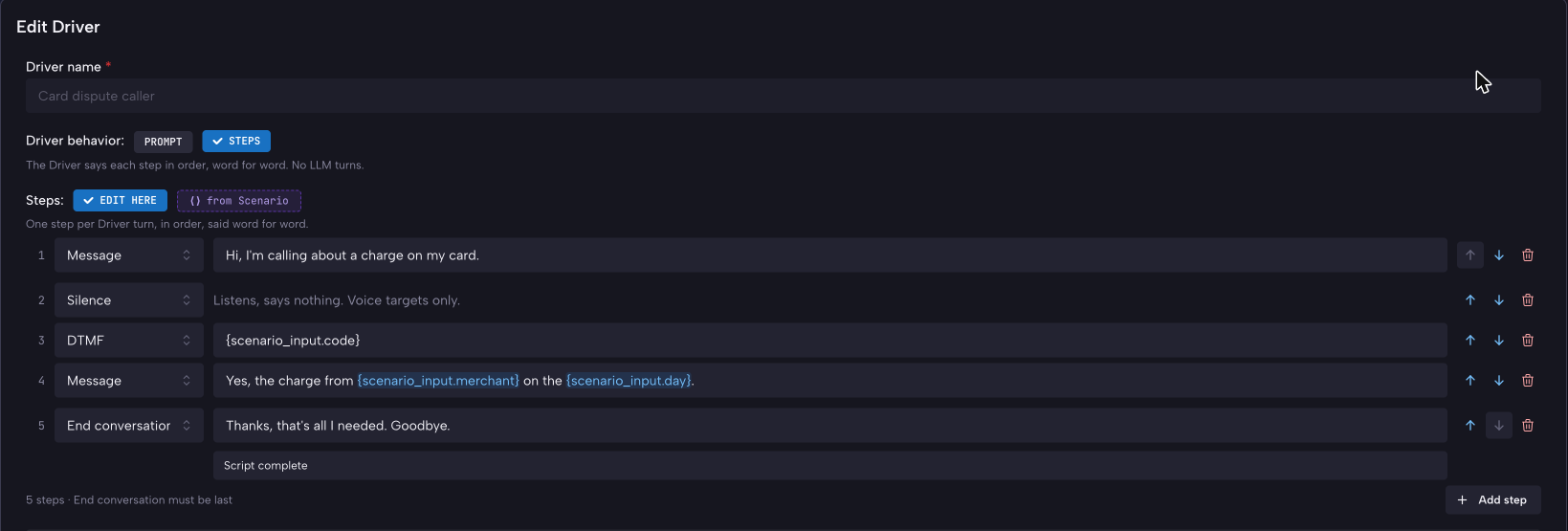
Open Drivers, click New Driver, choose a starting point, and set Driver behavior to Steps. The prompt editor is replaced by the step list: one row per step, with its kind, its words or keys, and on the End conversation step an optional reason. Add step appends a row; the arrows reorder, and End conversation has to stay last.
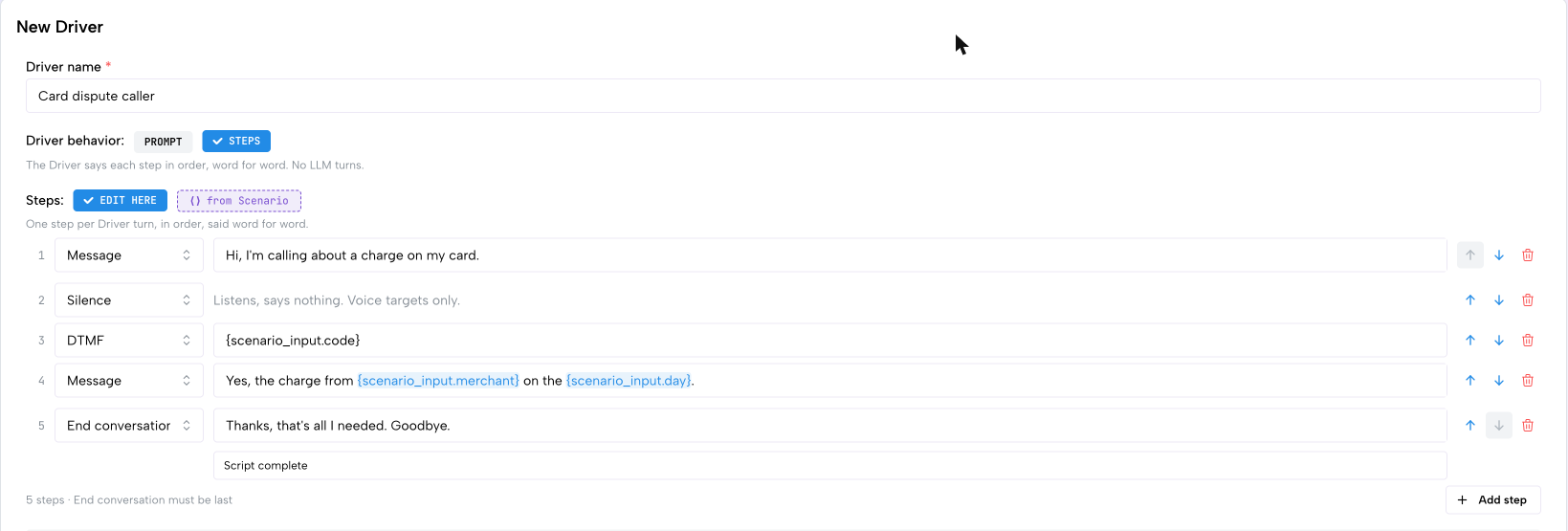
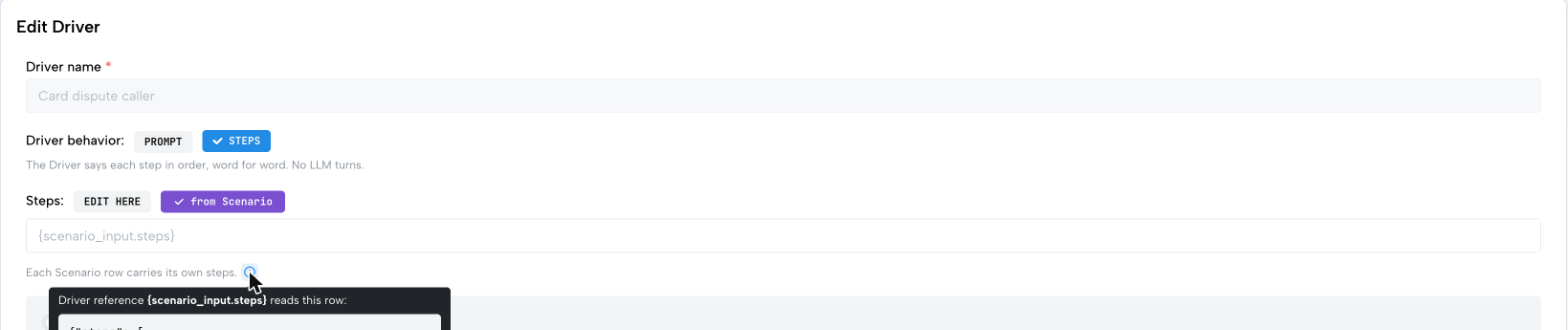
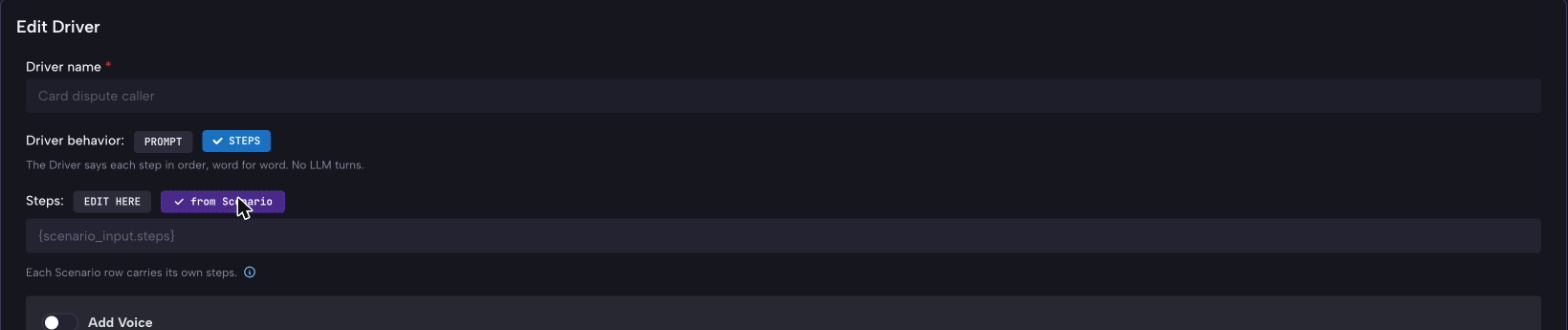
To read the whole script from the Scenario row instead, set Steps to from Scenario and enter the reference, {scenario_input.steps}. The hint beside the field shows the row format it expects.
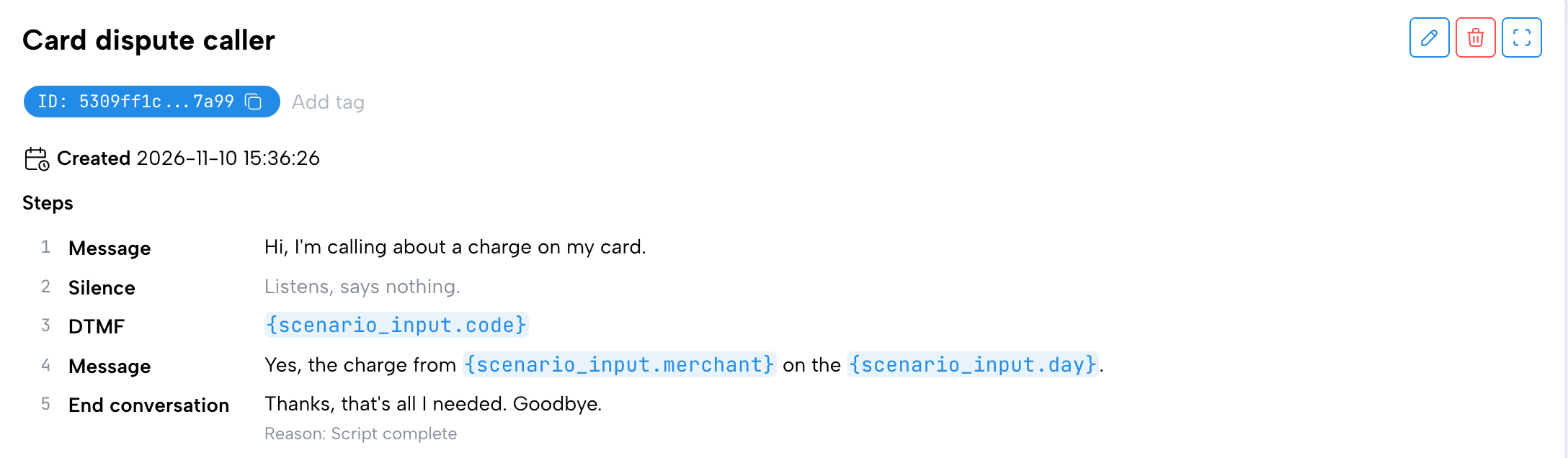
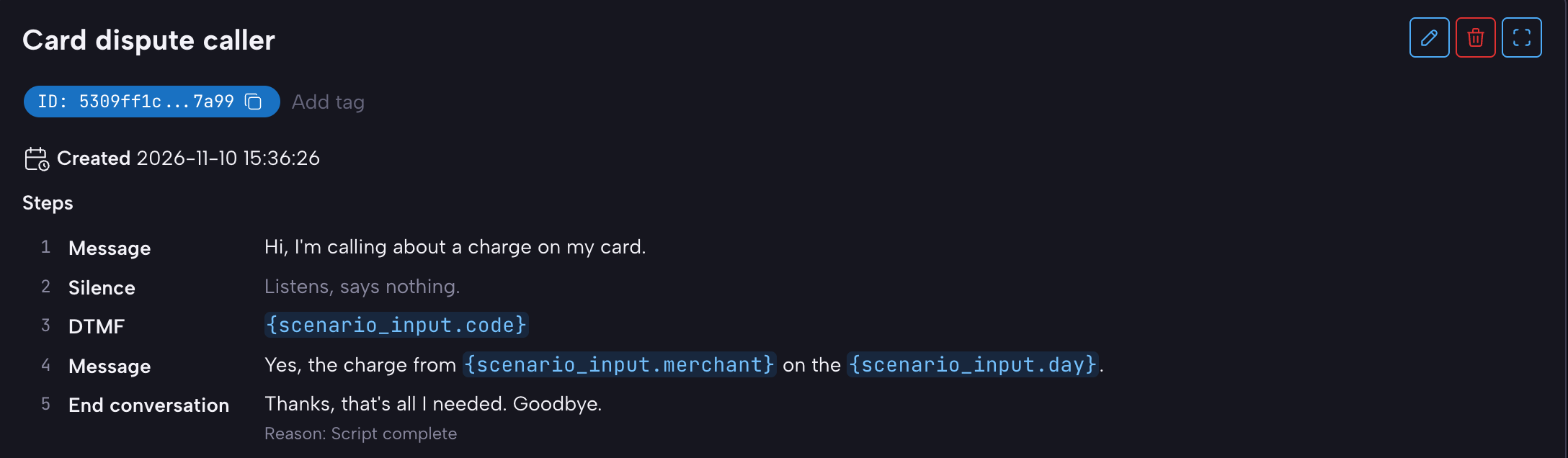
A saved scripted Driver shows its steps on the Driver card, and in the simulation builder when you pick it.
From the SDK
Driver takes steps in place of a prompt. A Driver with steps ignores prompt_template and model_id. This script is for a phone Target; for a chat Target, leave out the Silence and DTMF steps.
from okareo import Okareo
from okareo.model_under_test import Driver

okareo = Okareo(api_key=OKAREO_API_KEY)

driver = Driver(
    name="Card dispute caller",
    temperature=0,
    steps=[
        {"message": "Hi, I'm calling about a charge on my card."},
        {"silence": True},
        {"dtmf": "{scenario_input.code}"},
        {"message": "Yes, the charge from {scenario_input.merchant} on the {scenario_input.day}."},
        {"end_conversation": "Thanks, that's all I needed. Goodbye.", "reason": "Script complete"},
    ],
)

run = okareo.run_simulation(
    name="Card dispute, scripted",
    scenario=scenario,
    target="Acme Bank IVR",
    driver=driver,
    checks=["result_completed"],
    max_turns=10,
    first_turn="target",
)
For a script per row, pass the reference: Driver(name="Scripted caller", temperature=0, steps="{scenario_input.steps}").
Through the API, steps is a field on the Driver beside prompt_template, and takes the same list or the same reference.
A script that breaks a rule is refused when the Driver is saved (a 422 that names the step), and a run whose Target cannot play it is refused when the run is submitted (a 400 that names the edge or the turn limit).
What Happens in the Conversation
Each step is one Driver turn, played in order, on text and on voice alike. A scripted Driver takes the same turns a prompt Driver would: with first_turn set to target, it waits for the Target's greeting and then plays step 1. On text, every Target reply ends the Target's turn, so the script runs straight through. On voice, two more things matter:
- A line the Target talks over plays again. When the Target speaks over a scripted turn, the engine marks the turn skipped and the Driver says the same step on its next move. A keypress whose tones already went out is not repeated. Each skipped turn still counts against Max Turns, which is why a voice script needs headroom.
- A silence step is a listen. The Driver says nothing and the Target's next segment plays out. Use it in front of a keypress so the IVR has finished its prompt before the digits go in; an IVR with several prompts in a row may need one silence per prompt.
- The goodbye is spoken once, from the End conversation step, and the conversation ends on it.
- No system notes reach a scripted Driver. The silence nudge, skills and other prompt additions have nothing to act on, so they are not applied.
With Voice Augmentations
Augmentations that only change how the Driver's words are delivered run beside a script: background noise, backchannel and dropout. Barge-in, directed speech and secondary speaker run when they are given exact words (an utterance); given a prompt, they would need the Driver to write the words, and a scripted Driver has no model to write them, so the run is refused. Continuous audio prompting (CAP) is refused for the same reason.
In a per-turn augmentation plan, plan turn N plays step N. An entry lands on a Message step; a Silence, DTMF or End conversation step cannot carry one, and a plan that puts an entry there is refused with the turn and the reason. A planned dropout is written as a Silence step instead.
Reading the Results
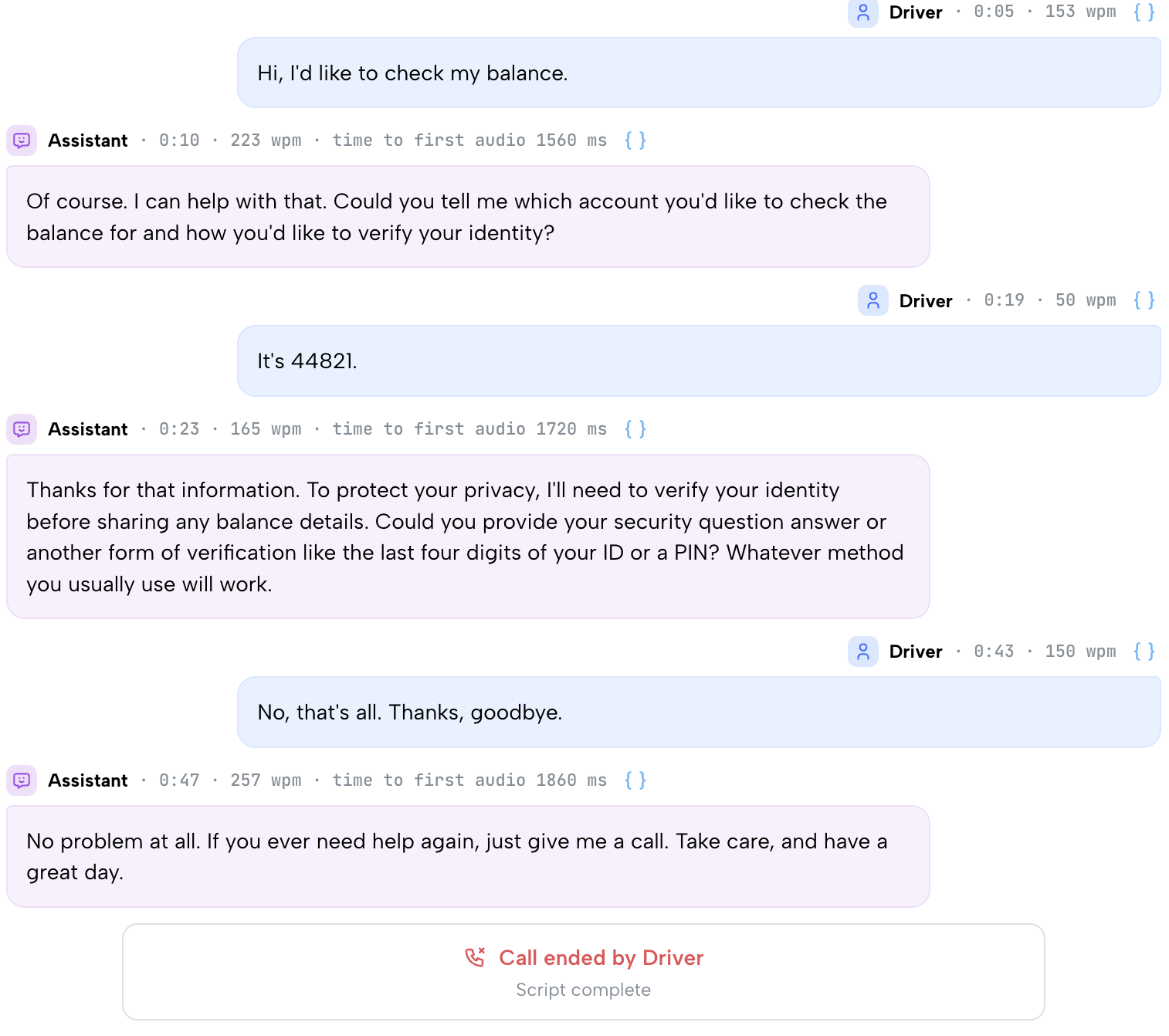
The transcript's Driver rows are the script, in order, with each Target reply between them, and the conversation ends with the End conversation step's reason. On voice, a keypress shows as the keys pressed and a silence as a dropped Driver turn ("Driver silence until the next Target utterance"), each where the step played. Checks score the conversation as usual; result_completed against a row's result is the usual first check for a scripted suite, since the Driver's side is fixed and only the Target's side can fail.
Where to Go Next
- Creating Drivers: prompt Drivers, for the tests where the customer should improvise.
- Voice Augmentation: noise, dropout and per-turn plans beside a script.
- Running Simulations: Scenario rows, templating and Max Turns.