Debug and Evaluate Your Multi-Agent System
Quickly connect your agent-building experience with Okareo to easily debug, evaluate, and optimize your agents.
Key Features
- Debugging and RCA Tools: Find issues across agent interactions with root cause analysis (RCA) and message graph checks. Evaluate ongoing interactions for task completion and errors, providing a live view of issues, root causes, and suggested fixes.
- Multi-Turn Performance Evaluation: Analyze how agents interact, adapt, and achieve goals over multiple turns to ensure reliability and effectiveness.
- Plug into Your Framework: Integrate with frameworks like CrewAI, Autogen, and others, and run your agents flexibly in your own environment.
CrewAI Integration
Okareo seamlessly integrates with CrewAI to provide powerful debugging and evaluation capabilities for your multi-agent systems.
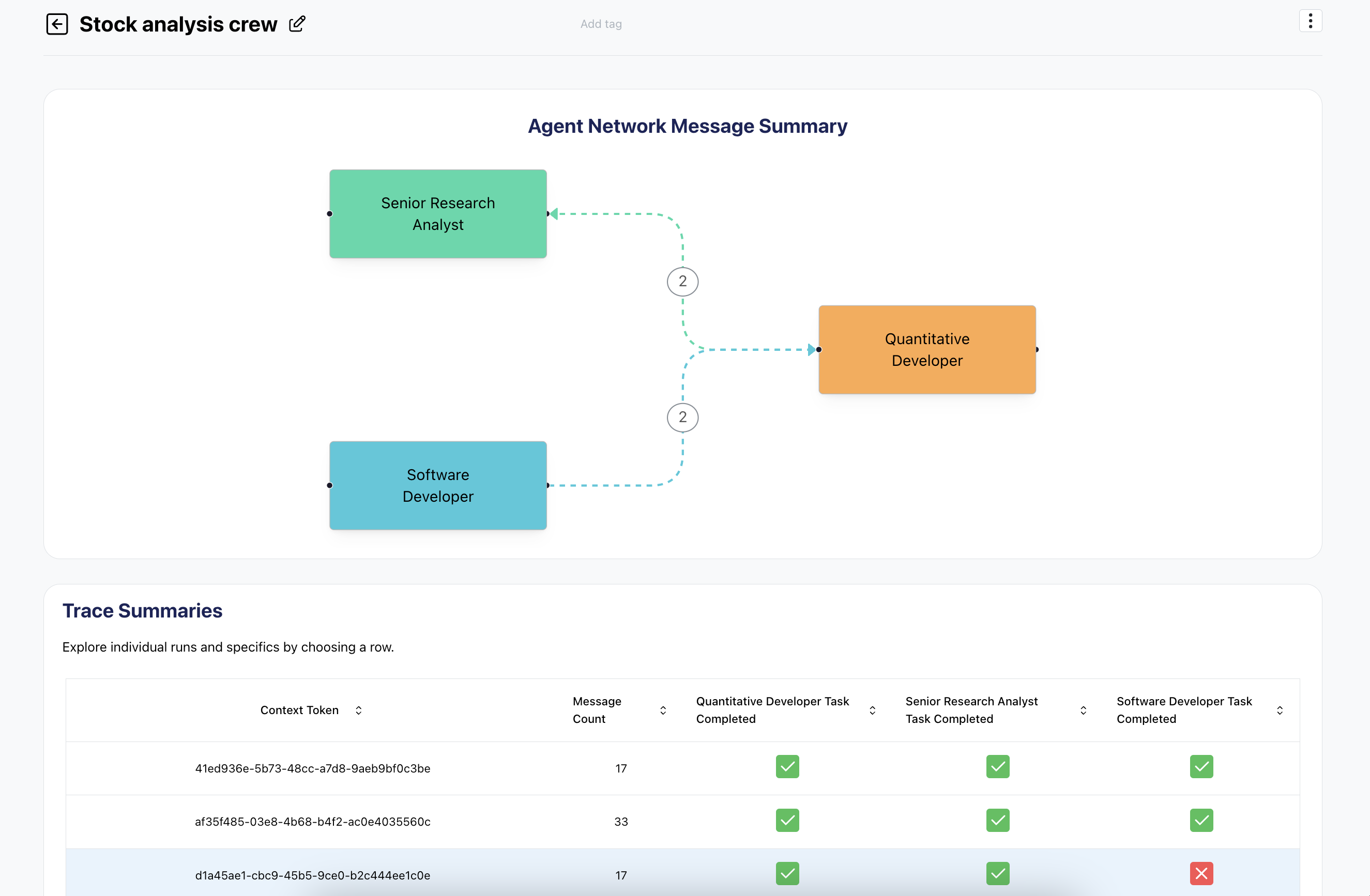
Setup
To use Okareo with CrewAI, you'll need to import the CrewAILogger:
from okareo.crewai_logger import CrewAILogger
Usage
You can use the CrewAILogger in two ways:
- As a context manager:
with CrewAILogger(logger_config):
    # Your CrewAI code here
    crew = Crew(
        agents=[agent1, agent2, agent3],
        tasks=[task1, task2, task3],
        # Other Crew parameters
    )
    result = crew.kickoff()
- As a standalone object:
crewai_logger = CrewAILogger(logger_config)
crewai_logger.start()
# Your CrewAI code here
crewai_logger.stop()
Autogen Integration
Okareo also integrates with Autogen to provide powerful debugging and evaluation capabilities for your multi-agent systems.
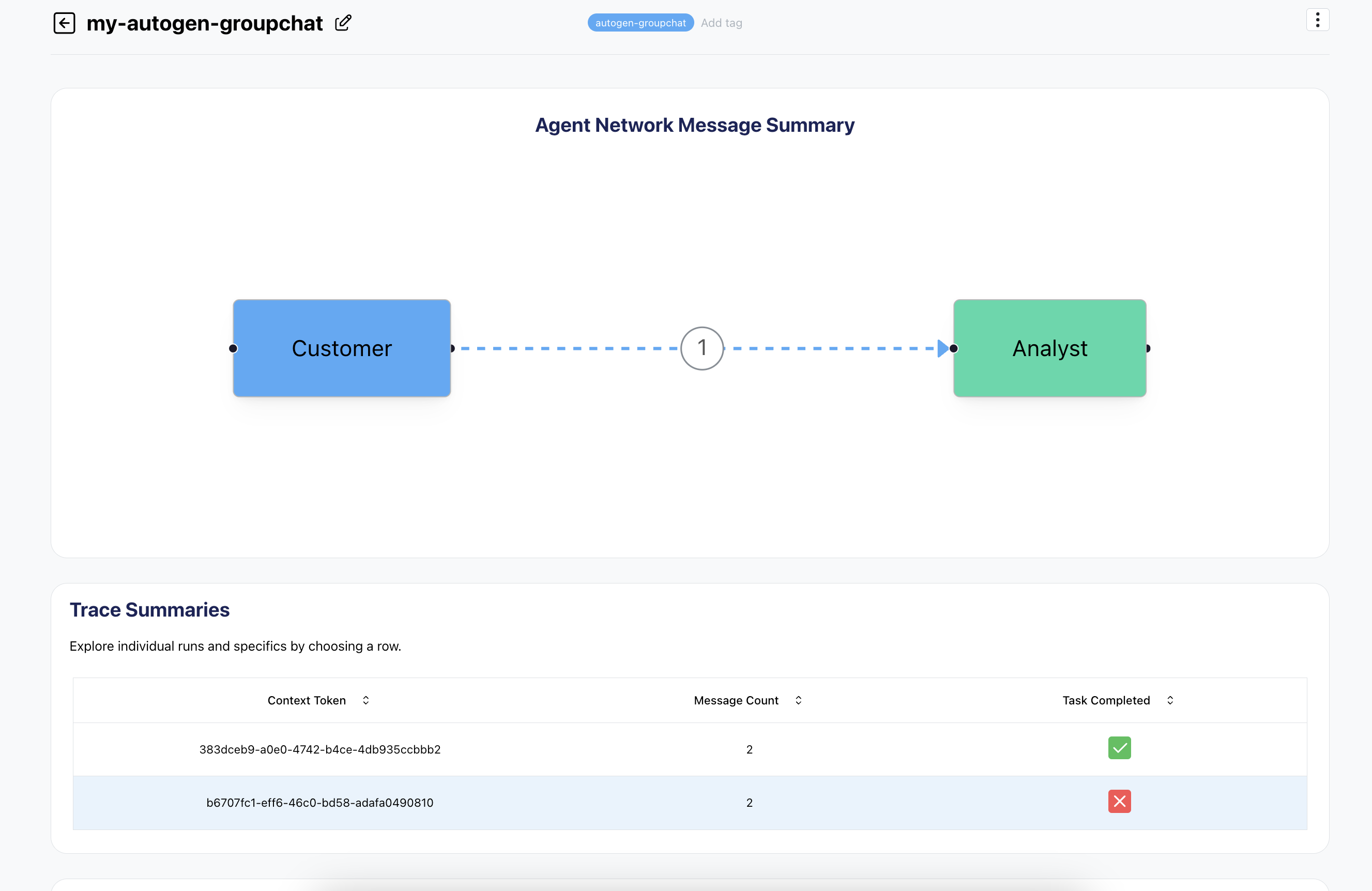
Setup
To use Okareo with Autogen, you'll need to import the AutogenLogger:
from okareo.autogen_logger import AutogenLogger
Usage
You can use the AutogenLogger in two ways:
- As a context manager:
with autogen_logger:
    # Your Autogen code here
    chat_result_logged = representative.initiate_chat(
        groupchat_manager,
        message=request,
        summary_method="reflection_with_llm",
    )
- As a standalone object:
okareo_logger = OkareoLogger(logger_config)
autogen.runtime_logging.start(logger=okareo_logger)
# Your Autogen code goes here...
autogen.runtime_logging.end()
Configuration
The CrewAILogger and AutogenLogger requires a configuration dictionary. Here are the key options:
api_key(required): Your Okareo API Tokencontext_token: Unique identifier for the logging contexttags: List of tags to associate with the logged datagroup_name: Name for the group of logged data (default: "crewai-chat-*")
Example configuration:
logger_config = {
    "api_key": "your_api_key_here",
    "tags": ["testing", "debug"],
    "group_name": "my_first_agent_project"
}
Debugging Features
With Okareo's CrewAI and Autogen integration, you can:
- Visualize agent interactions
- Analyze task completion and errors
- Perform root cause analysis on issues
- Track multi-turn performance