Azure Pipelines
The Okareo Azure Pipelines integration allows you to run evaluations, synthetic scenario generations, or model validation directly inside your CI/CD flows using the Okareo Python or TypeScript SDKs. This guide assumes that you have a general knowledge of Azure and have permission to create and manage a pipeline.
To use the SDKs, install the appropriate packages in your pipeline and provide your Okareo API Token as a secure environment variable.
The SDK requires an API Token. Refer to the Okareo API Token guide for more information.
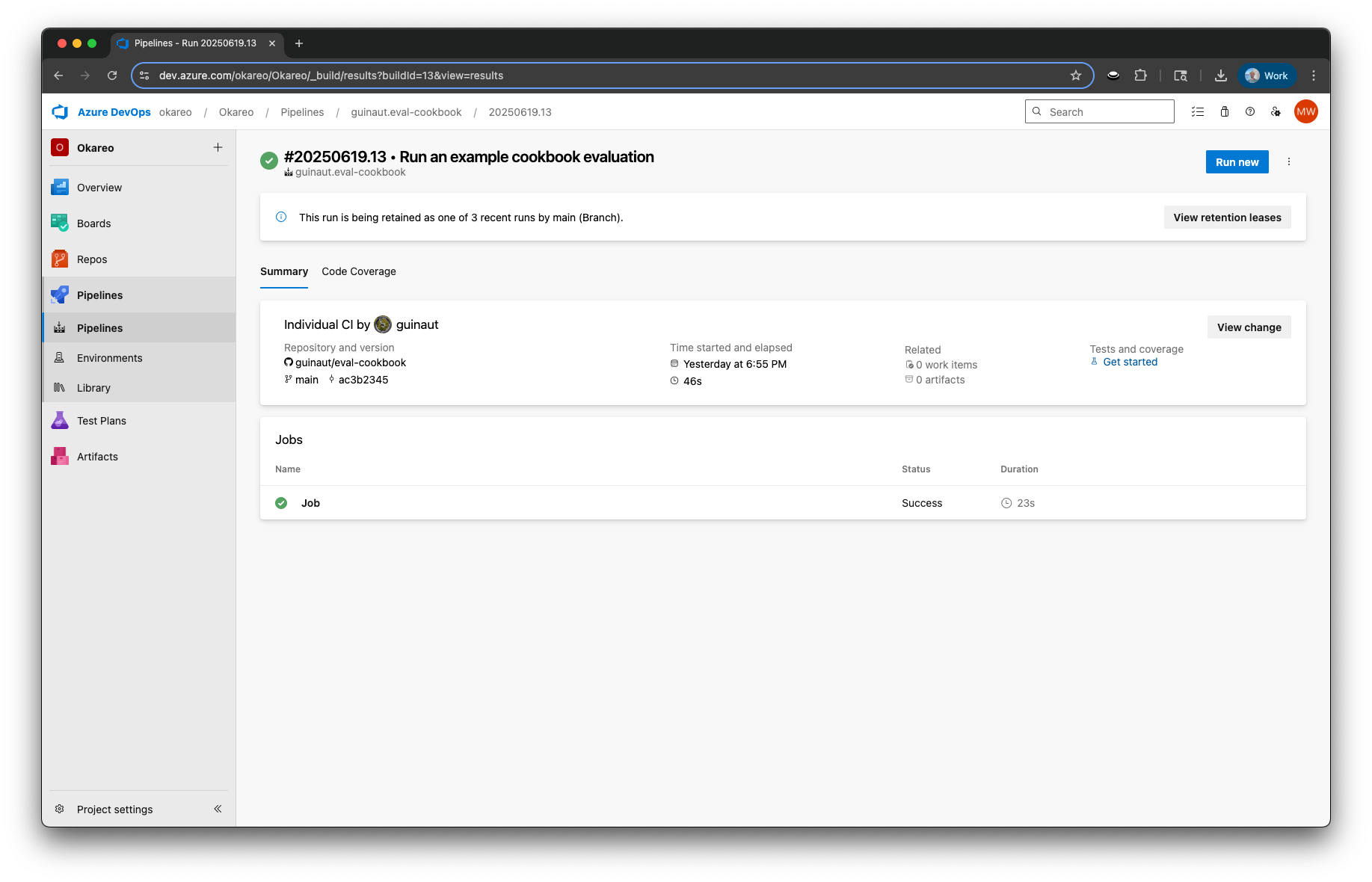
Usage
The following examples show how to integrate Okareo into your azure-pipelines.yml file using either Python or TypeScript. You will need to configure your own self-hosted agent or ensure that your project has Microsoft-hosted parallelism enabled.
- Python
- Typescript
YAML Configuration
# azure-pipelines.yml
trigger:
- main

pool:
  name: Self-Hosted

steps:
- task: UsePythonVersion@0
  inputs:
    versionSpec: '3.x'
    addToPath: true

- script: |
    python3 -m pip install --upgrade pip
    pip install okareo
  displayName: 'Install Okareo Python SDK'

- script: |
    python3 example.py
  env:
    OKAREO_API_KEY: $(OKAREO_API_KEY)
  displayName: 'Run example.py with Env Var'
Example Automated Evaluation
# example.py
import os
from okareo import Okareo
from okareo.model_under_test import OpenAIModel
from okareo_api_client.models.seed_data import SeedData
from okareo_api_client.models.test_run_type import TestRunType
from okareo_api_client.models.scenario_set_create import ScenarioSetCreate

# Set your Okareo API key
OKAREO_API_KEY = os.environ.get("OKAREO_API_KEY")
okareo = Okareo(OKAREO_API_KEY)

# Create a scenario for the evaluation
scenario = okareo.create_scenario_set(ScenarioSetCreate(
    name="Azure Scenario Example",
    seed_data=[
        SeedData(
            input_="What is the capital of France?",
            result="Paris",
        ),
        SeedData(
            input_="What is one-hundred and fifty times 3?",
            result="450",
        ),
    ]
))

# Register the model to use in the test run
model_under_test = okareo.register_model(
    name="Azure Model Example",
    model=OpenAIModel(
        model_id="gpt-4o-mini",
        temperature=0,
        system_prompt_template="Always return numeric answers backwards. e.g. 1234 becomes 4321.",
        user_prompt_template="{scenario_input}",
    ),
    update= True,
)

# Run the evaluation
evaluation = model_under_test.run_test(
    name="Azure Evaluation Example",
    scenario=scenario,
    test_run_type=TestRunType.NL_GENERATION,
    api_key=os.environ.get("OPENAI_API_KEY"),
    checks=[
        "context_consistency",
    ],
)

# Output the results link
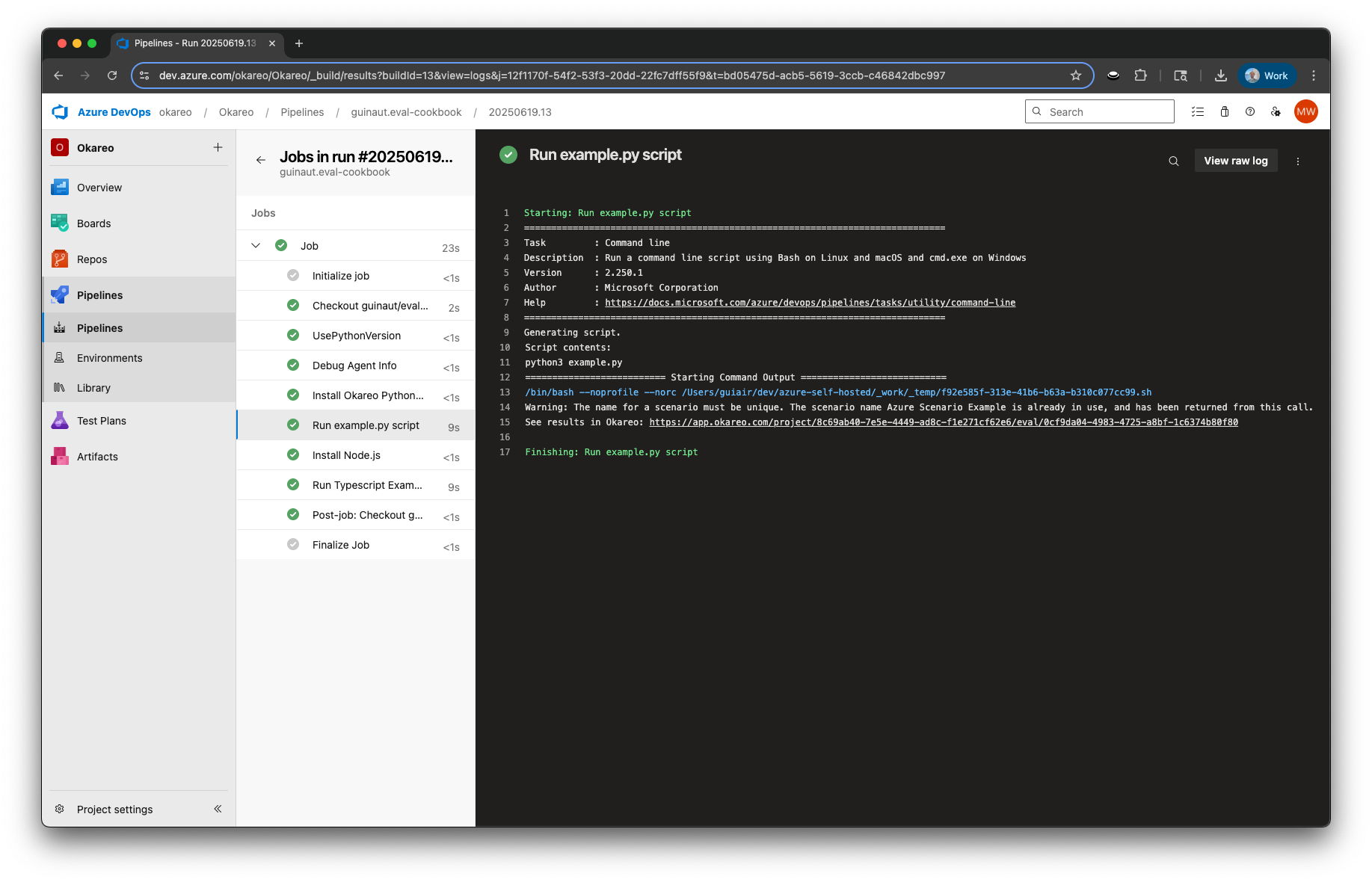
print(f"See results in Okareo: {evaluation.app_link}")
If you’re using Okareo from TypeScript, make sure you’ve installed the Okareo TypeScript SDK in your project.
YAML Configuration
trigger:
- main

pool:
  vmImage: 'ubuntu-latest'

steps:
- task: UseNode@1
  inputs:
    version: "18.x"
  displayName: "Install Node.js"

- script: |
    npm install
    ts-node example.ts
  env:
    OKAREO_API_KEY: $(OKAREO_API_KEY)
    OPENAI_API_KEY: $(OPENAI_API_KEY)
  displayName: "Run Typescript Example"
- Example.ts
- tsconfig.json
- package.json
// example.ts
import {
  Okareo,
  OpenAIModel,
  TestRunType,
  GenerationReporter,
} from "okareo-ts-sdk";

const okareo = new Okareo({ api_key: process.env.OKAREO_API_KEY || "" });

const main = async () => {
  try {
    const project_id = "8c69ab40-7e5e-4449-ad8c-f1e271cf62e6"; // Replace with your actual project ID

    // Create the scenario to evaluate the model with
    const scenario = await okareo.create_scenario_set({
      name: "Simple Scenario Example",
      project_id,
      seed_data: [
        {
          input: "What is the capital of France?",
          result: "Paris",
        },
        {
          input: "What is one-hundred and fifty times 3?",
          result: "450",
        },
      ],
    });

    // Register the model under test
    const model_under_test = await okareo.register_model({
      name: "Simple Model Example",
      project_id: project_id,
      models: {
        type: "openai",
        model_id: "gpt-4o-mini",
        temperature: 0,
        system_prompt_template:
          "Always return numeric answers backwards. e.g. 1234 becomes 4321.",
        user_prompt_template: "{scenario_input}",
      } as OpenAIModel,
      update: true,
    });

    // Run the evaluation
    const evaluation = await model_under_test.run_test({
      name: "Simple Example Evaluation",
      project_id,
      scenario_id: scenario.scenario_id,
      model_api_key: process.env.OPENAI_API_KEY || "",
      type: TestRunType.NL_GENERATION,
      calculate_metrics: true,
      checks: ["context_consistency"],
    });

    const reporter = new GenerationReporter({
      eval_run: evaluation,
      pass_rate: {
        context_consistency: 1.0,
      },
    });
    reporter.log();
  } catch (error) {
    console.error(error);
  }
};
main();
{
  "compilerOptions": {
    "target": "ES2020",
    "module": "CommonJS",
    "moduleResolution": "node",
    "strict": true,
    "esModuleInterop": true,
    "skipLibCheck": true,
    "resolveJsonModule": true,
    "outDir": "dist"
  },
  "include": ["src/**/*"]
}
{
  "dependencies": {
    "@types/node": "^24.0.1",
    "okareo-ts-sdk": "^0.0.58"
  }
}
Viewing Results in Okareo
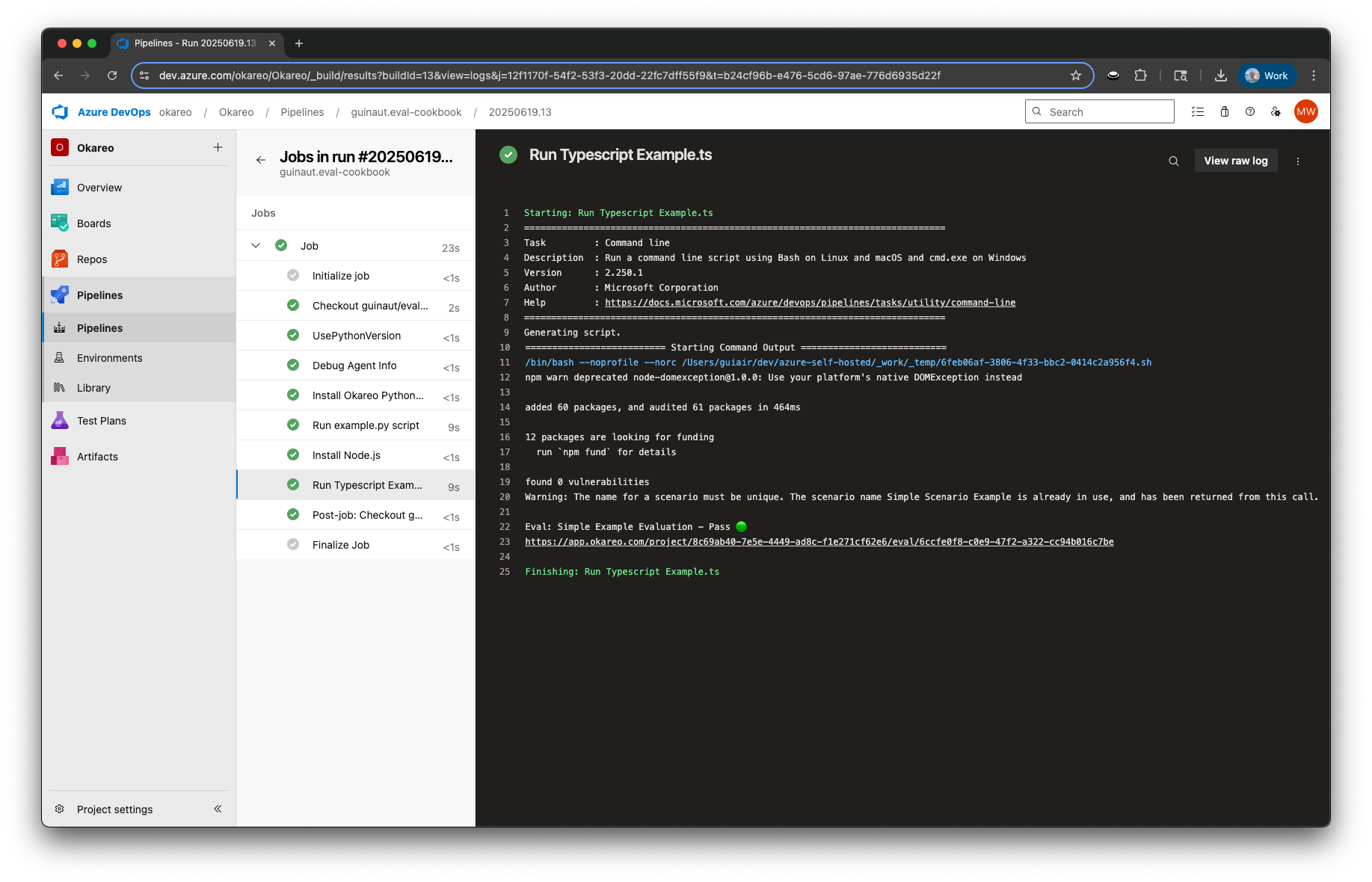
After execution, results will be available in the Okareo platform:
-
Scenarios:
https://app.okareo.com/project/<project UUID>/scenario/<scenario UUID> -
Evaluations:
https://app.okareo.com/project/<project UUID>/eval/<evaluation UUID>
Links will be shown in your pipeline’s console output when using the SDK or CLI.